Back
Case 02
CDS Attendance tracker App
Project Summary
•
Project Type: Design Test
•
Domain: ConnectMe (Social Media App)
•
Goal: Design specific user flows (sign-up, login, profile, follow, password reset) with a consistent brand identity.
•
Duration: 1 week
•
Role: Sole UI/UX Designer + Logo Designer
•
Tools Used: Figma, Illustrations, Streamline Icons
The Challenge
•
Social media apps are crowded markets, so onboarding and account management experiences must be seamless and intuitive.
•
The company tasked me with designing core authentication and profile flows while maintaining a professional, branded look.
Research & Insights
Target Users: Everyday social media users ranging from students to professionals.
Pain Points Identified:
•
Complicated sign-up forms discourage users.
•
Inconsistent branding reduces trust.
•
Password reset flows are often confusing and frustrating.
Insight: A social platform should feel trustworthy, easy to use, and visually engaging from the very first interaction.
Design Process
•
Logo Design: Crafted a vibrant, globe-inspired logo to symbolize global connection and networking.
•
User Flow Design: Focused on simplicity + clarity across each screen.
•
Visual Style:
-Gradient palette (orange + purple) for a modern, dynamic look.
-Minimalist layouts to highlight key actions.
-Familiar authentication patterns to reduce learning curve.
Final Solution
•
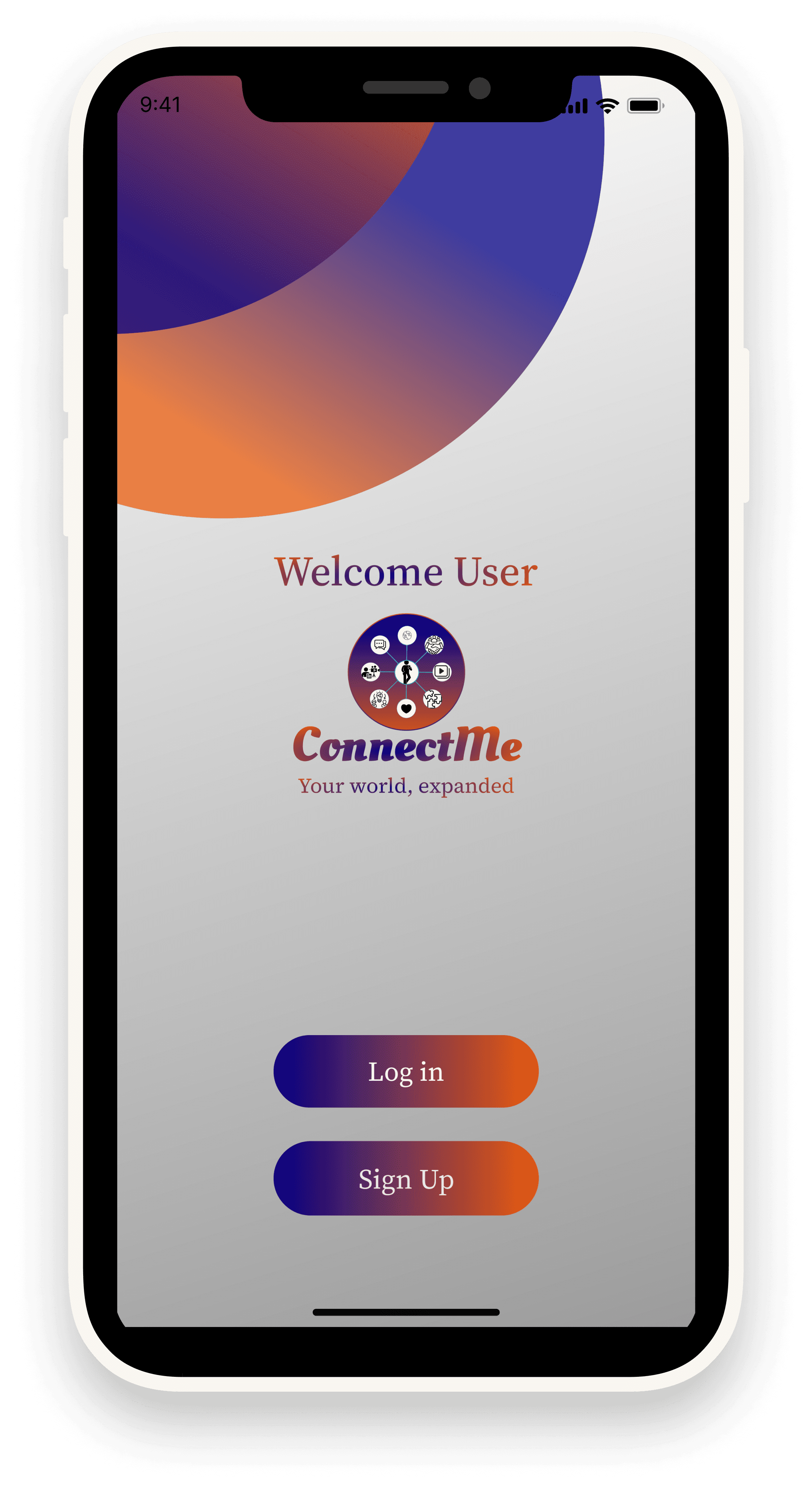
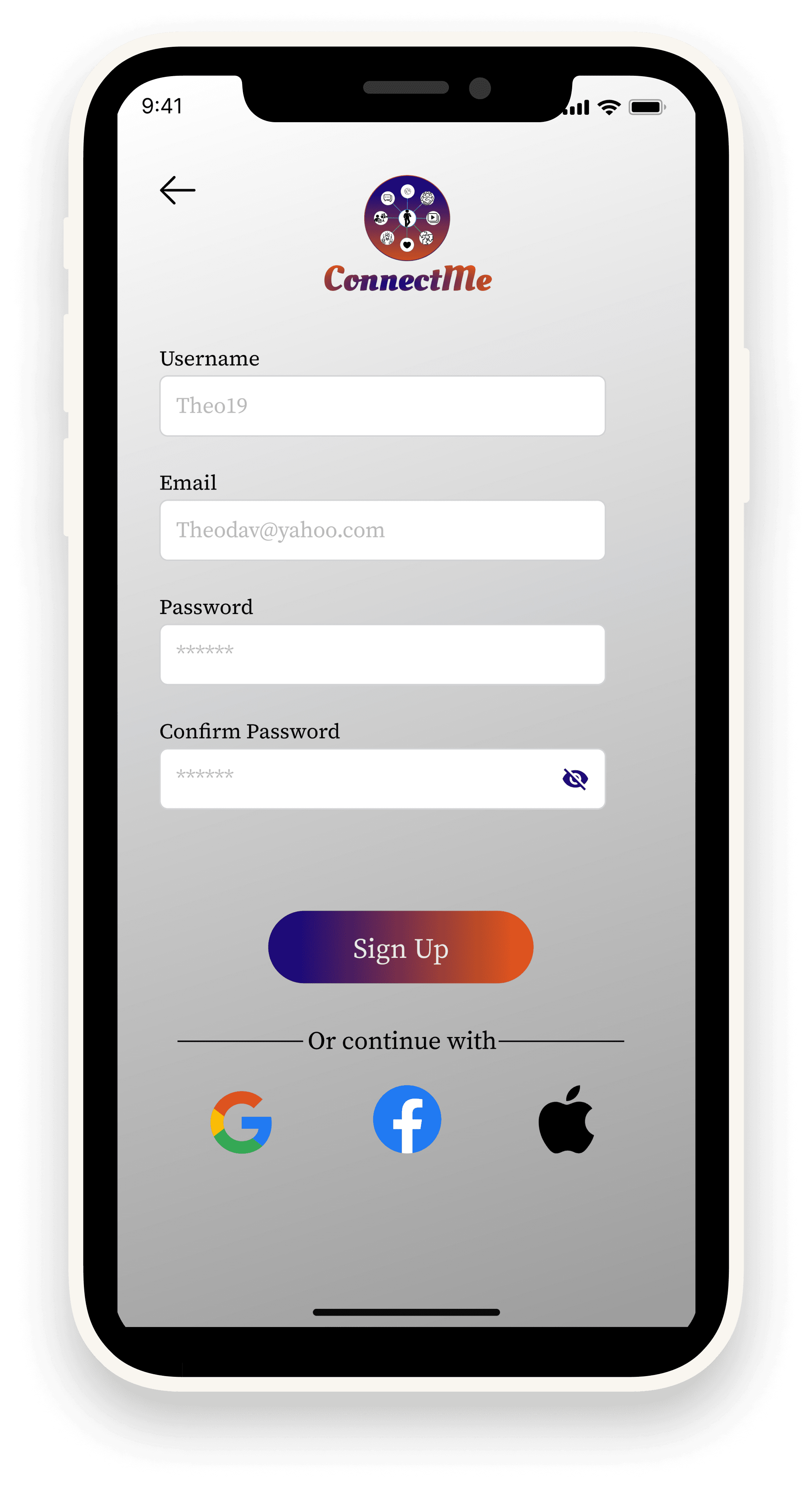
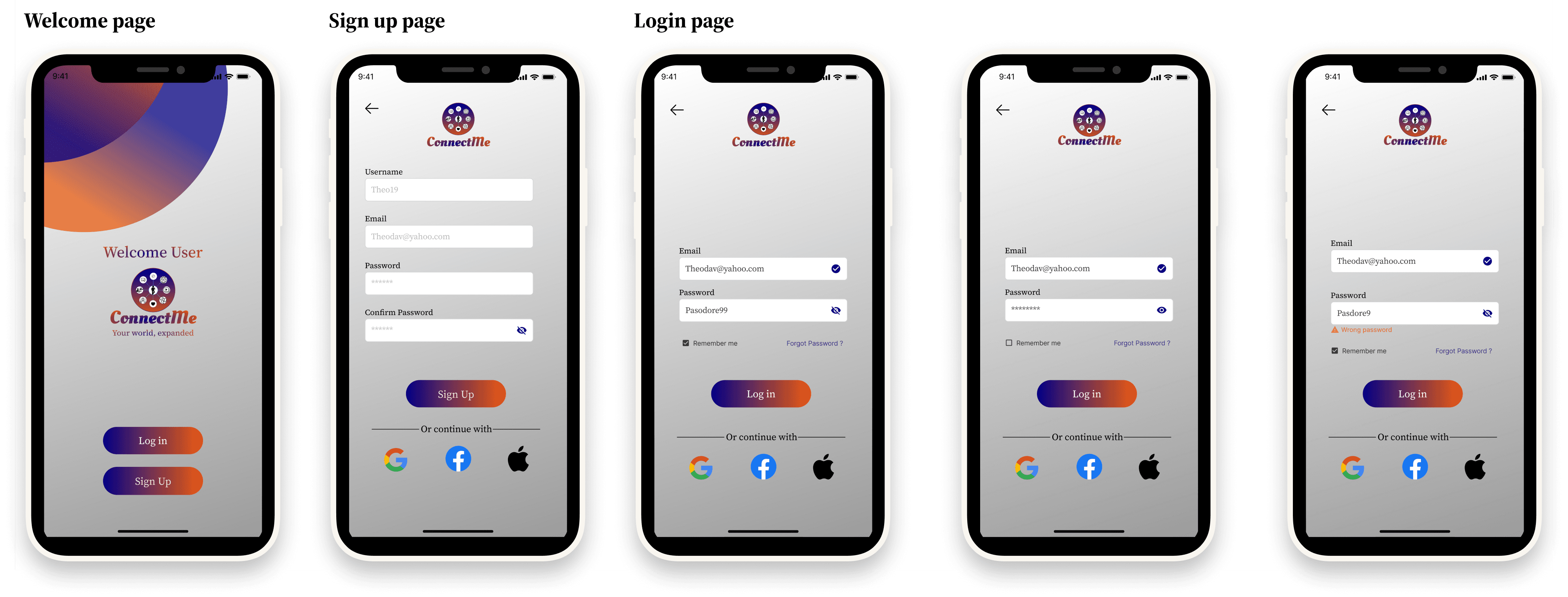
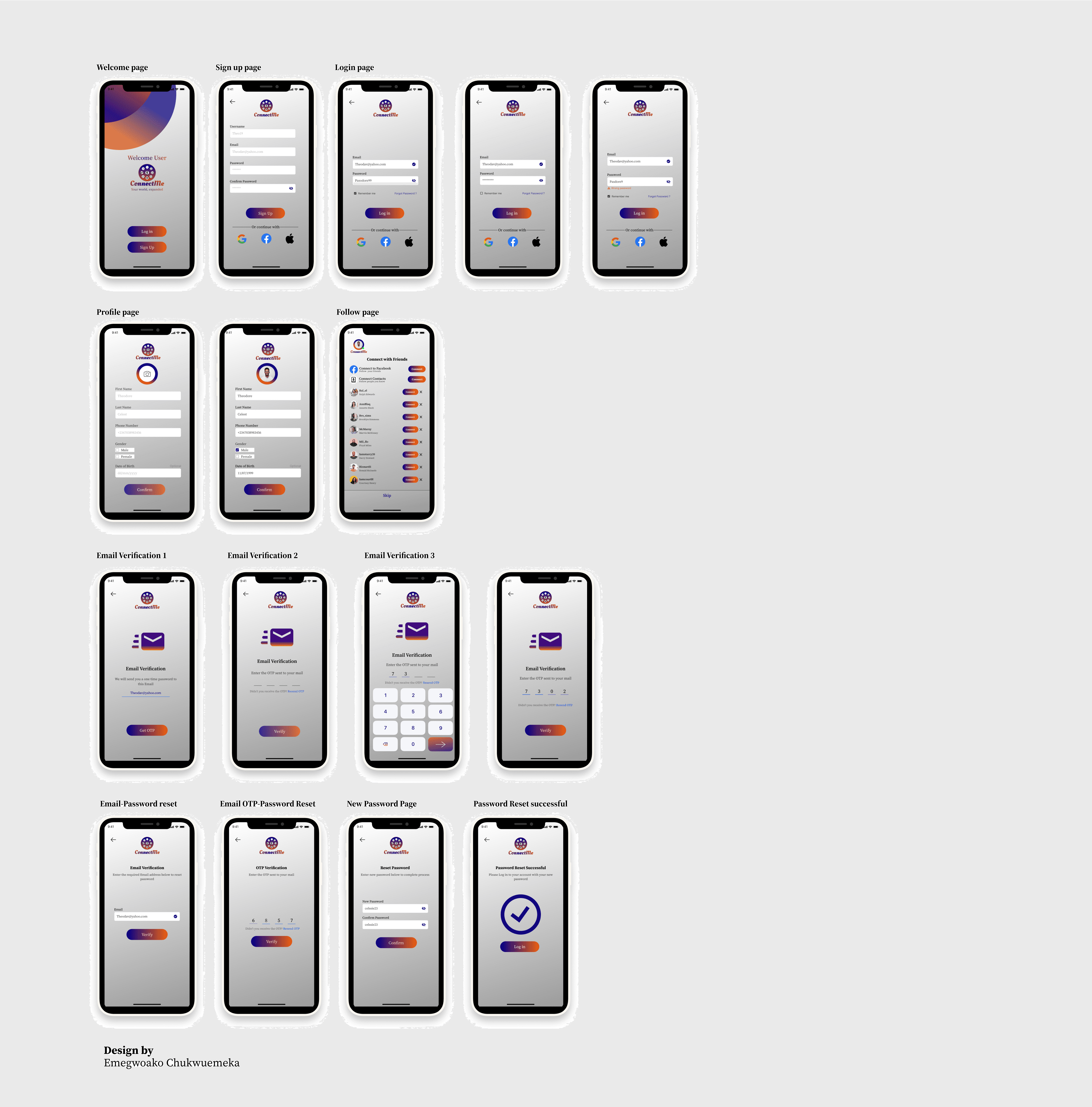
Welcome & Sign-Up Page – Quick entry with multiple sign-up options (Google, Facebook, Apple).
•
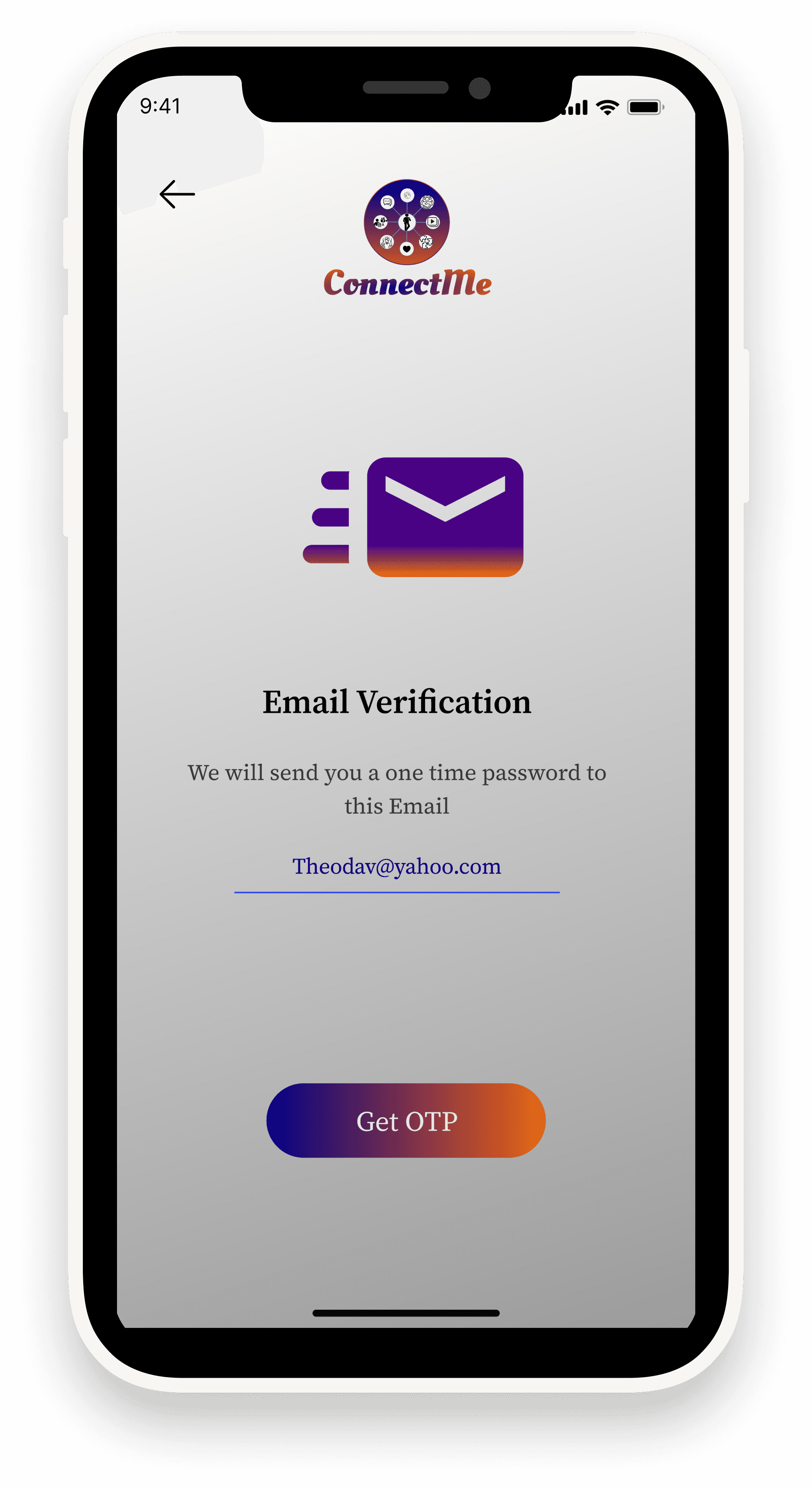
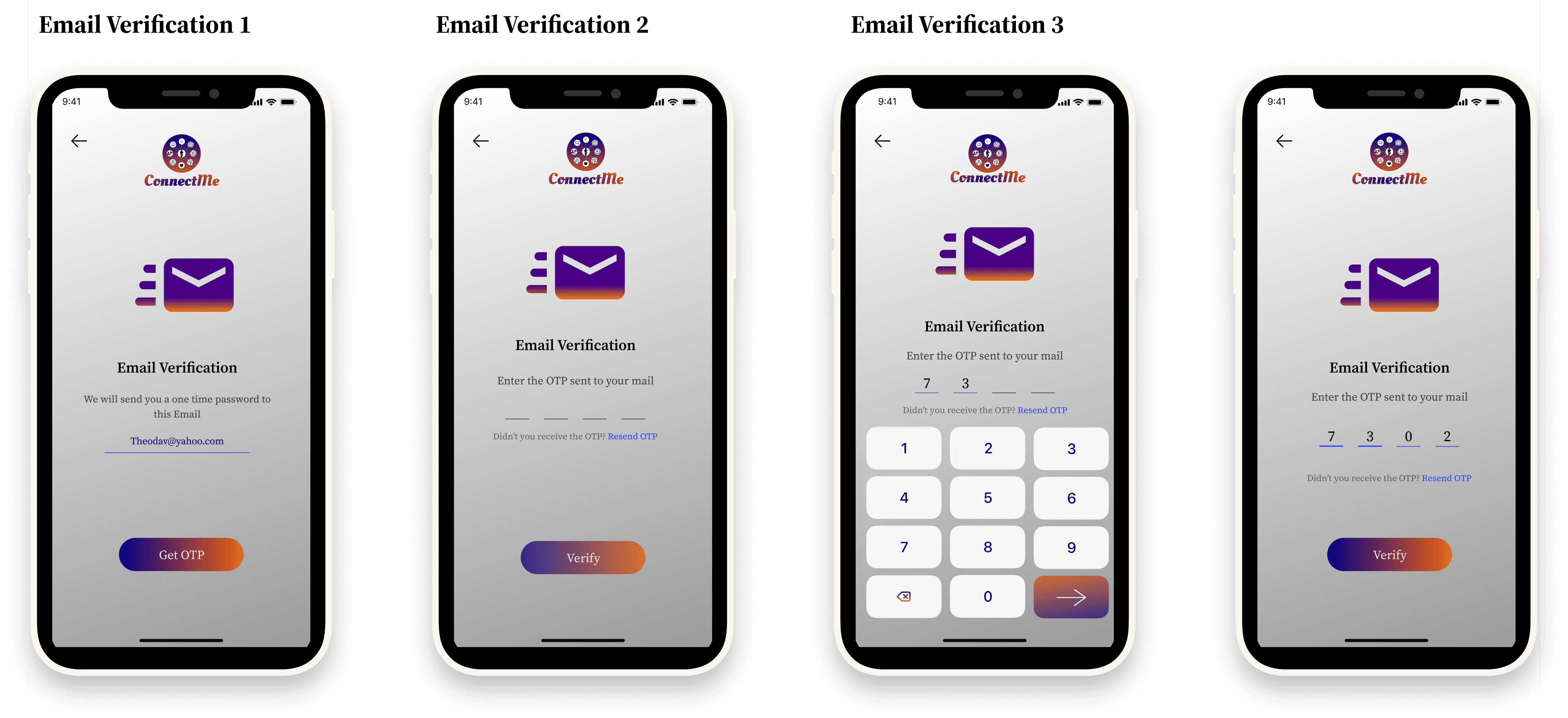
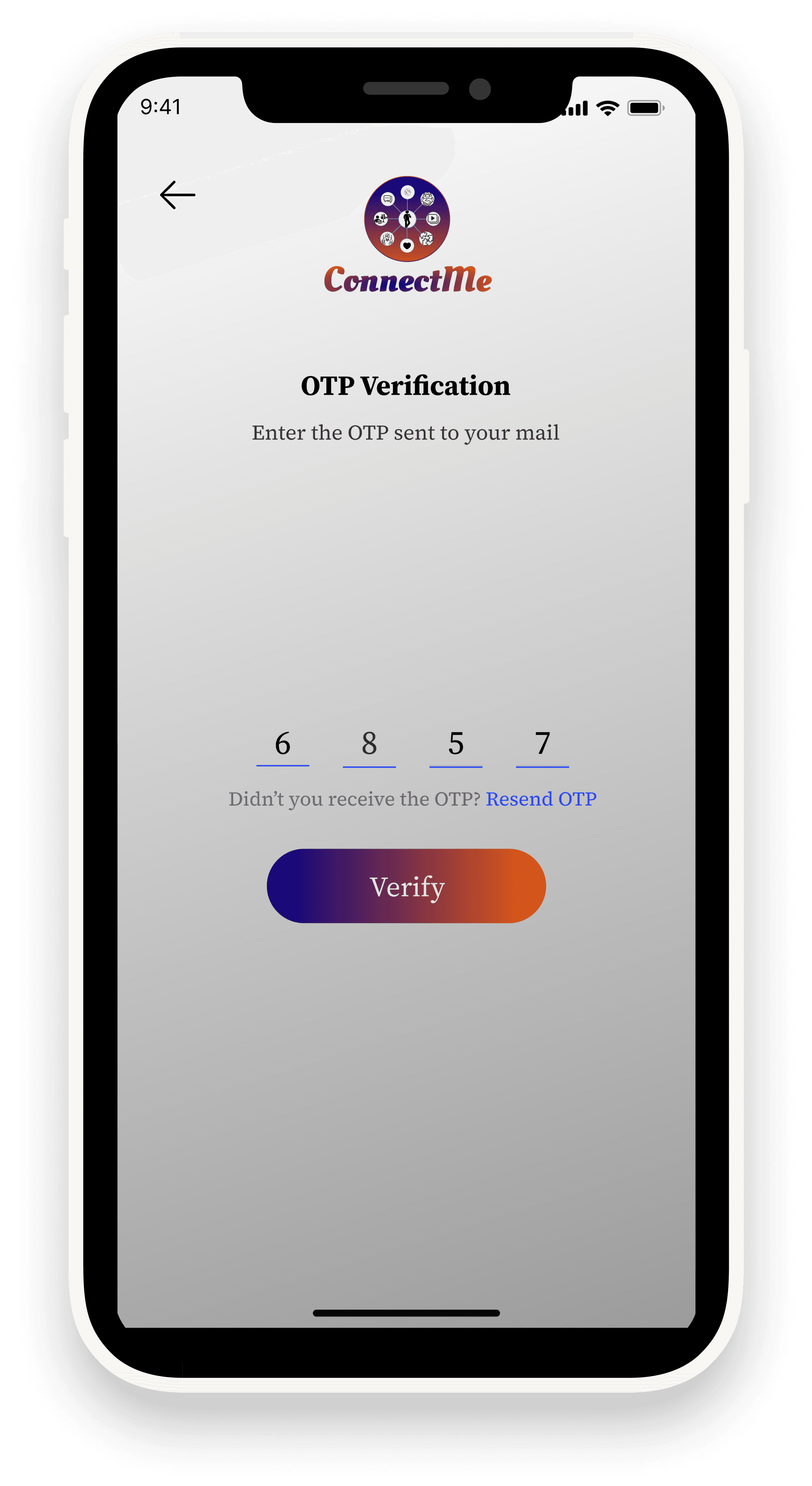
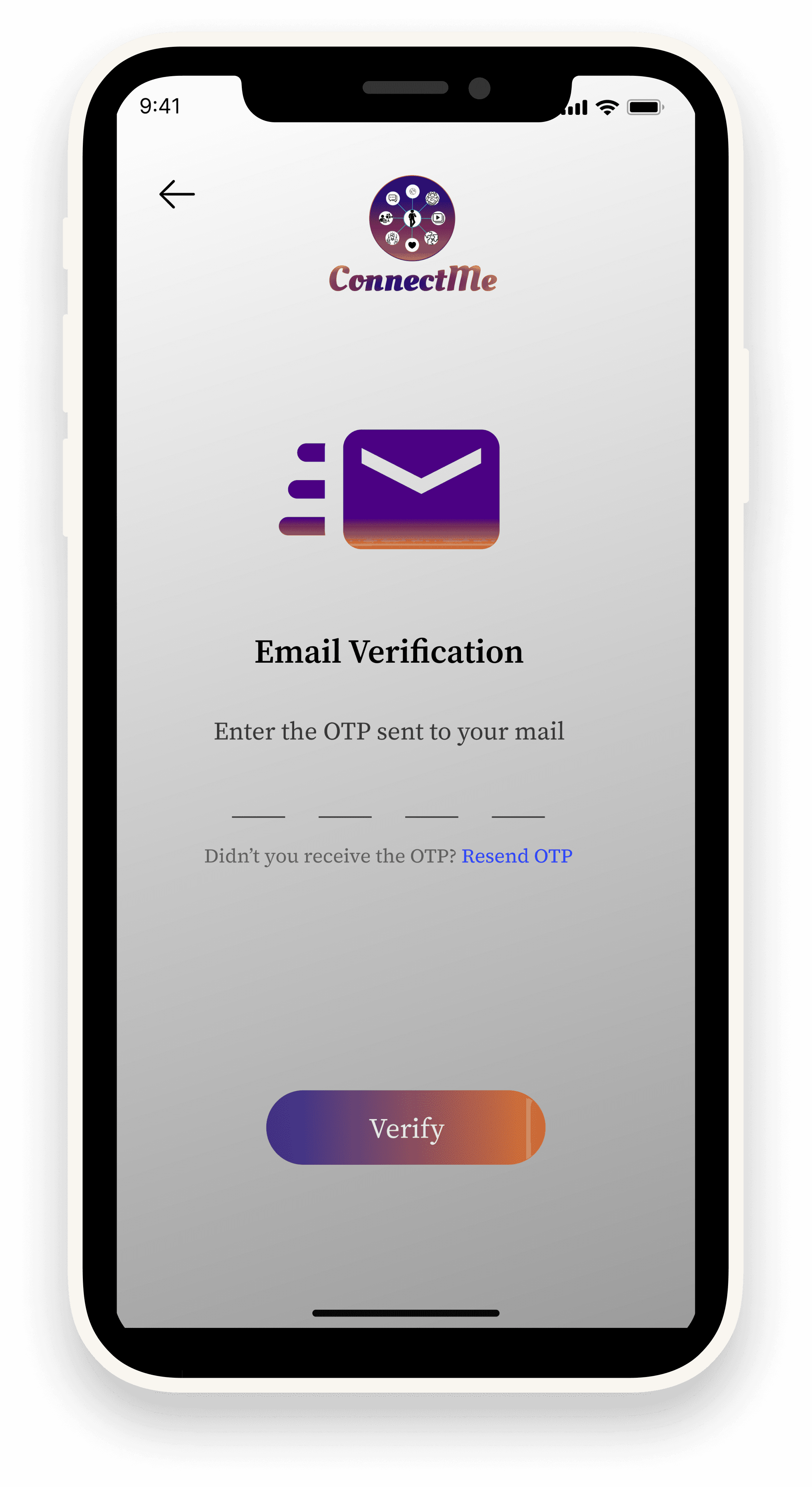
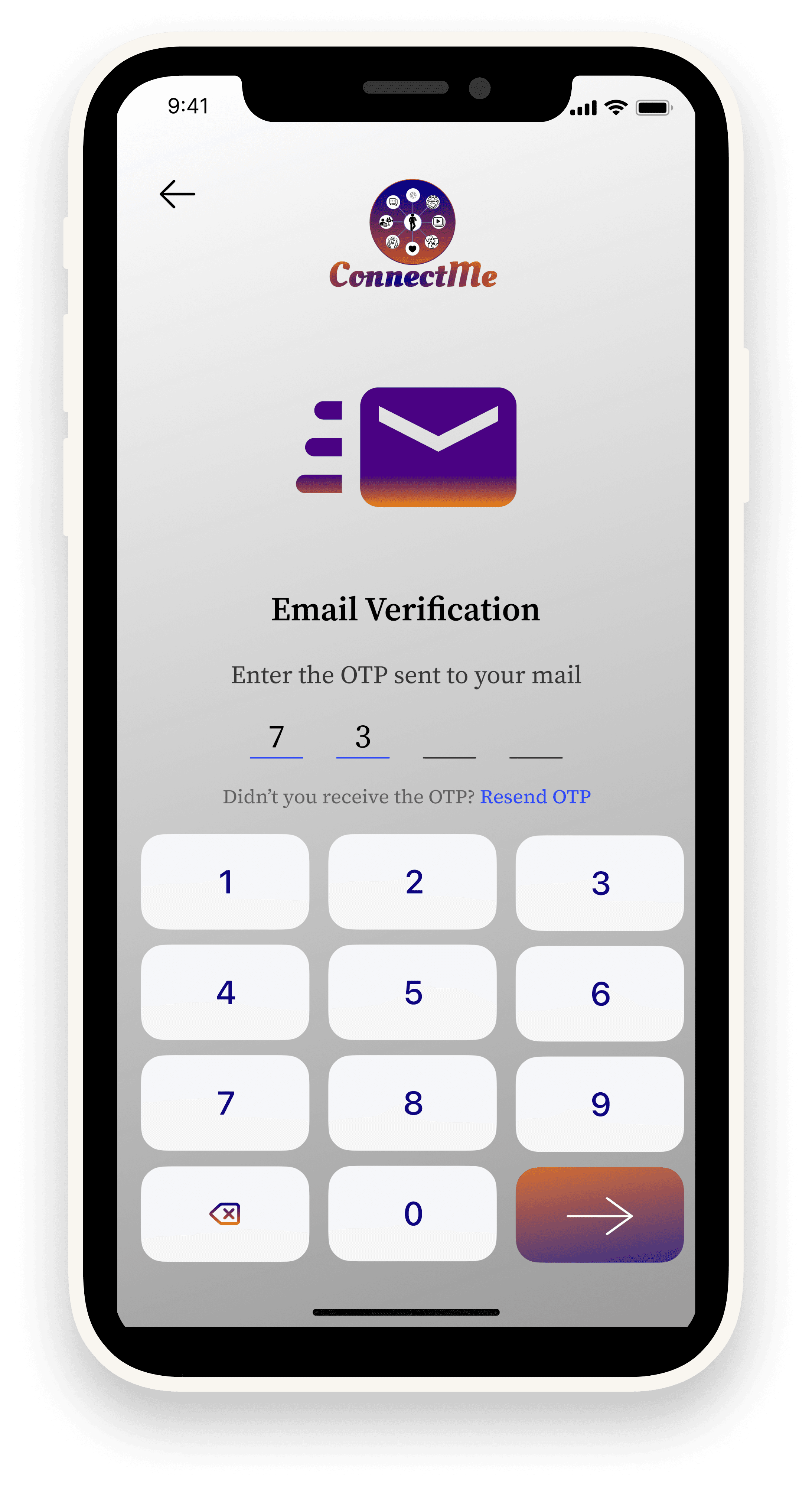
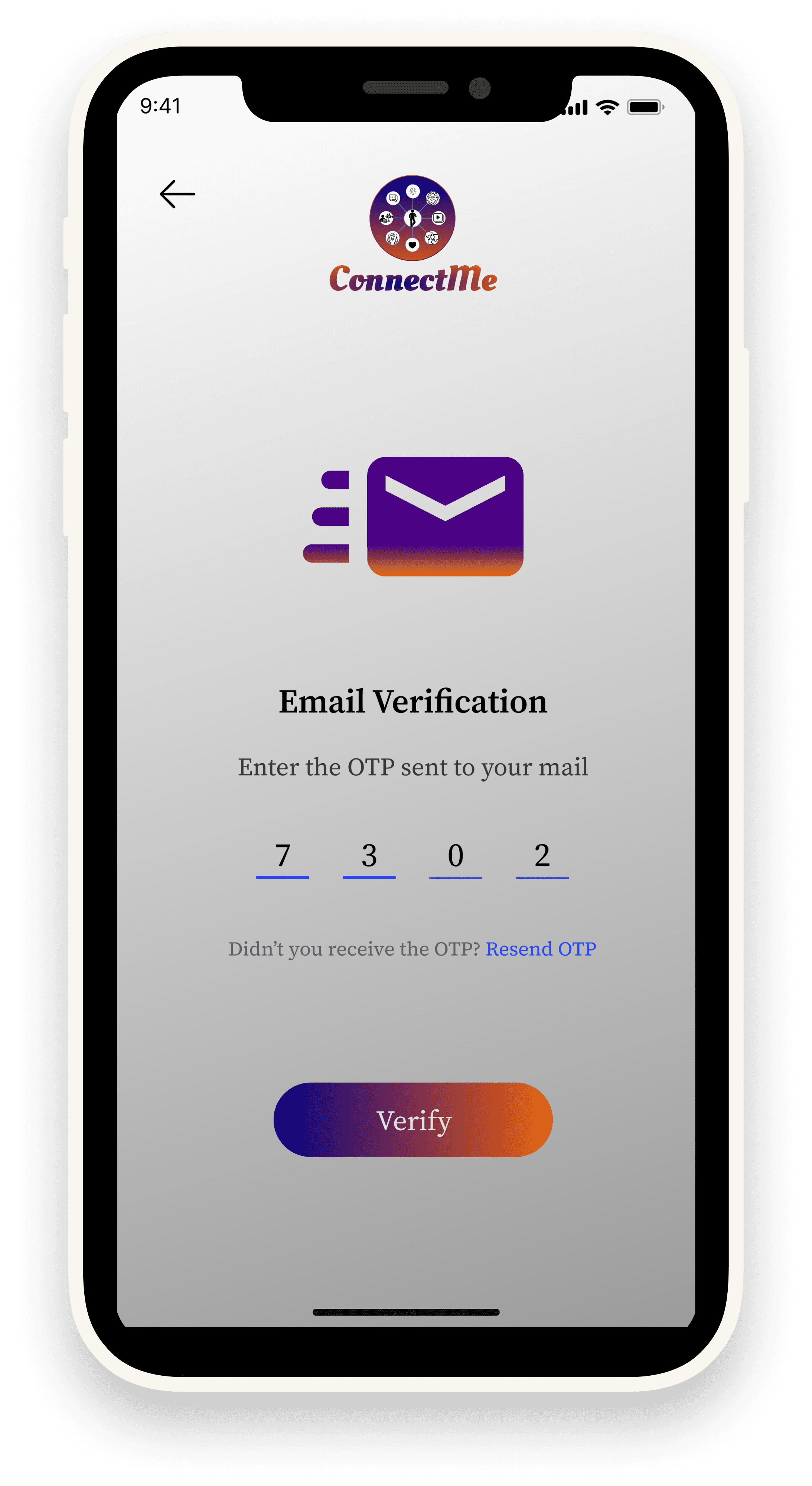
Email Verification (3 Steps) – Step-by-step validation with OTP input for security.
•
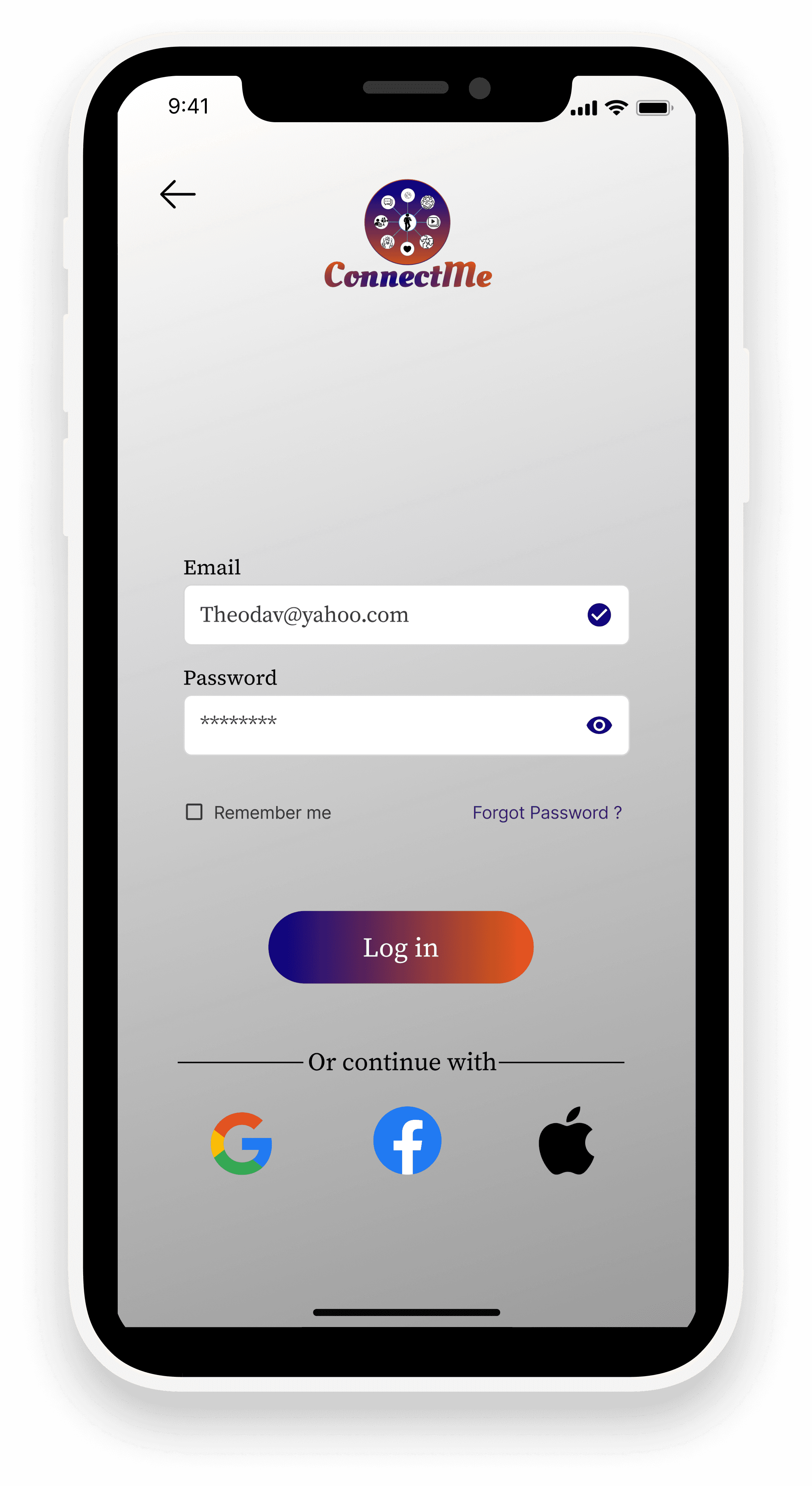
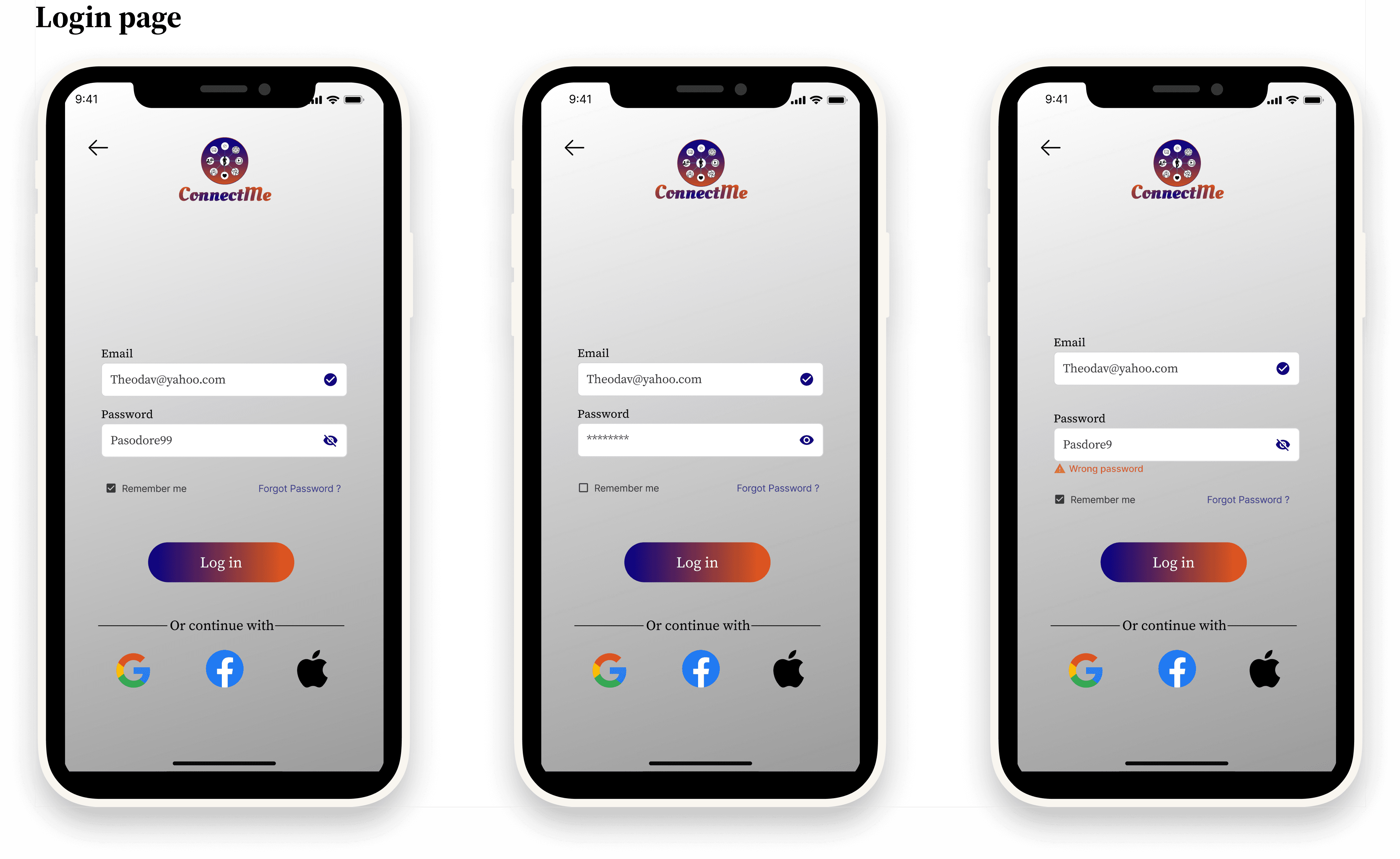
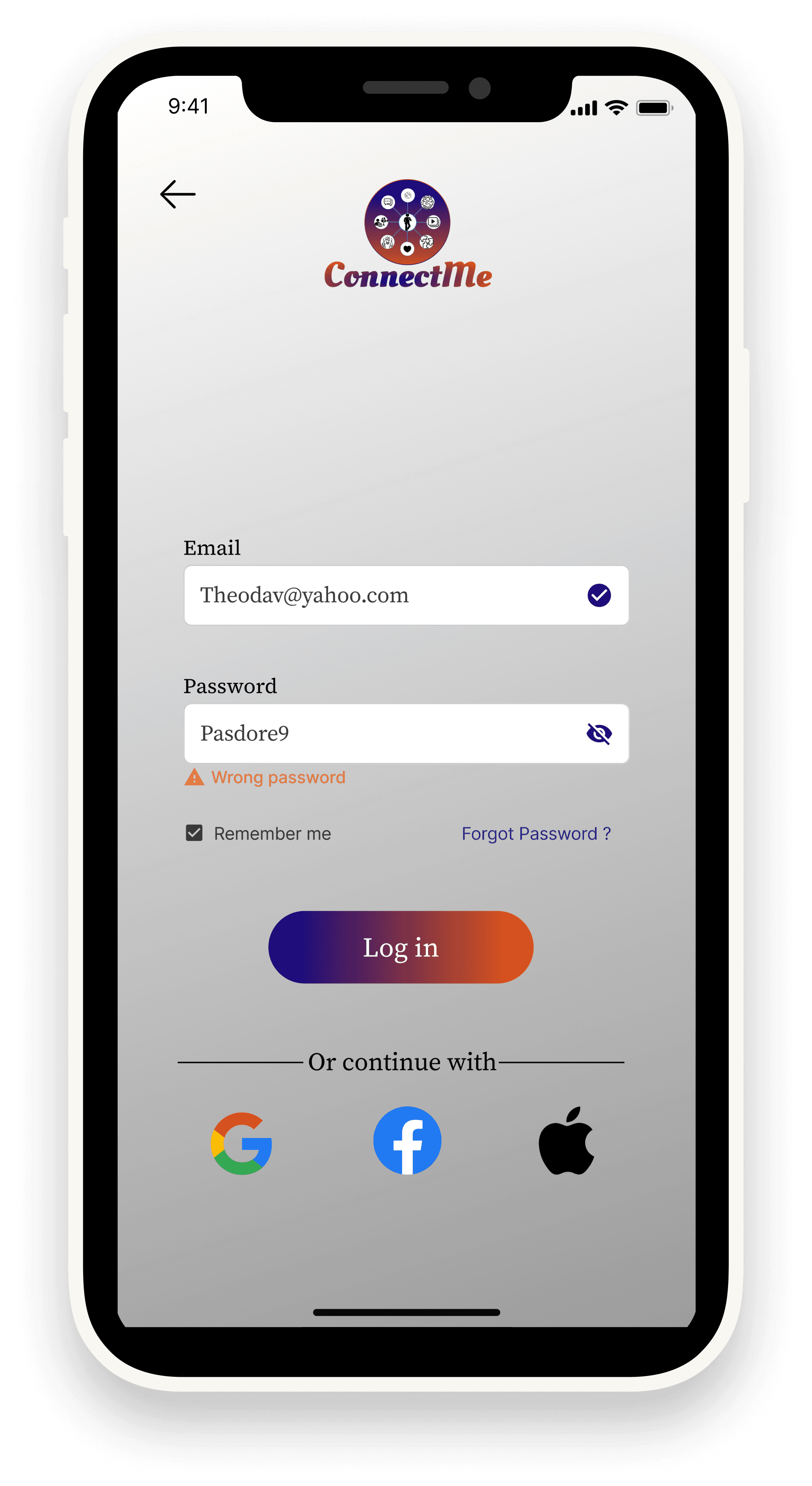
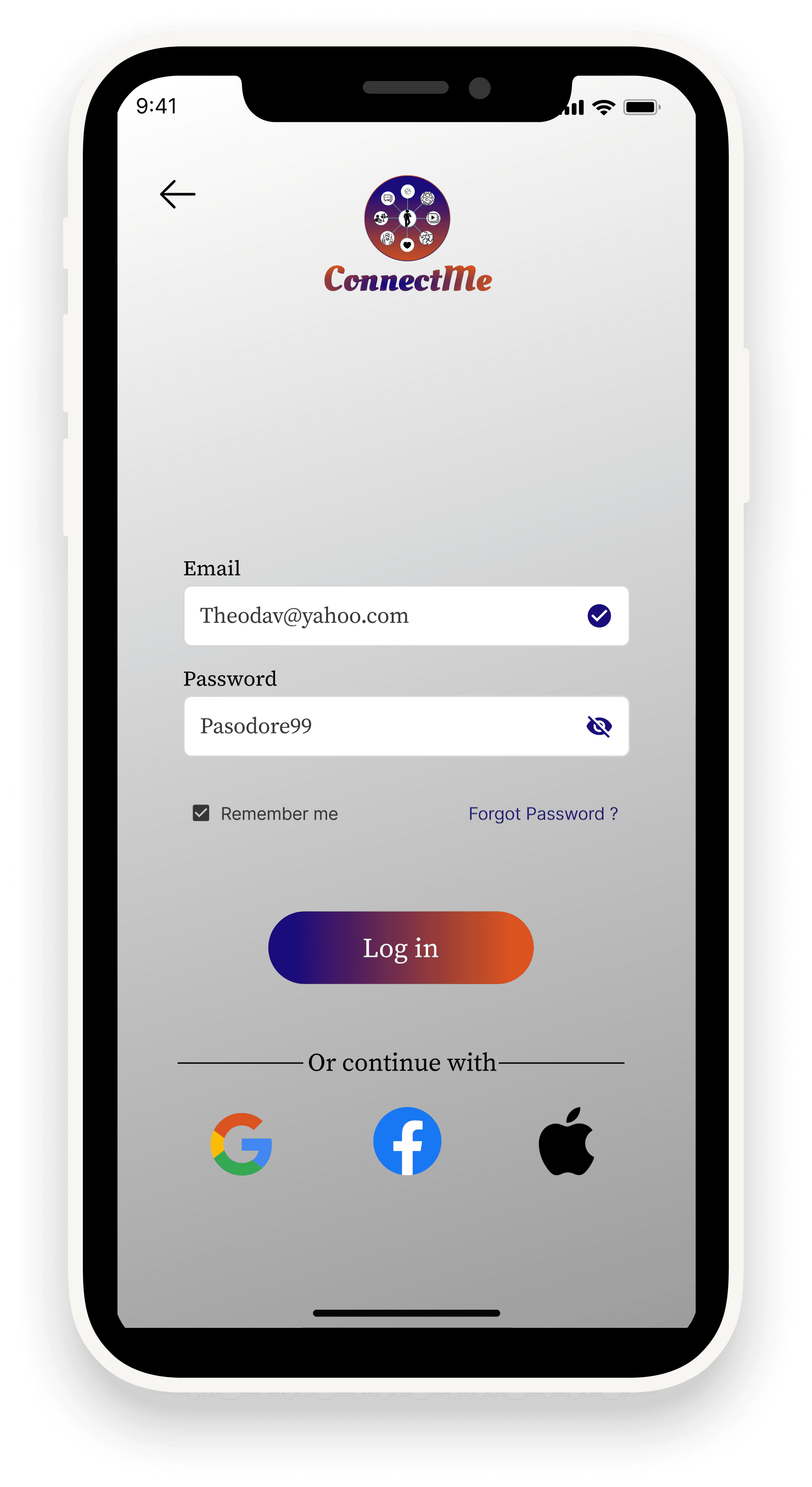
Login Page – Clean layout with social login integration.
•
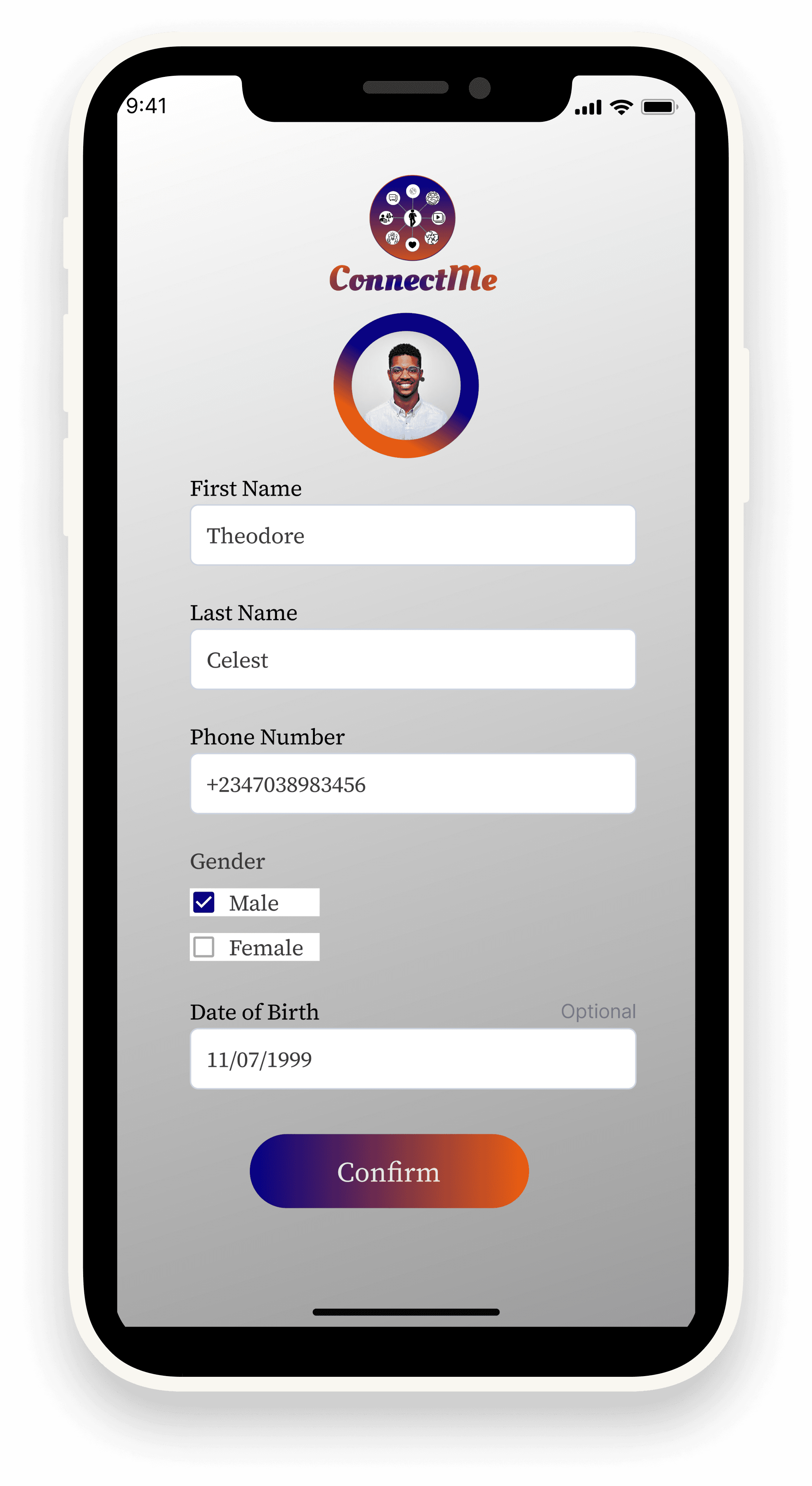
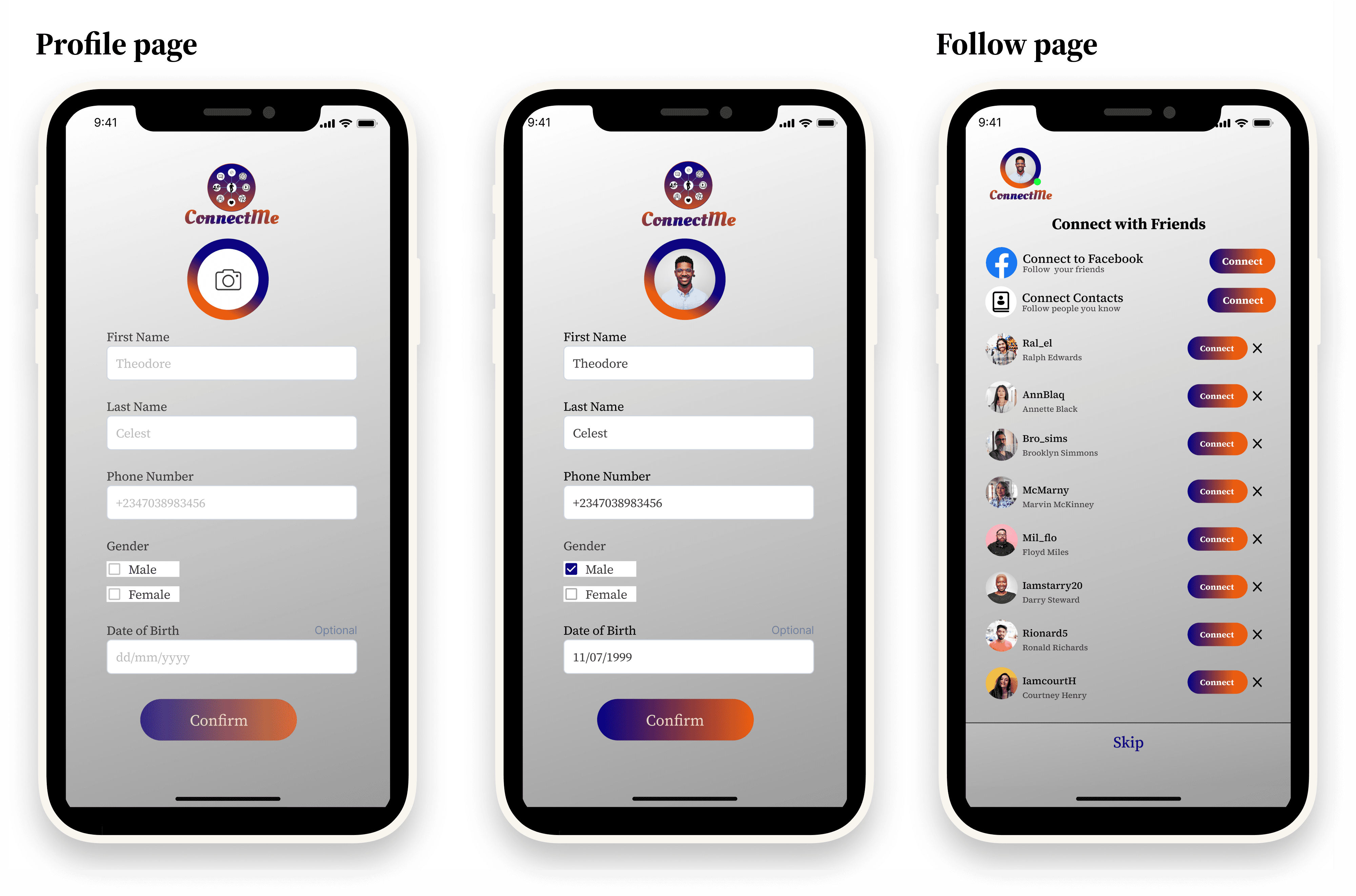
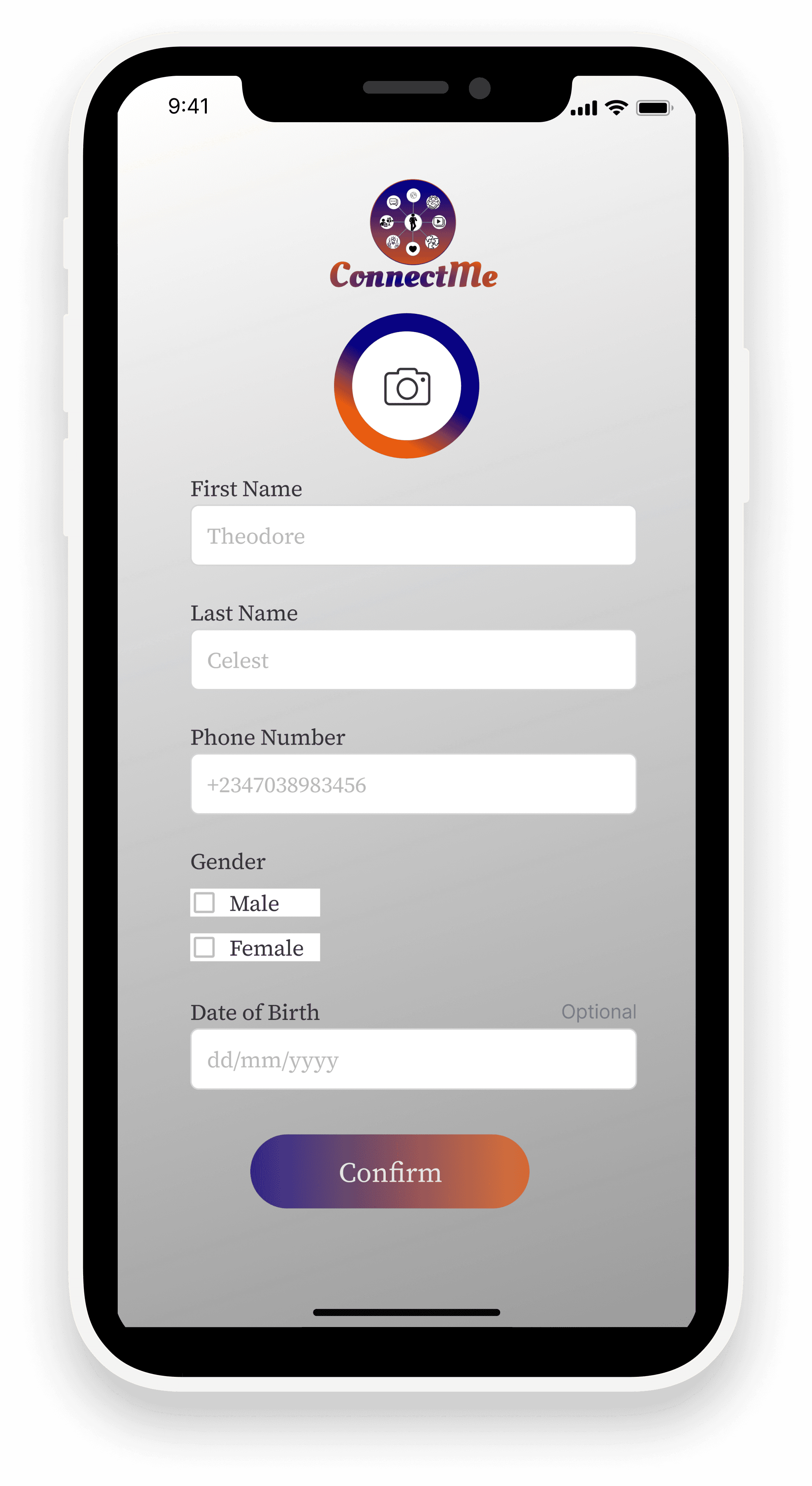
Profile Page – Simple user setup for identity and personalization.
•
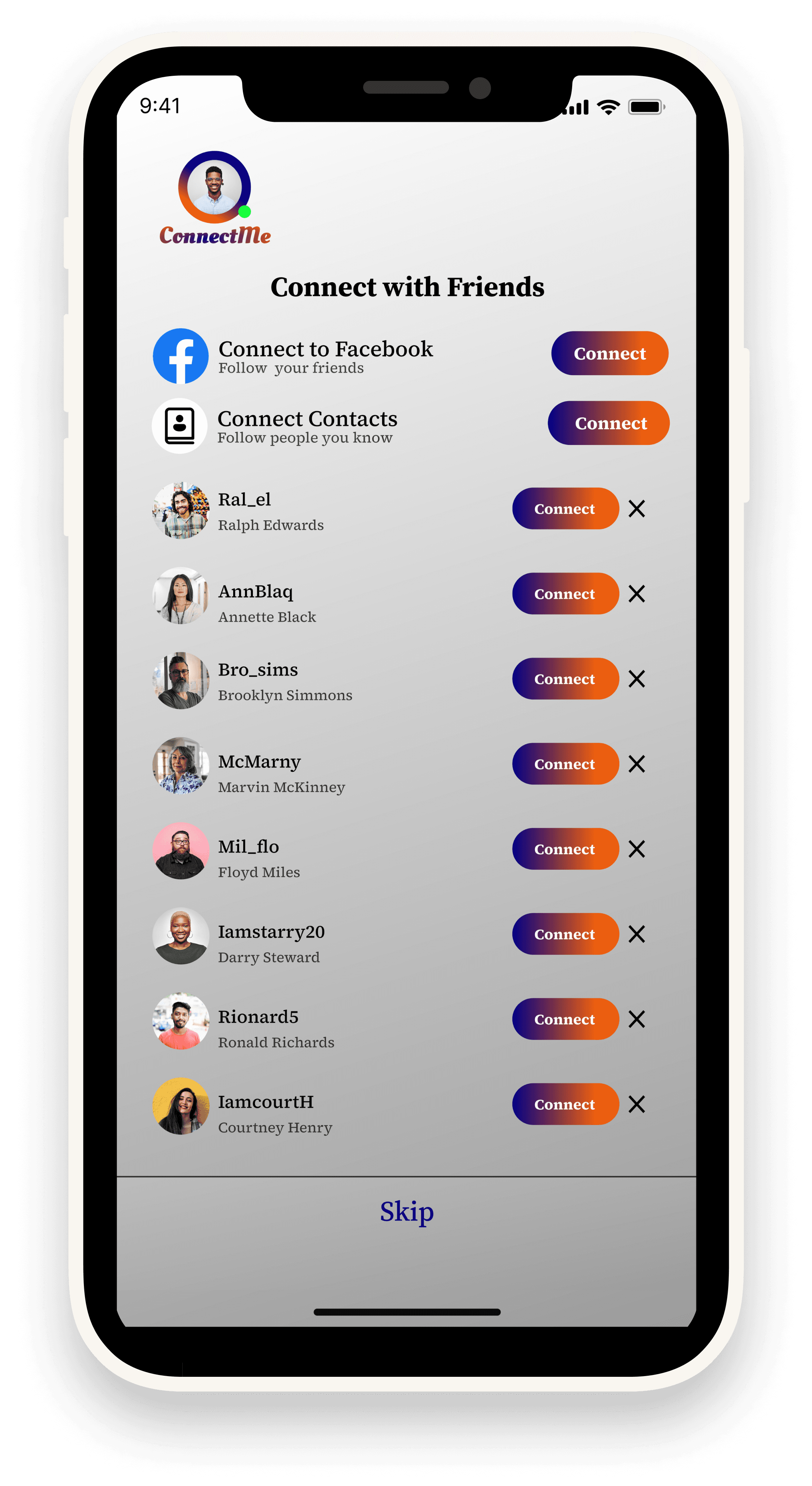
Follow Page – Allows users to connect quickly with suggested contacts.
•
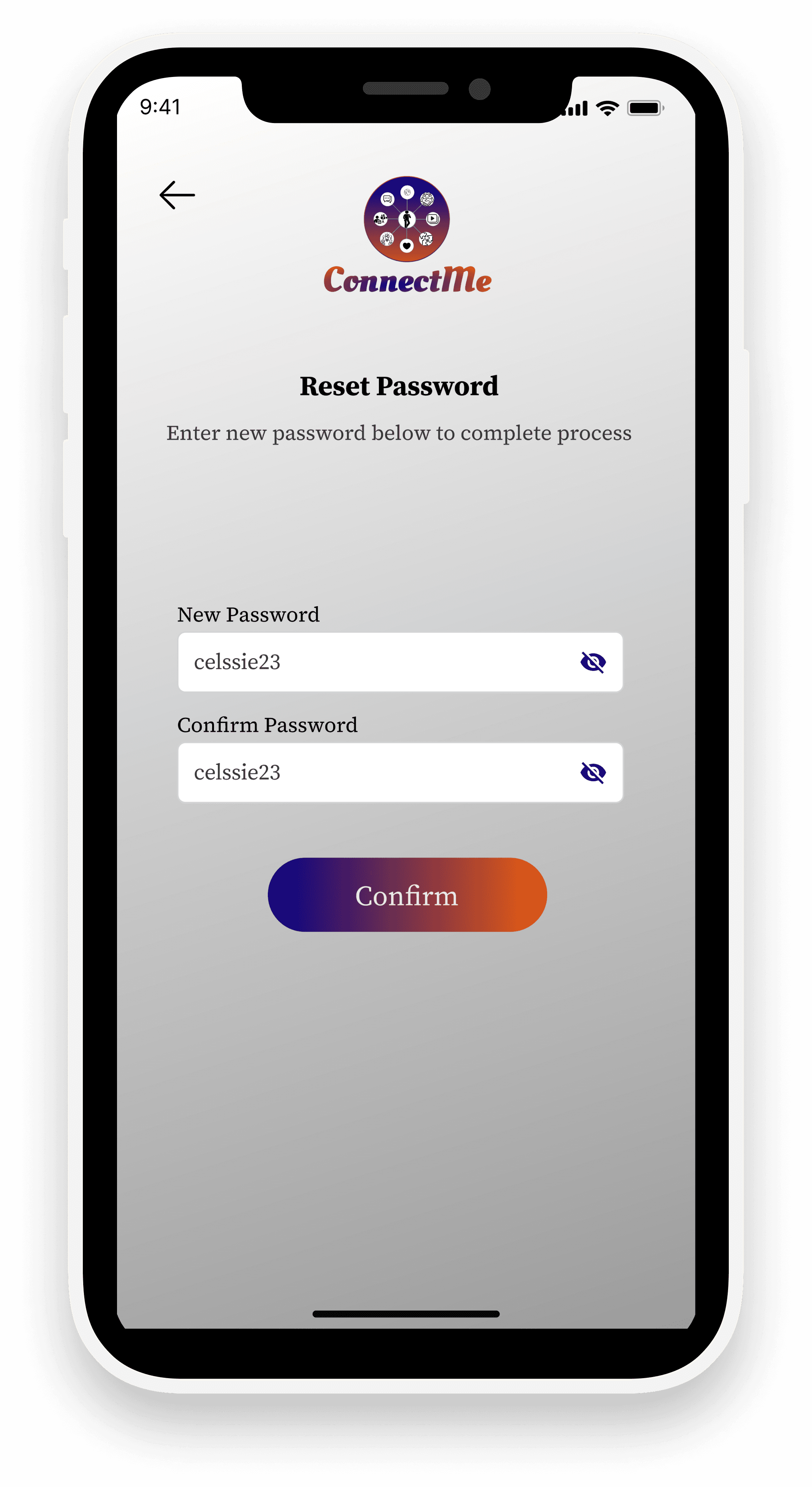
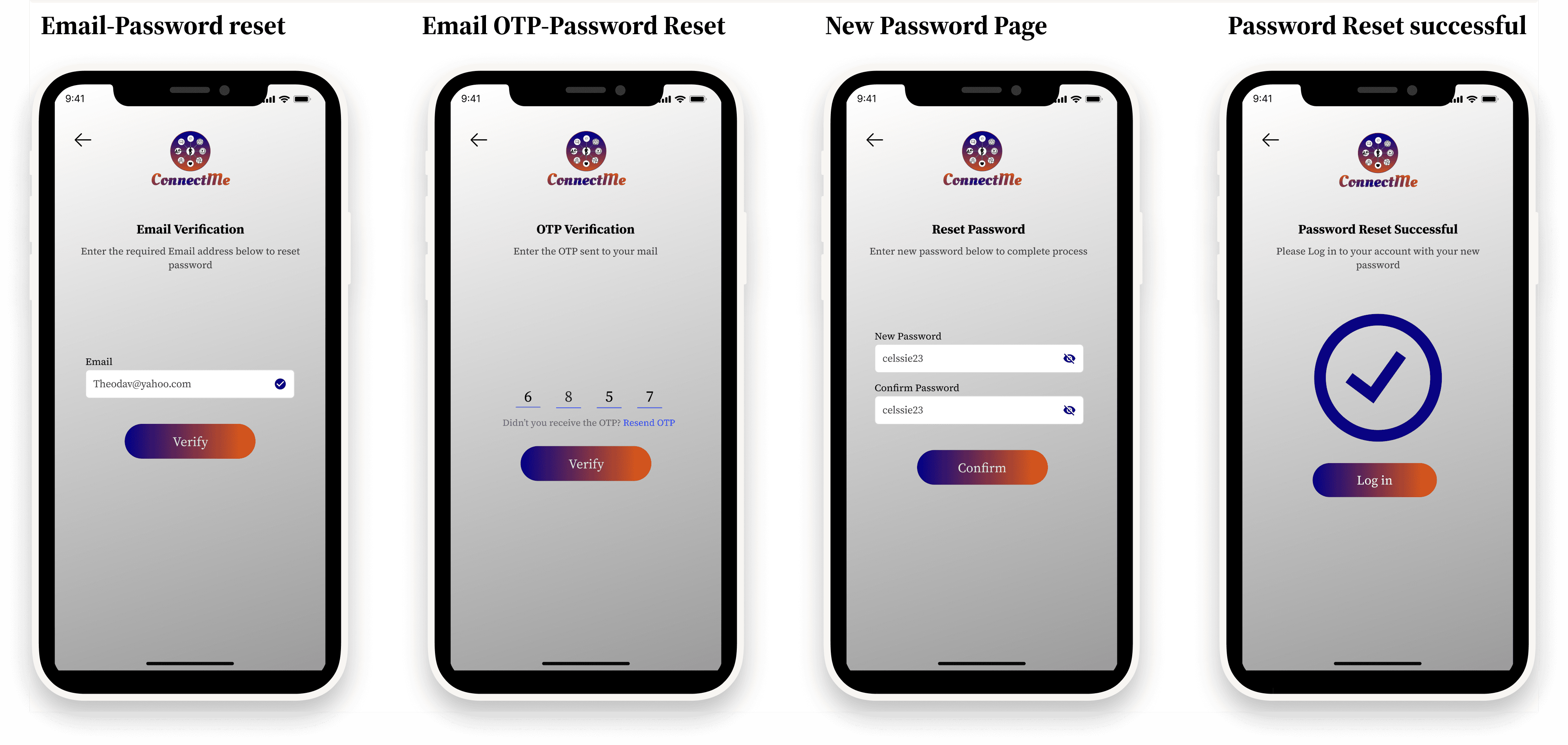
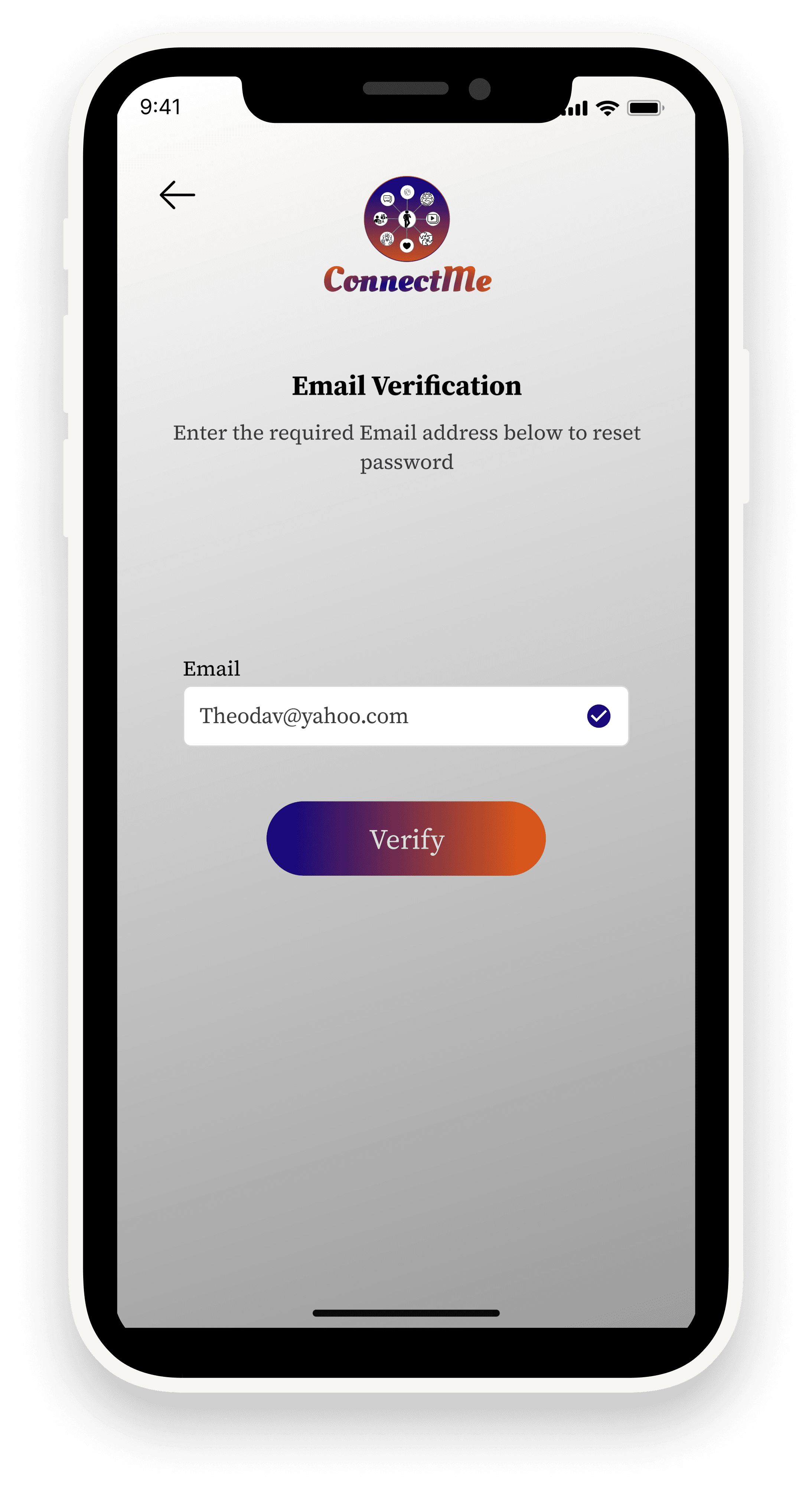
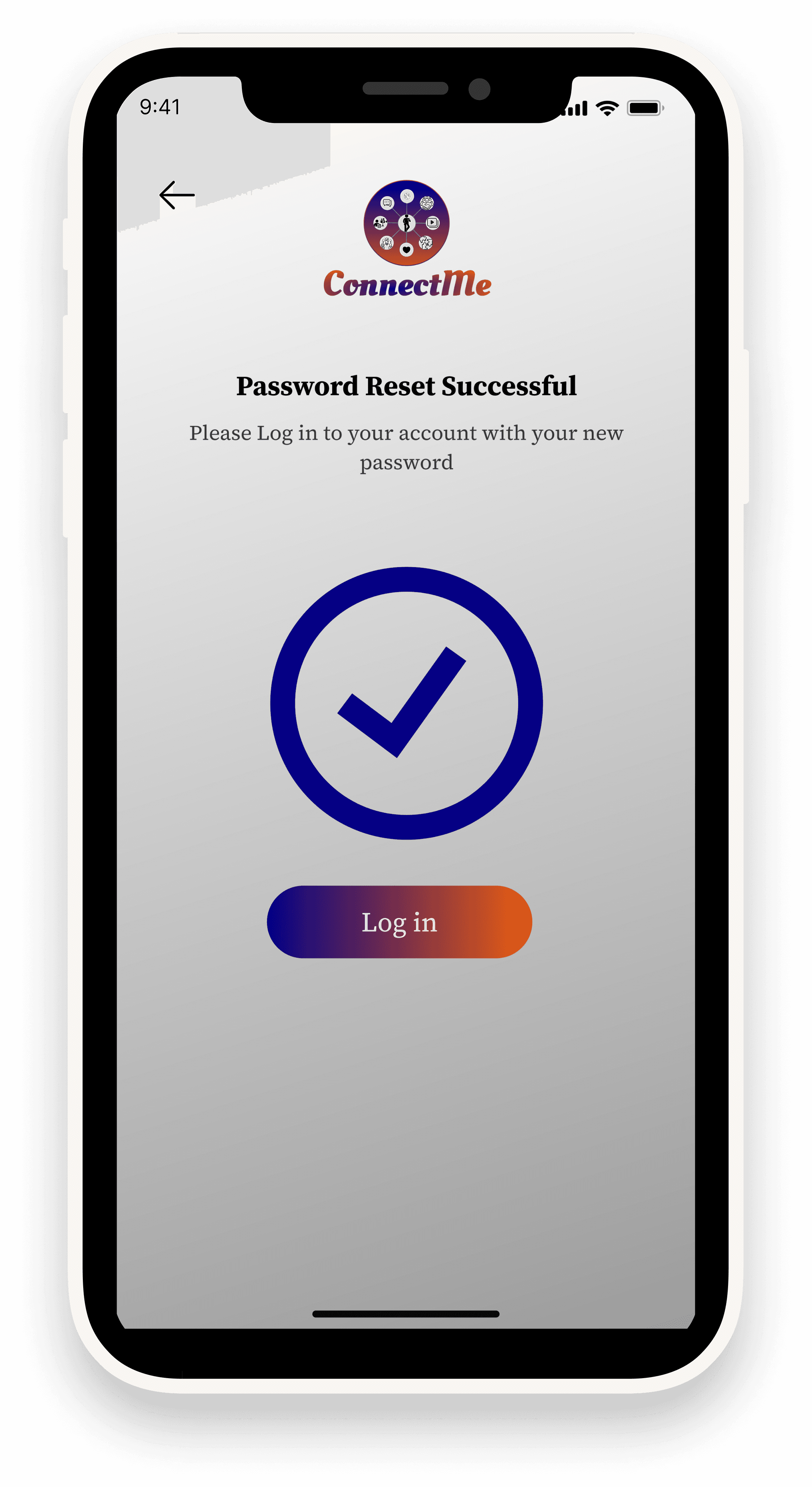
Password Reset Flow – Clear, structured steps: request reset → OTP entry → set new password → success confirmation.
Visual Language
•
Colors:
-Orange + Purple Gradient → Adds energy and vibrancy.
-Gradient Ash Background → Neutral base that keeps focus on content and balances the bold accents.
•
Typography: Modern sans-serif font for readability and approachability.
•
Icons & UI Elements: Rounded edges, subtle shadows, and consistency across forms.
Outcome & Impact
•
Delivered a cohesive design system across authentication, profile, and follow flows.
•
Showcased the ability to design real-world critical app features with usability in mind.
•
The branding (logo + color palette) set the tone for trust and connectivity.
Reflection & Next Steps
Key Learnings
•
Designing account flows is about reducing friction and building trust.
•
Visual branding plays a key role in making users feel secure and engaged.
Future Improvements
•
Add progress indicators in multi-step verification flows.
•
Provide biometric login (Face ID/Fingerprint) for convenience.
•
Improve personalization on the profile page (bio, profile picture, interests).
Back
Case 02
CDS Attendance tracker App
Project Summary
•
Project Type: Design Test
•
Domain: ConnectMe (Social Media App)
•
Goal: Design specific user flows (sign-up, login, profile, follow, password reset) with a consistent brand identity.
•
Duration: 1 week
•
Role: Sole UI/UX Designer + Logo Designer
•
Tools Used: Figma, Illustrations, Streamline Icons
The Challenge
•
Social media apps are crowded markets, so onboarding and account management experiences must be seamless and intuitive.
•
The company tasked me with designing core authentication and profile flows while maintaining a professional, branded look.
Research & Insights
Target Users: Everyday social media users ranging from students to professionals.
Pain Points Identified:
•
Complicated sign-up forms discourage users.
•
Inconsistent branding reduces trust.
•
Password reset flows are often confusing and frustrating.
Insight: A social platform should feel trustworthy, easy to use, and visually engaging from the very first interaction.
Design Process
•
Logo Design: Crafted a vibrant, globe-inspired logo to symbolize global connection and networking.
•
User Flow Design: Focused on simplicity + clarity across each screen.
•
Visual Style:
-Gradient palette (orange + purple) for a modern, dynamic look.
-Minimalist layouts to highlight key actions.
-Familiar authentication patterns to reduce learning curve.
Final Solution
•
Welcome & Sign-Up Page – Quick entry with multiple sign-up options (Google, Facebook, Apple).
•
Email Verification (3 Steps) – Step-by-step validation with OTP input for security.
•
Login Page – Clean layout with social login integration.
•
Profile Page – Simple user setup for identity and personalization.
•
Follow Page – Allows users to connect quickly with suggested contacts.
•
Password Reset Flow – Clear, structured steps: request reset → OTP entry → set new password → success confirmation.
Visual Language
•
Colors:
-Orange + Purple Gradient → Adds energy and vibrancy.
-Gradient Ash Background → Neutral base that keeps focus on content and balances the bold accents.
•
Typography: Modern sans-serif font for readability and approachability.
•
Icons & UI Elements: Rounded edges, subtle shadows, and consistency across forms.
Outcome & Impact
•
Delivered a cohesive design system across authentication, profile, and follow flows.
•
Showcased the ability to design real-world critical app features with usability in mind.
•
The branding (logo + color palette) set the tone for trust and connectivity.
Reflection & Next Steps
Key Learnings
•
Designing account flows is about reducing friction and building trust.
•
Visual branding plays a key role in making users feel secure and engaged.
Future Improvements
•
Add progress indicators in multi-step verification flows.
•
Provide biometric login (Face ID/Fingerprint) for convenience.
•
Improve personalization on the profile page (bio, profile picture, interests).
Back
Case 02
CDS Attendance tracker App
Project Summary
•
Project Type: Design Test
•
Domain: ConnectMe (Social Media App)
•
Goal: Design specific user flows (sign-up, login, profile, follow, password reset) with a consistent brand identity.
•
Duration: 1 week
•
Role: Sole UI/UX Designer + Logo Designer
•
Tools Used: Figma, Illustrations, Streamline Icons
The Challenge
•
Social media apps are crowded markets, so onboarding and account management experiences must be seamless and intuitive.
•
The company tasked me with designing core authentication and profile flows while maintaining a professional, branded look.
Research & Insights
Target Users: Everyday social media users ranging from students to professionals.
Pain Points Identified:
•
Complicated sign-up forms discourage users.
•
Inconsistent branding reduces trust.
•
Password reset flows are often confusing and frustrating.
Insight: A social platform should feel trustworthy, easy to use, and visually engaging from the very first interaction.
Design Process
•
Logo Design: Crafted a vibrant, globe-inspired logo to symbolize global connection and networking.
•
User Flow Design: Focused on simplicity + clarity across each screen.
•
Visual Style:
-Gradient palette (orange + purple) for a modern, dynamic look.
-Minimalist layouts to highlight key actions.
-Familiar authentication patterns to reduce learning curve.
Final Solution
•
Welcome & Sign-Up Page – Quick entry with multiple sign-up options (Google, Facebook, Apple).
•
Email Verification (3 Steps) – Step-by-step validation with OTP input for security.
•
Login Page – Clean layout with social login integration.
•
Profile Page – Simple user setup for identity and personalization.
•
Follow Page – Allows users to connect quickly with suggested contacts.
•
Password Reset Flow – Clear, structured steps: request reset → OTP entry → set new password → success confirmation.
Visual Language
•
Colors:
-Orange + Purple Gradient → Adds energy and vibrancy.
-Gradient Ash Background → Neutral base that keeps focus on content and balances the bold accents.
•
Typography: Modern sans-serif font for readability and approachability.
•
Icons & UI Elements: Rounded edges, subtle shadows, and consistency across forms.
Outcome & Impact
•
Delivered a cohesive design system across authentication, profile, and follow flows.
•
Showcased the ability to design real-world critical app features with usability in mind.
•
The branding (logo + color palette) set the tone for trust and connectivity.
Reflection & Next Steps
Key Learnings
•
Designing account flows is about reducing friction and building trust.
•
Visual branding plays a key role in making users feel secure and engaged.
Future Improvements
•
Add progress indicators in multi-step verification flows.
•
Provide biometric login (Face ID/Fingerprint) for convenience.
•
Improve personalization on the profile page (bio, profile picture, interests).