Back
Case 01
CDS Attendance tracker App
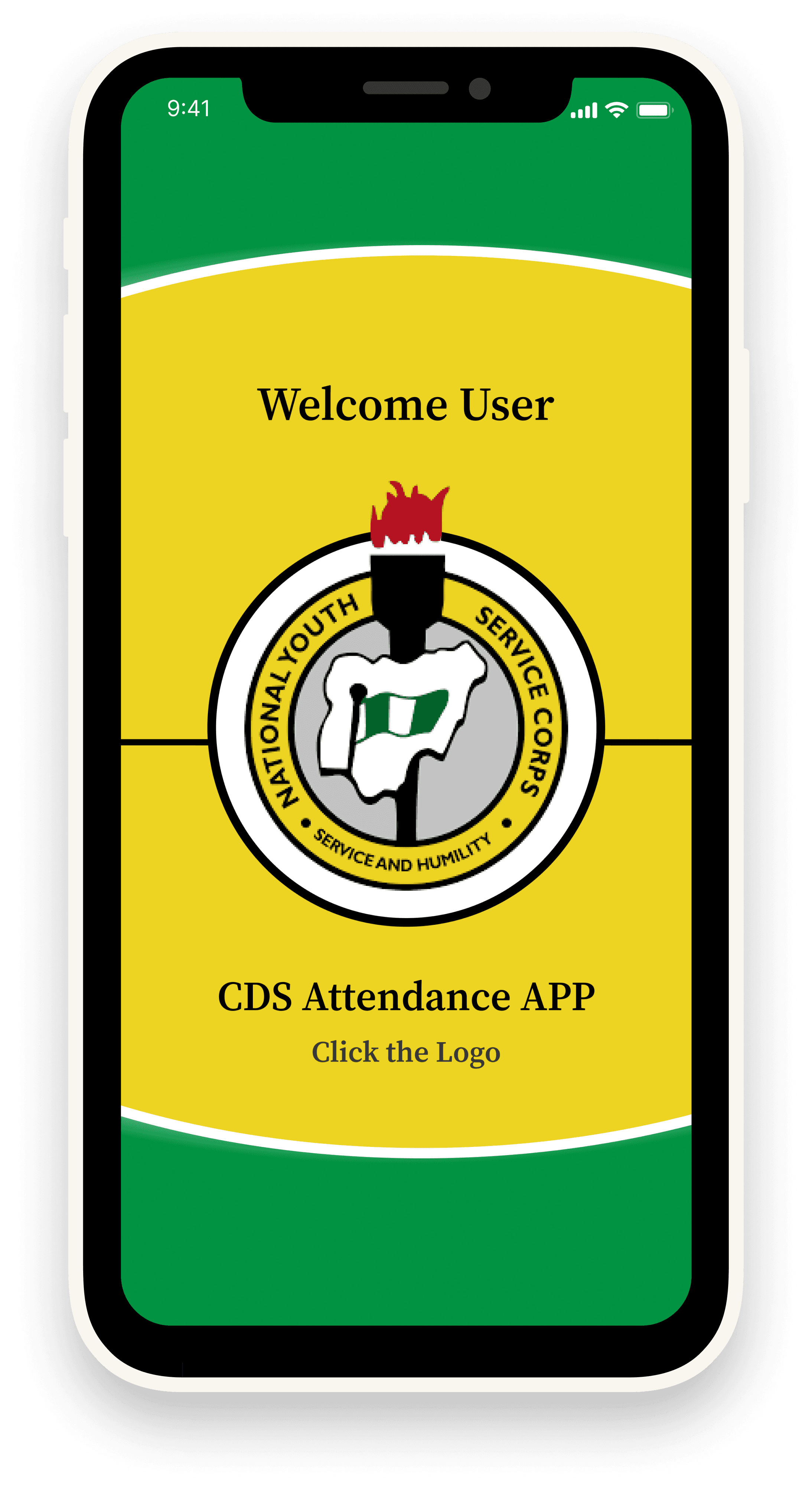
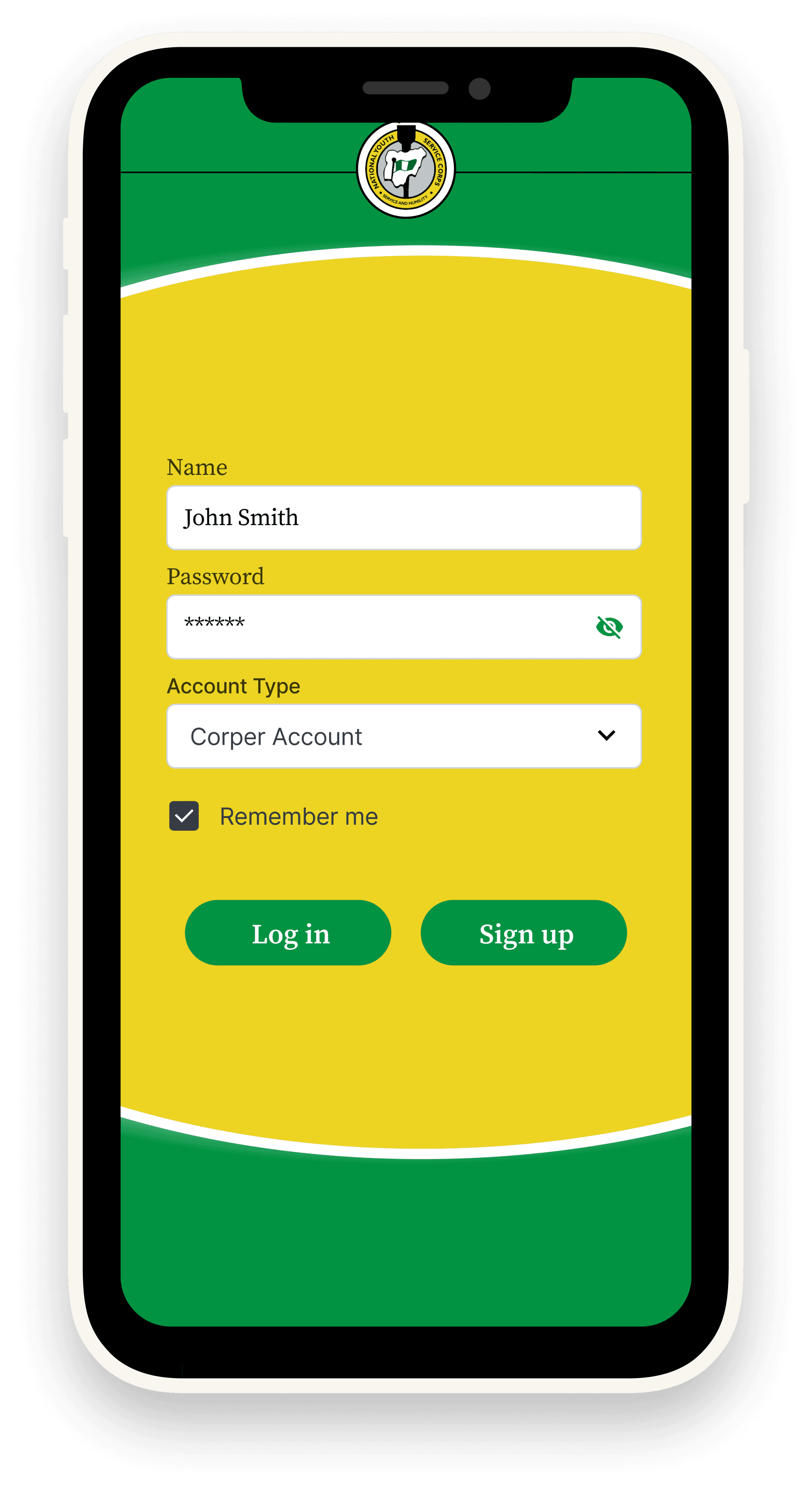
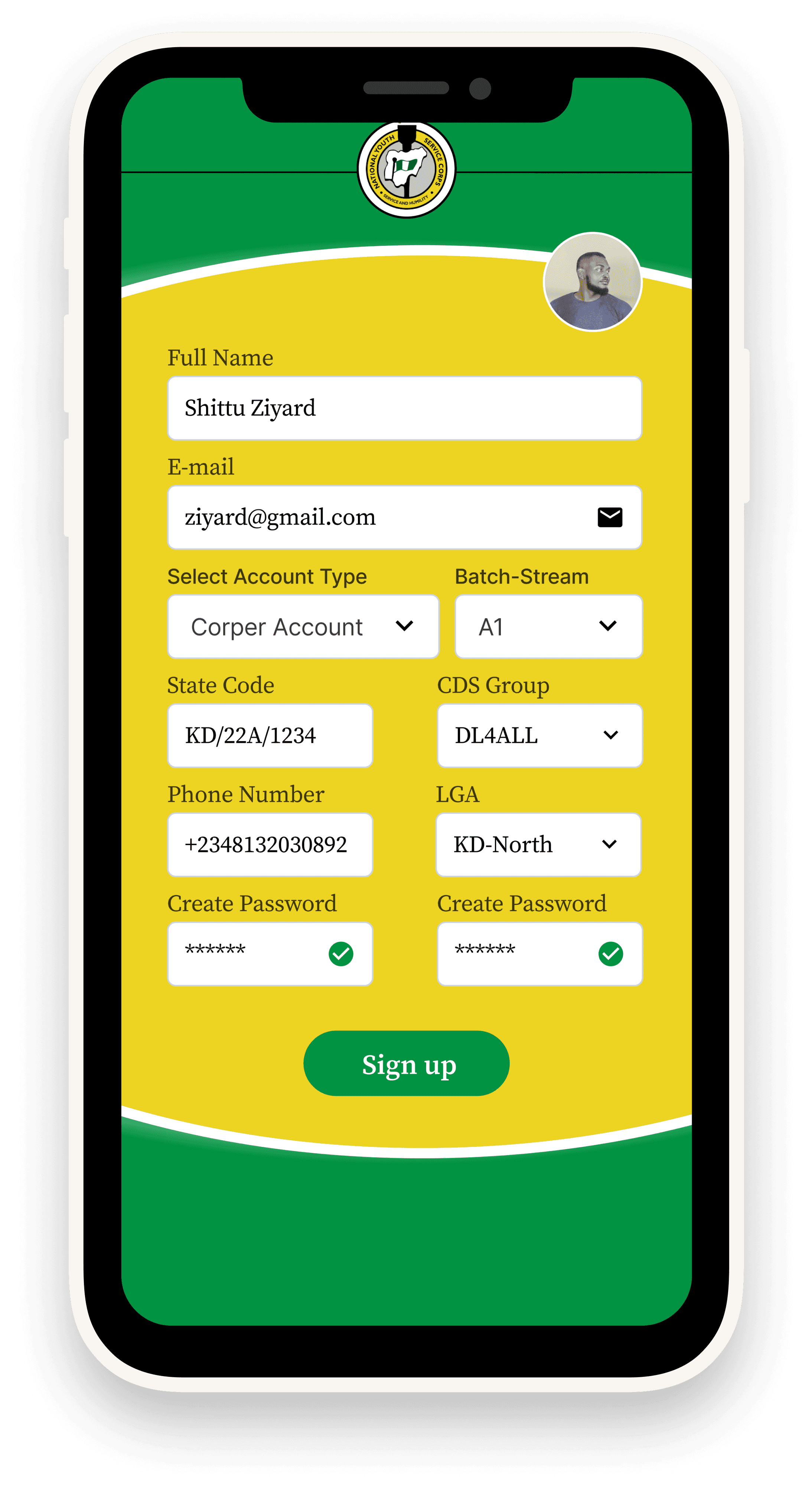
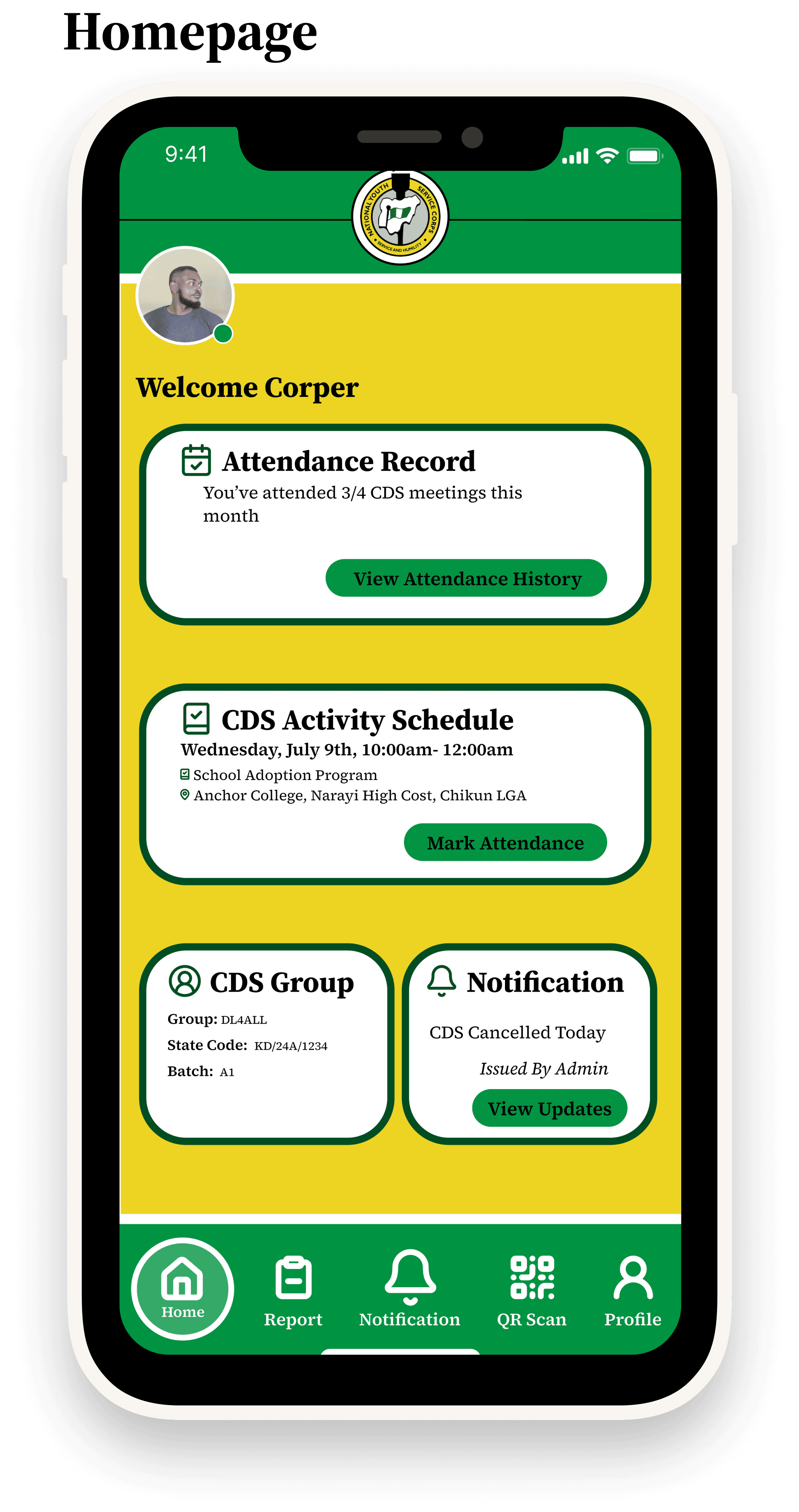
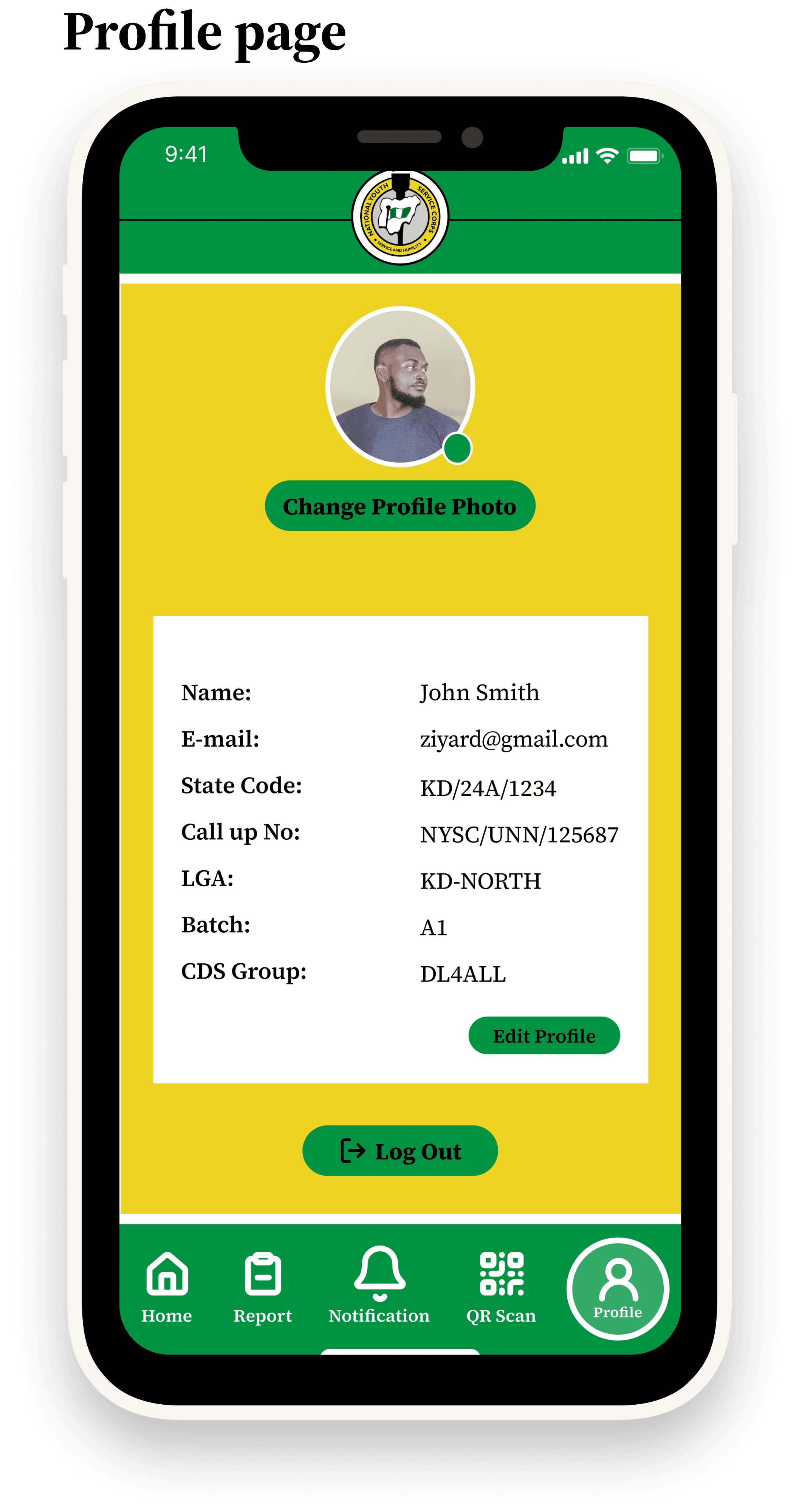
Project Summary
The CDS Attendance App was developed during the Digital Literacy for All – CDS National Hackathon Competition to address inefficiencies in the manual attendance system used for NYSC Community Development Service (CDS).
As the sole UI/UX Designer in a team of 8–10, I was responsible for end-to-end design — from wireframing and prototyping to creating the final visual identity. While the hackathon spanned 1 month, I completed the design phase within 2 weeks to give my team enough time for development and testing.
•
Event: Digital Literacy for All – CDS National Hackathon Competition.
•
Duration: 1 month (design completed in 2 weeks)
•
Team Size: 8–10 members
•
Role: Sole UI/UX Designer
•
Tools Used: Figma, Streamline Icons, Brandfetch
The Challenge
Attendance at CDS meetings is traditionally manual, resulting in:
•
Long queues and wasted time during roll call.
•
Impersonation (corps members signing for absent colleagues).
•
Inaccurate or incomplete records for executives and officers.
Hackathon Brief: Design a mobile-first solution that enables corps members to easily mark attendance, while providing executives and inspectors with transparent and reliable records.
Research & Insights
Given the hackathon’s time constraints, I conducted rapid interviews and secondary research:
•
Corps Members: Frustrated with time wasted in attendance queues.
•
Executives: Difficulty verifying who was truly present.
•
Admins: Records could often be inaccurate or missing.
Insight: A QR code-based system was the most practical approach for secure, fast, and scalable attendance verification.
Design Process
Ideation
•
Brainstormed multiple concepts (SMS, biometrics, QR).
•
Team voted for QR code scanning as the most viable and hackathon-ready solution.
My Role as Sole UI/UX Designer
•
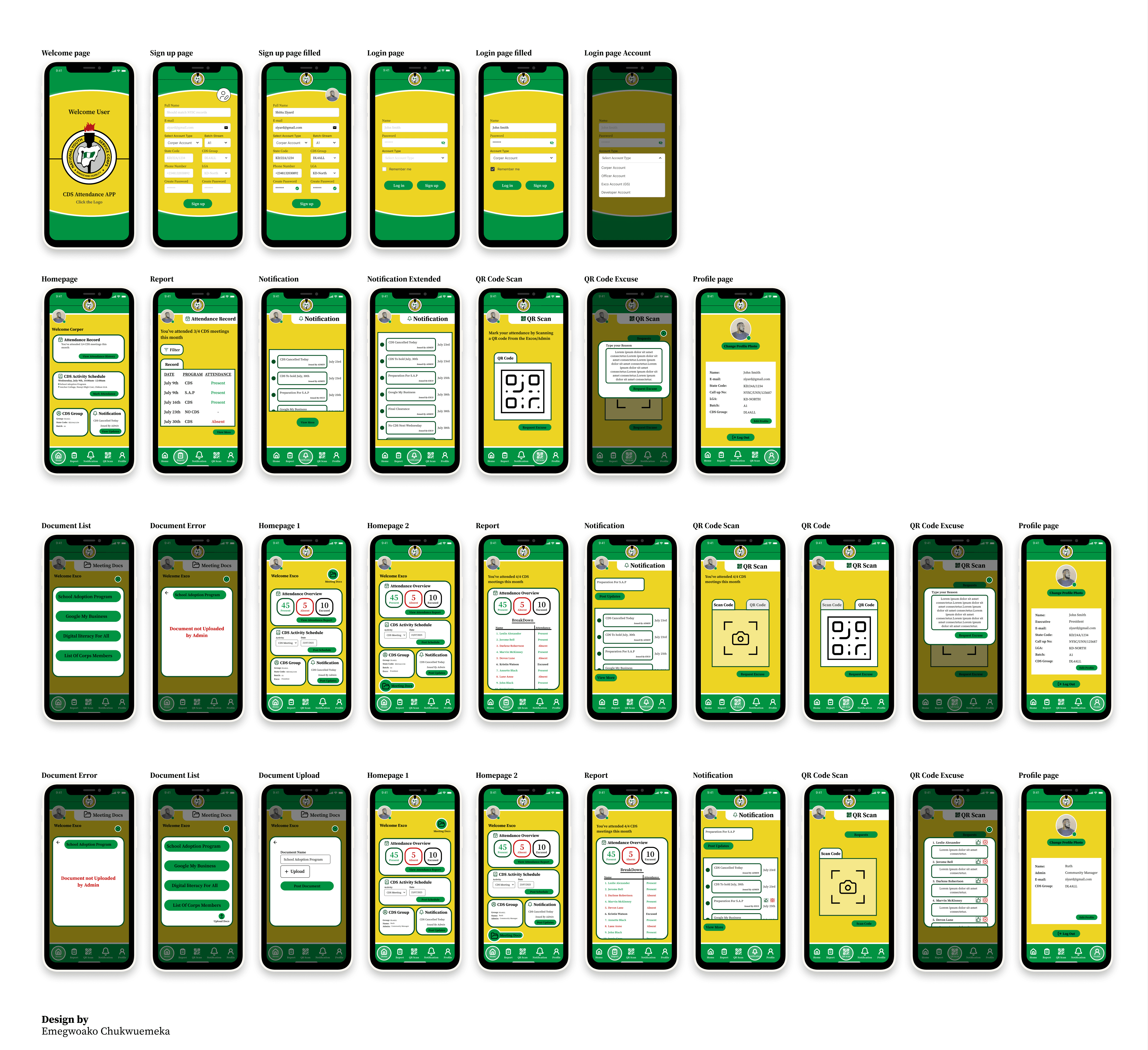
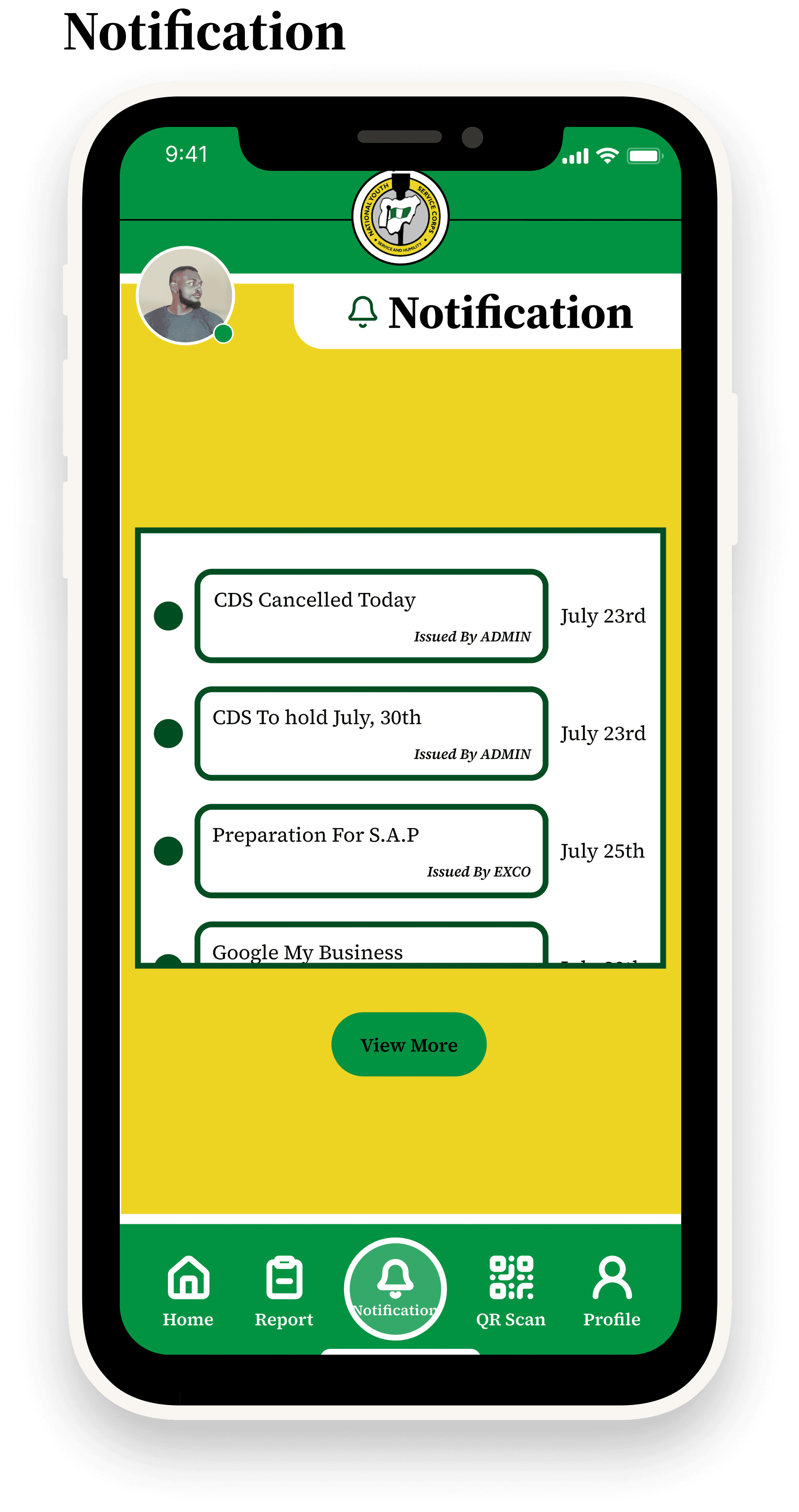
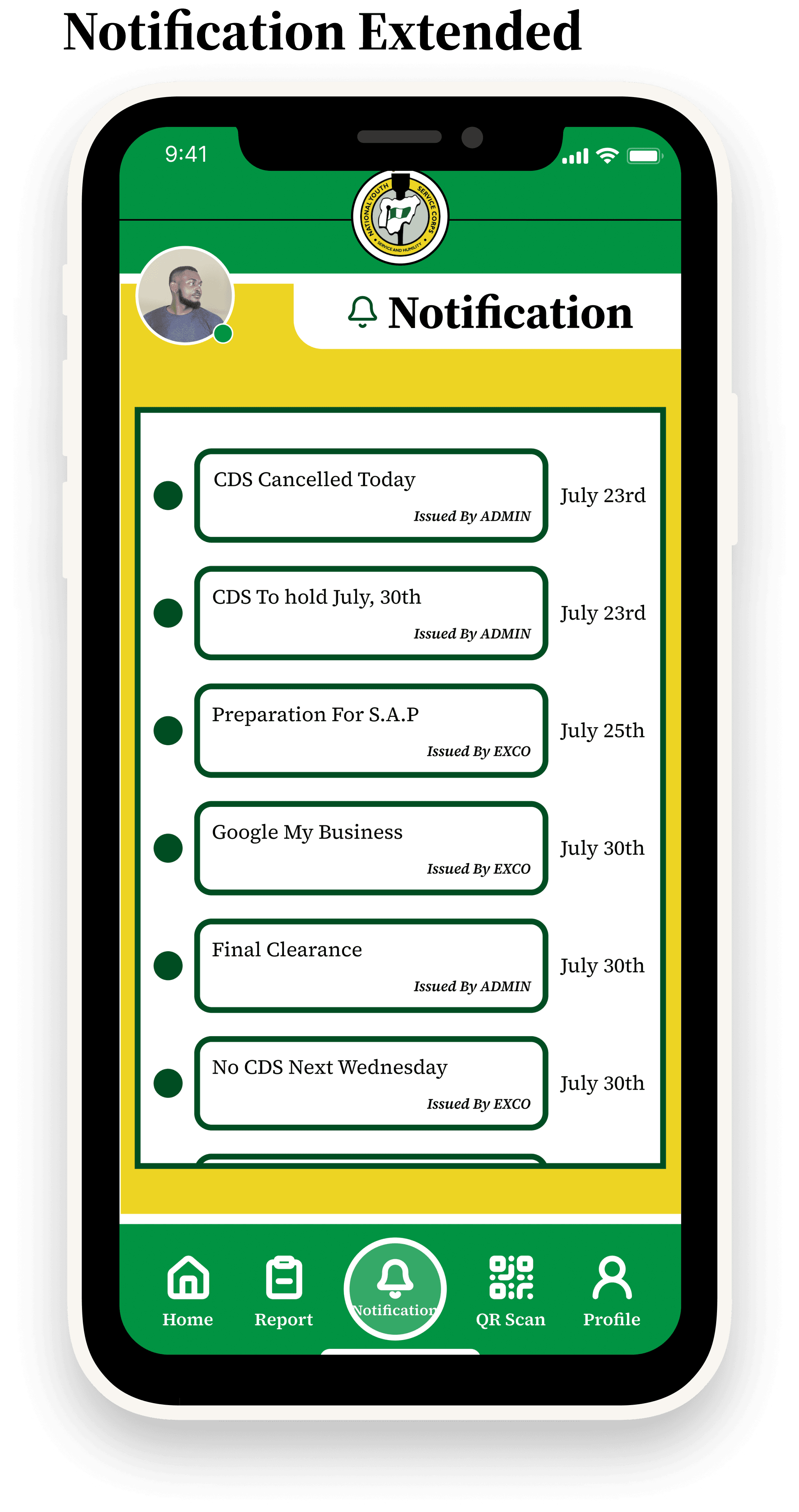
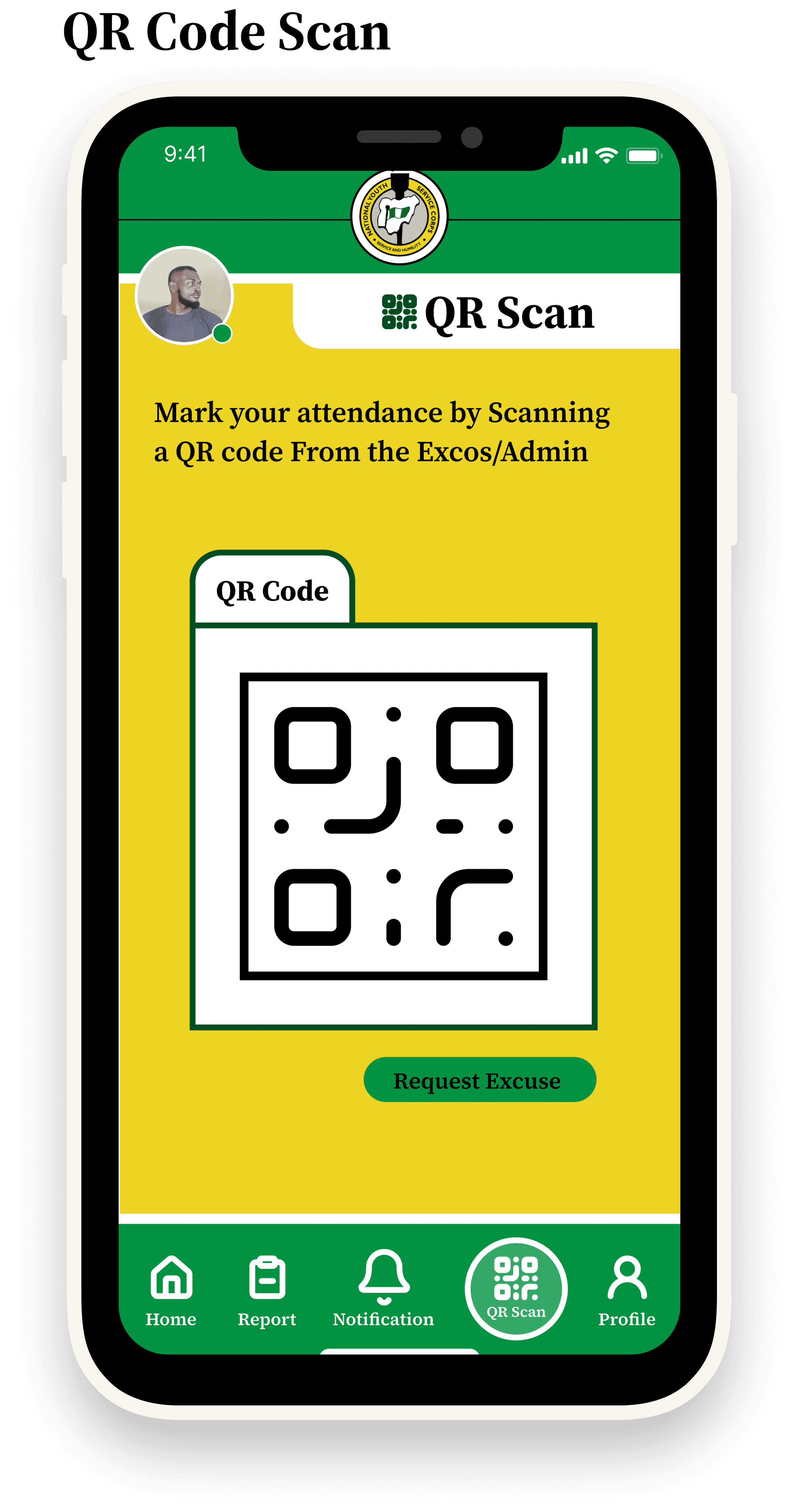
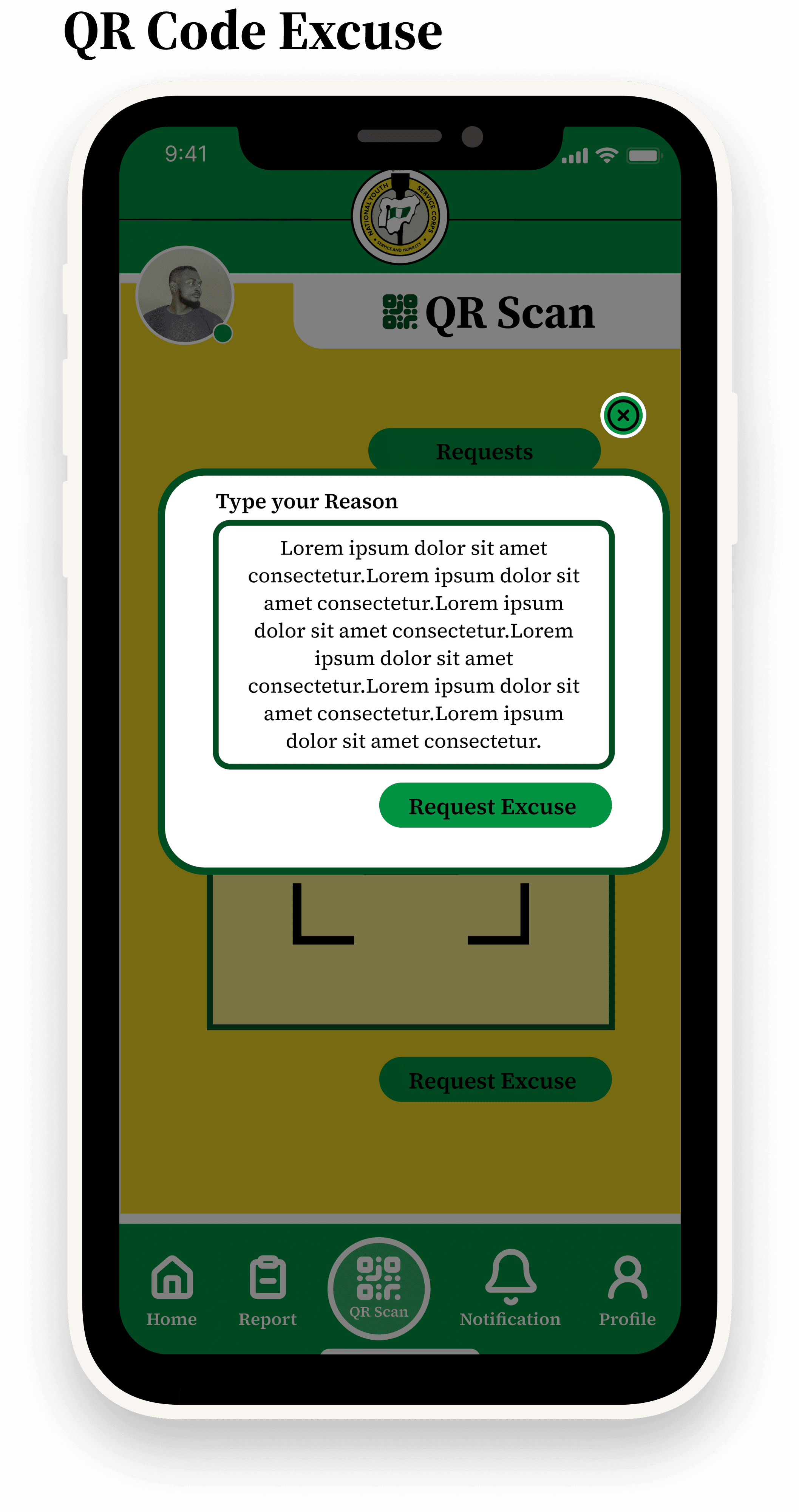
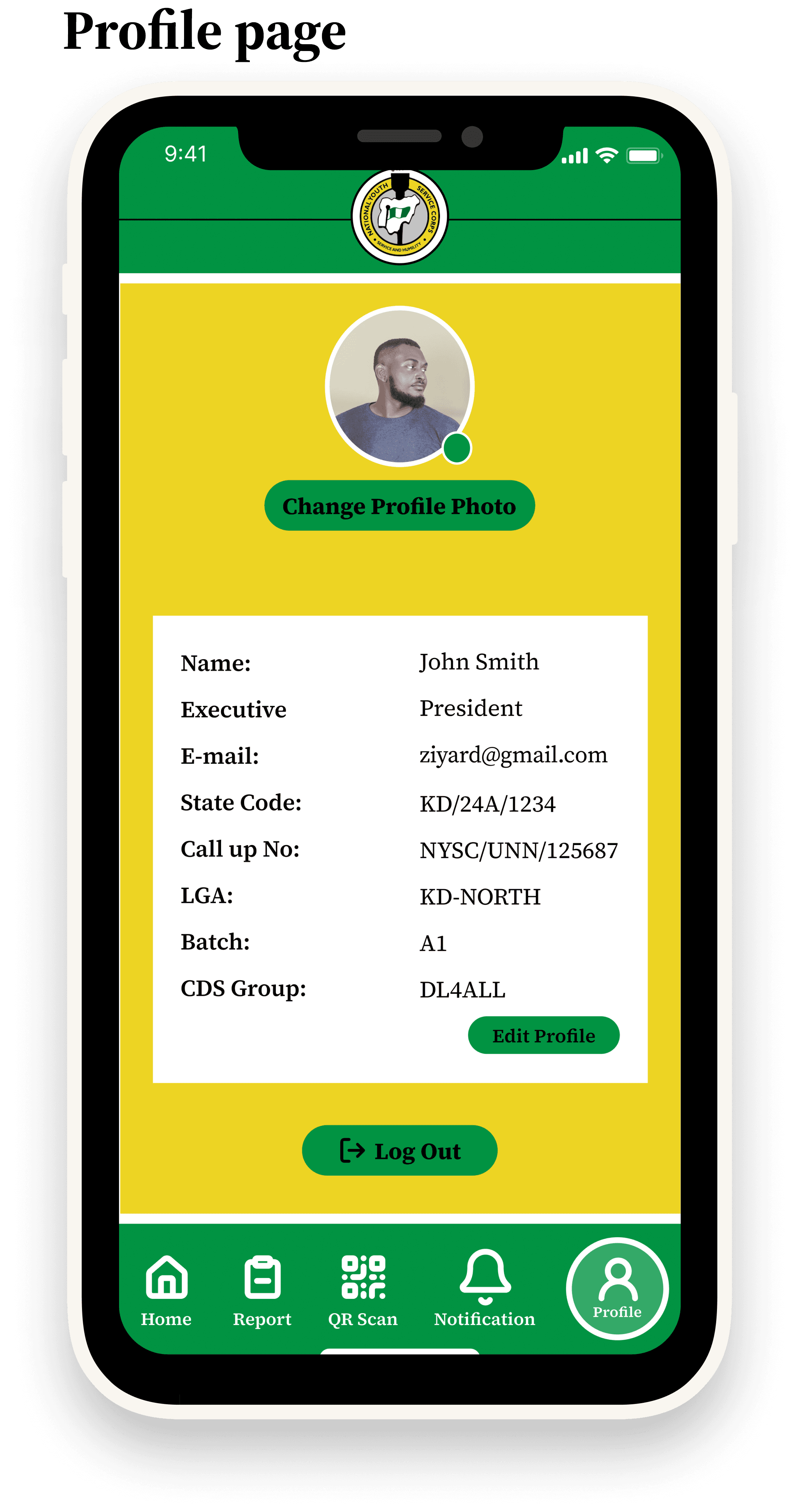
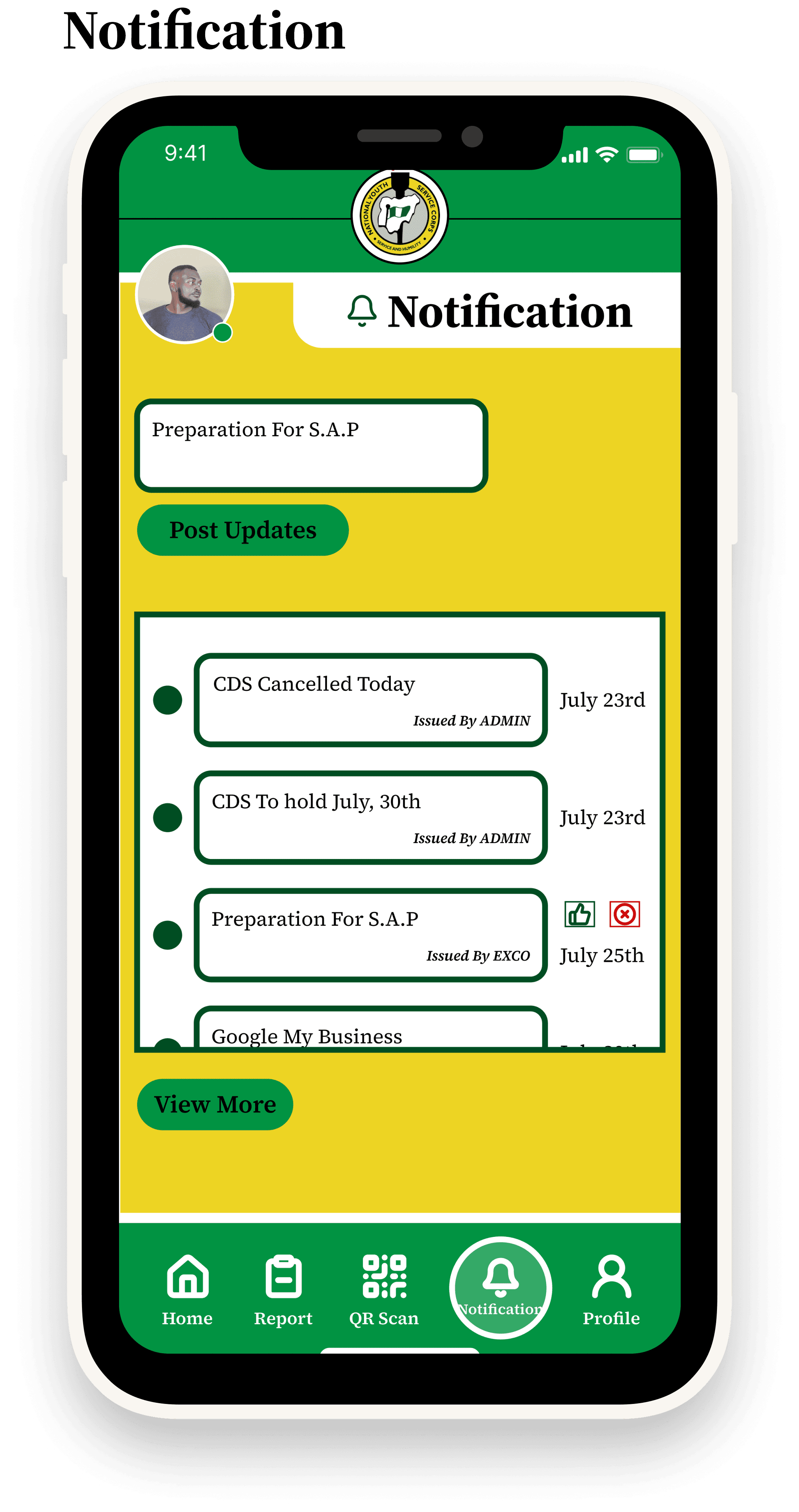
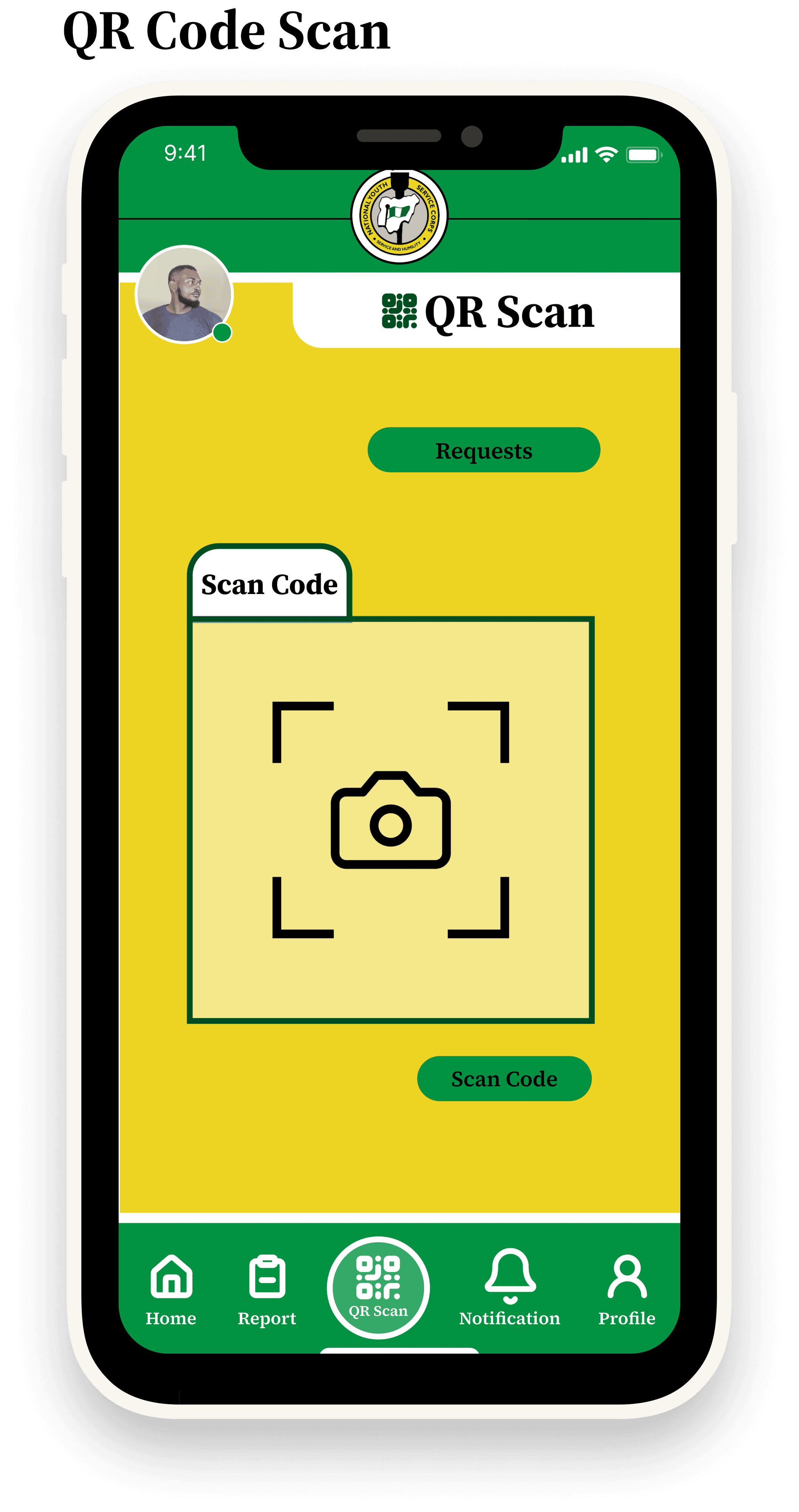
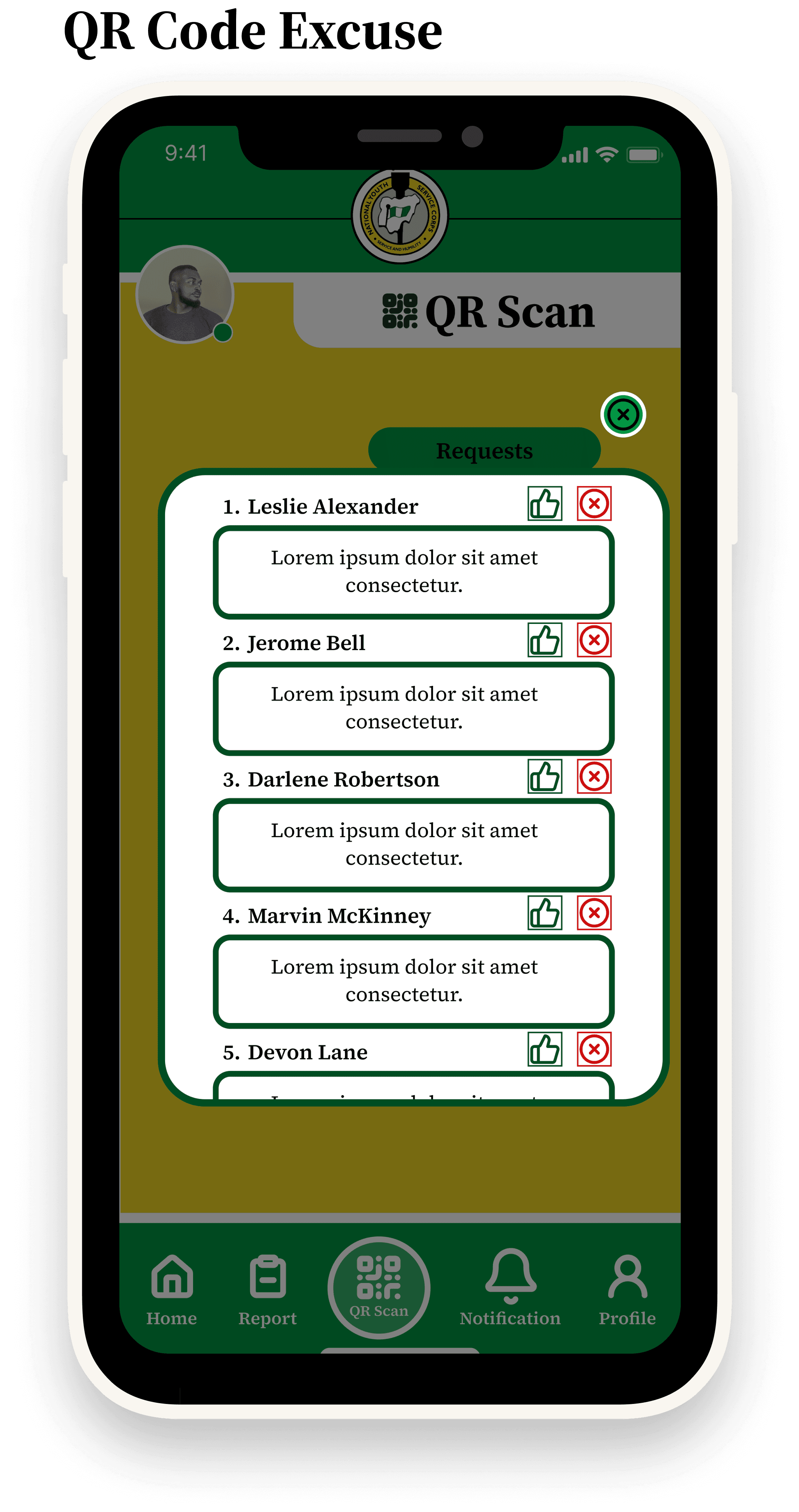
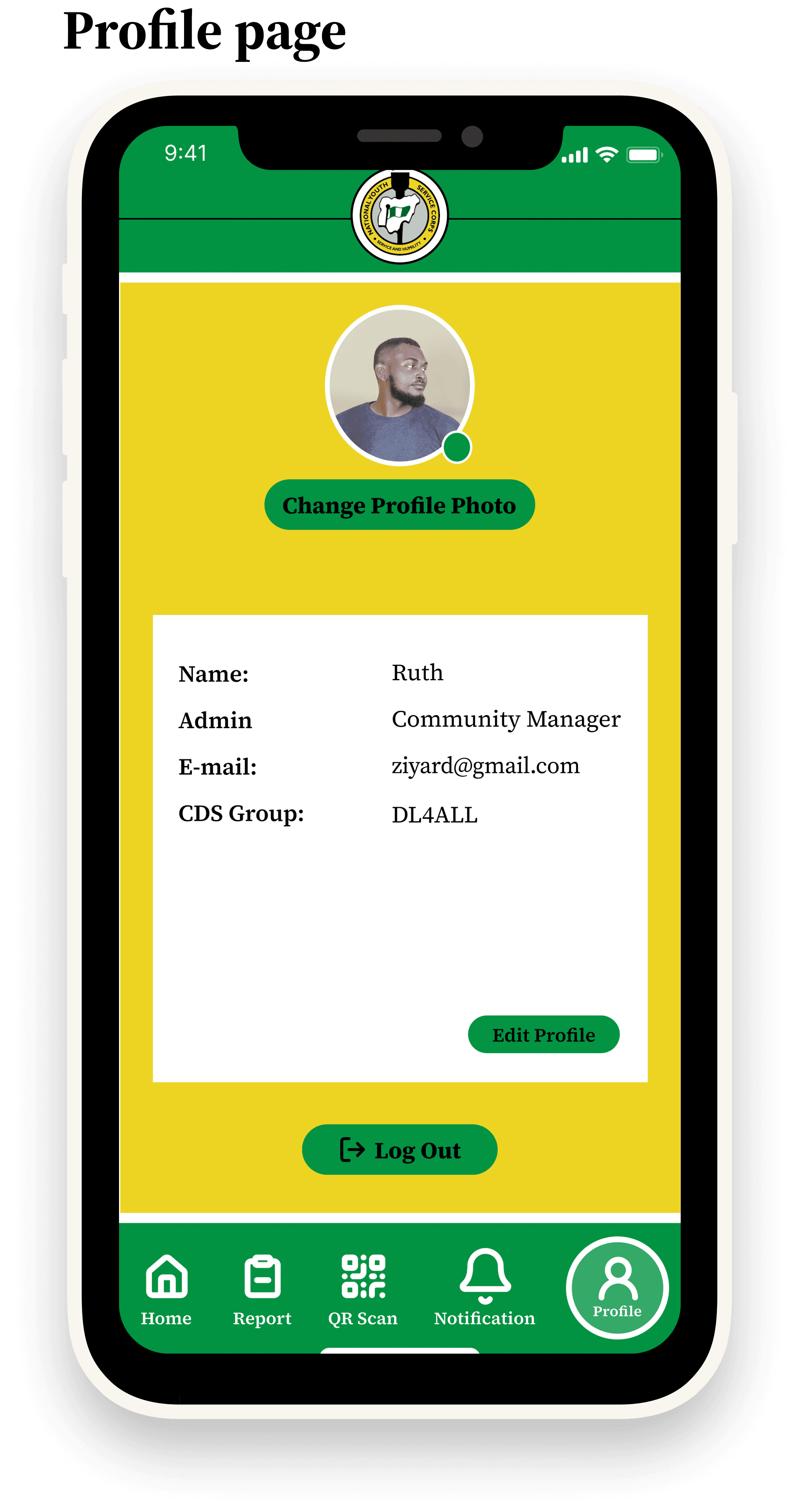
Defined the user flows (onboarding, QR scan, notifications, profile).
•
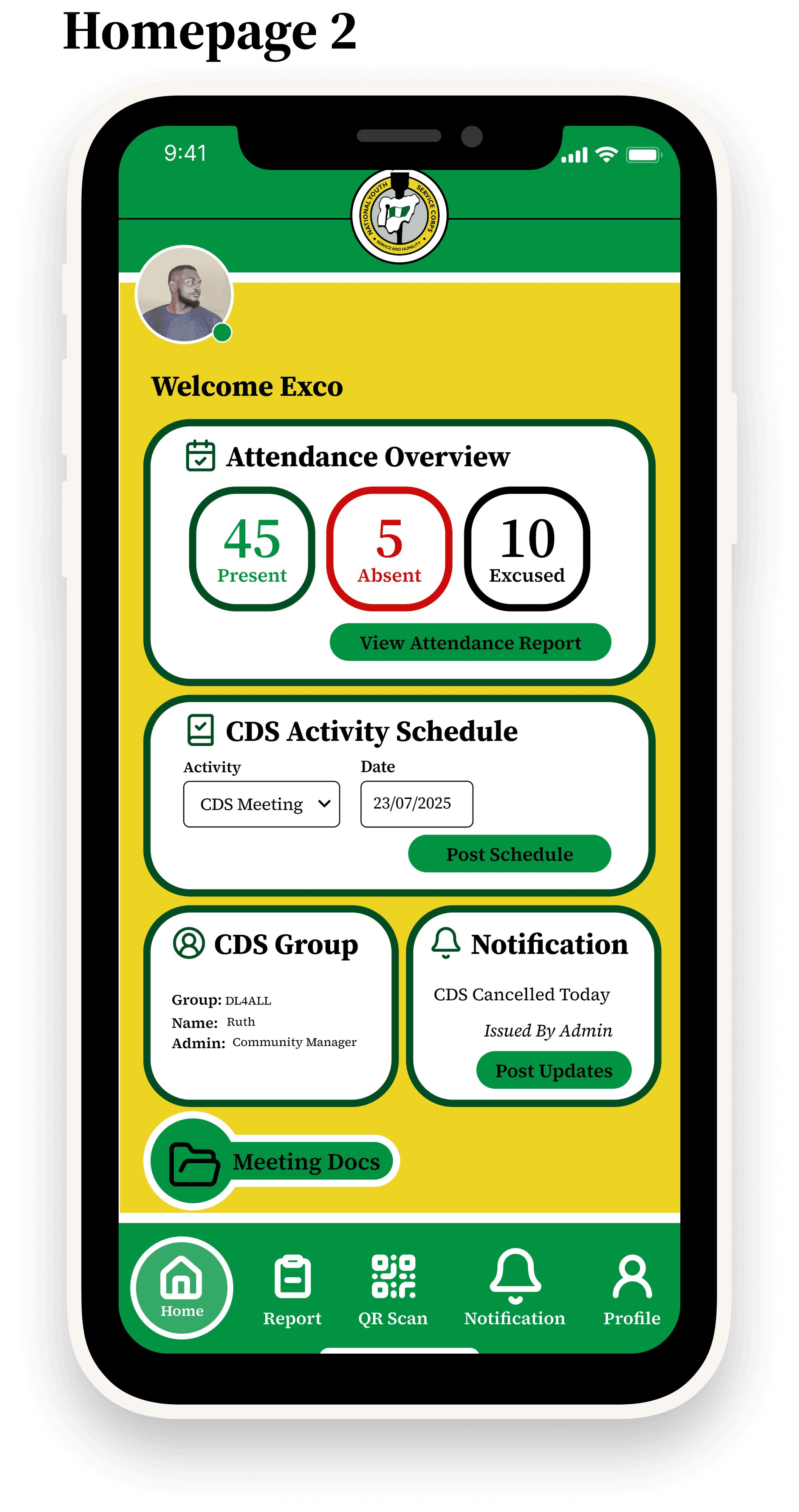
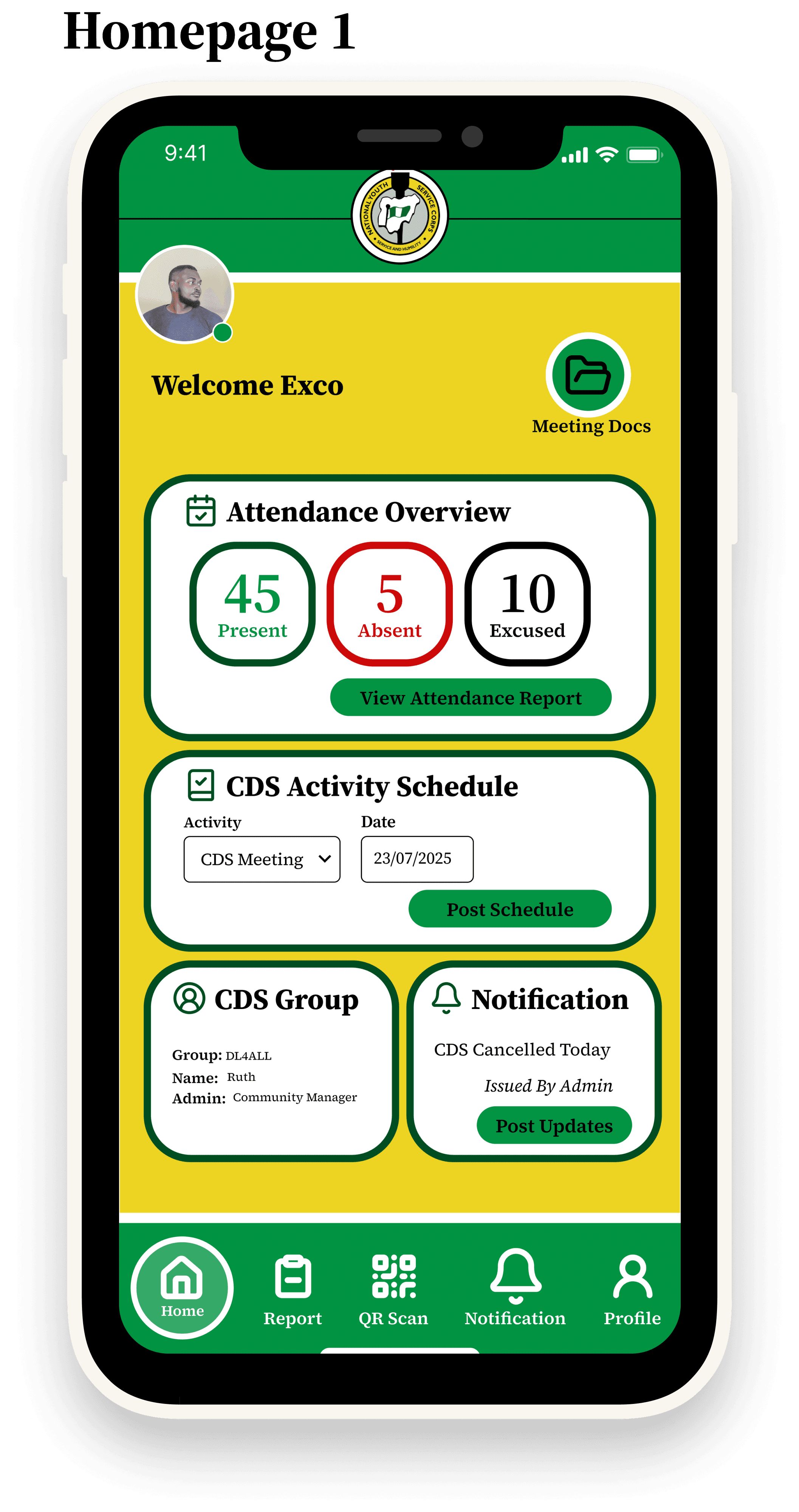
Designed wireframes → prototypes → final UI in Figma.
•
Established the visual identity (green + yellow palette to reflect NYSC branding).
•
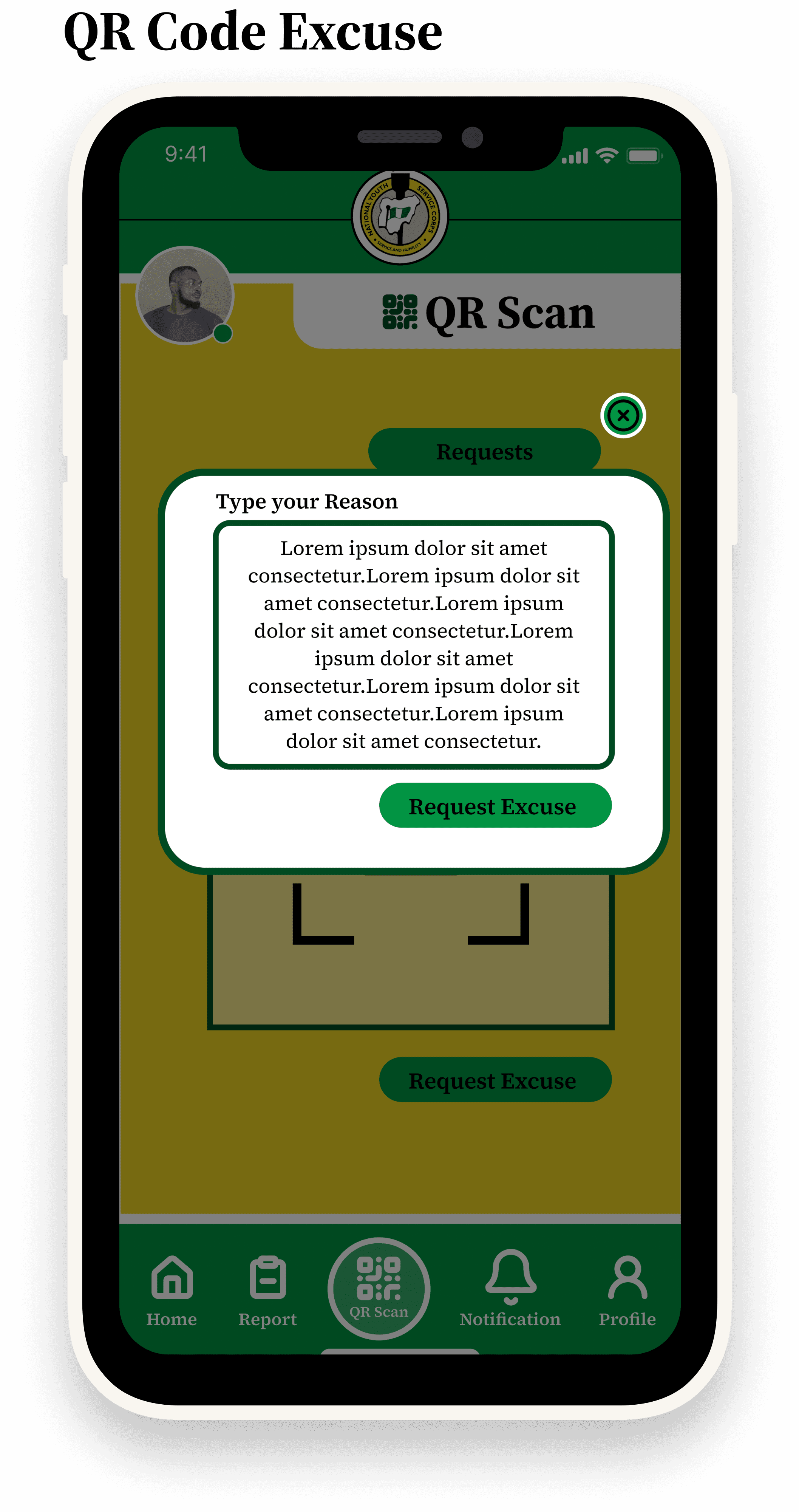
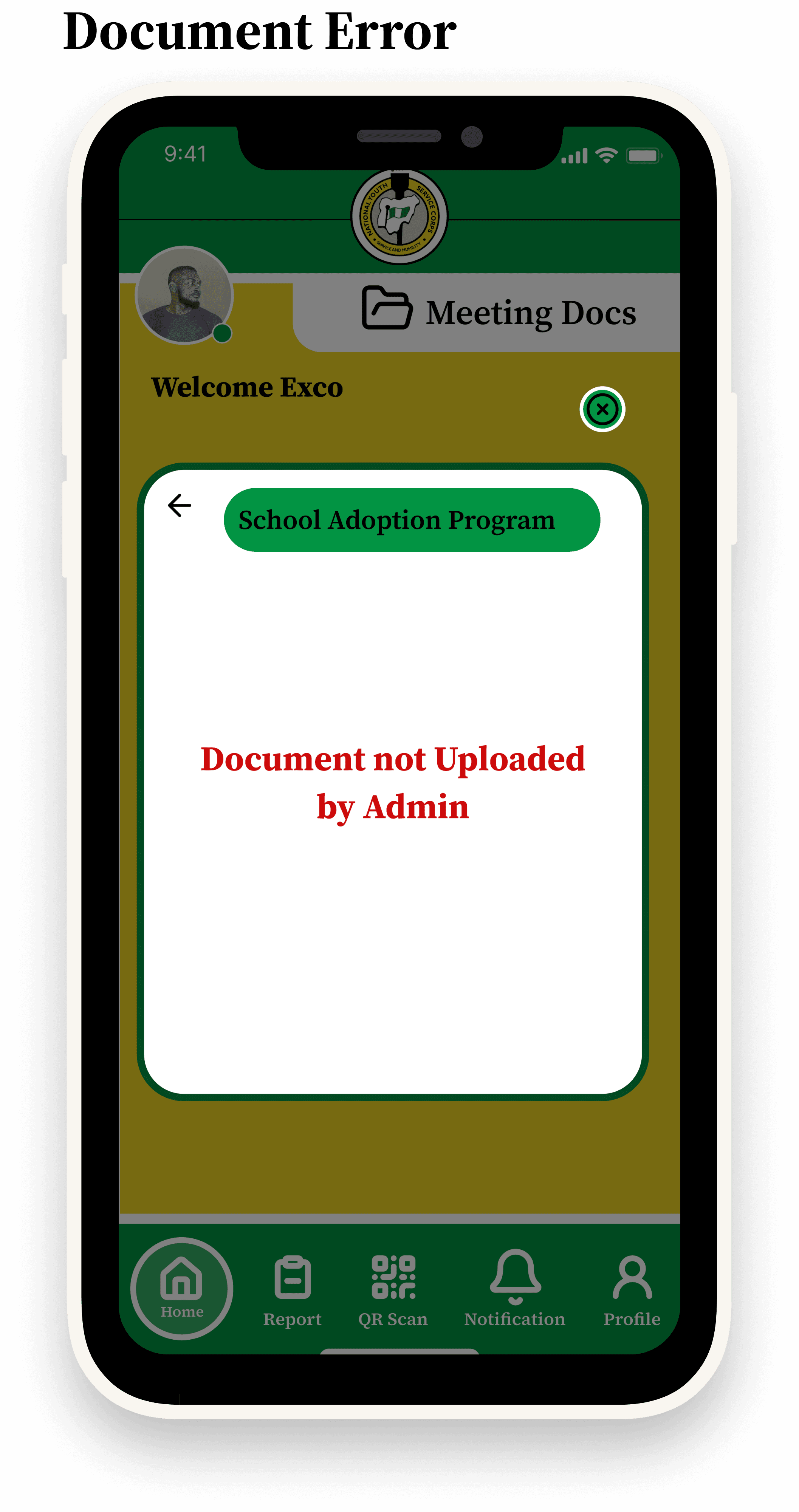
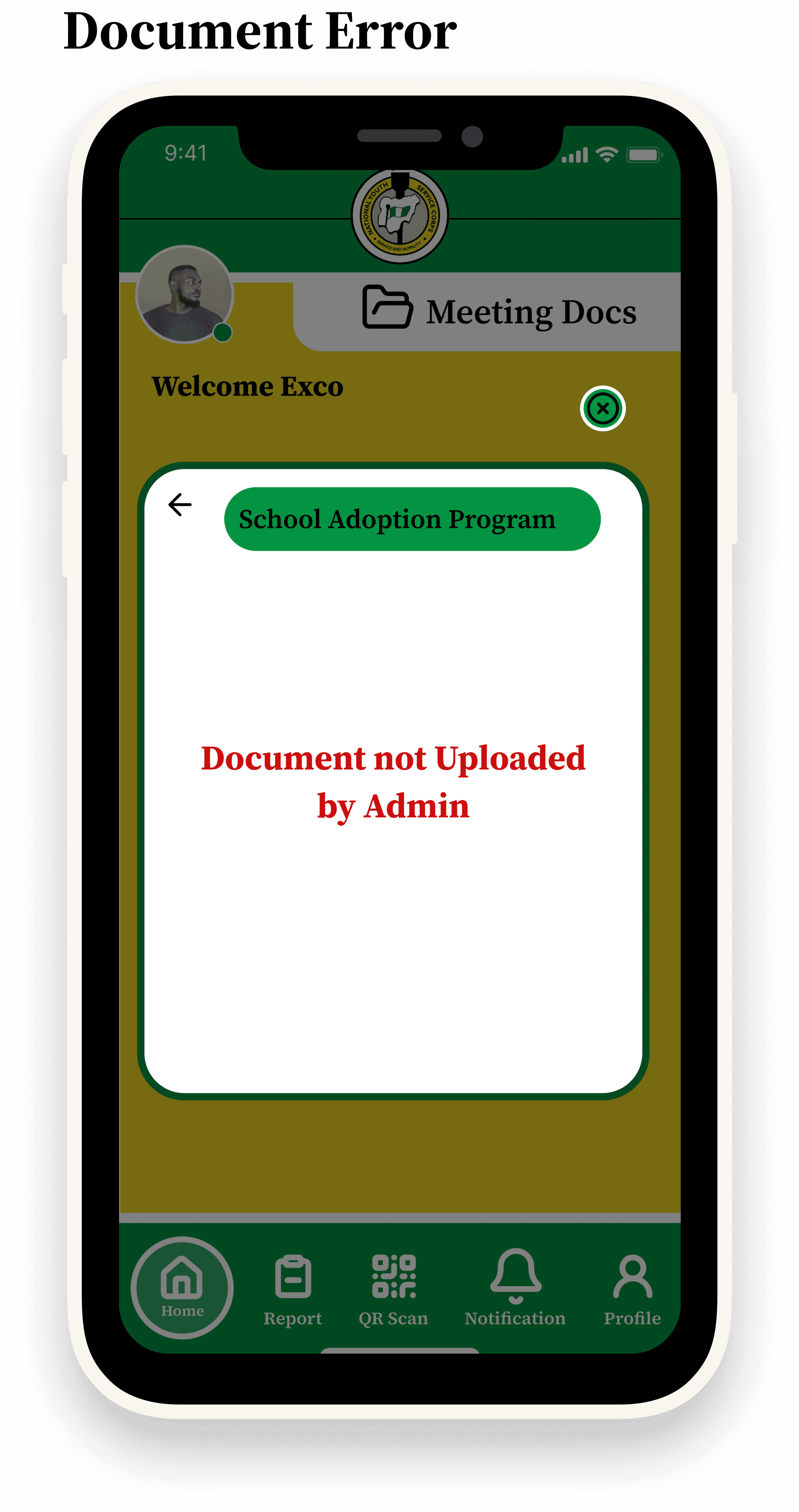
Created error states (e.g., “Document not uploaded”) to handle real-world edge cases.
Tools & Workflow
•
Figma – Wireframing, prototyping, high-fidelity designs.
•
Streamline Icons – Clean, consistent iconography.
•
Brandfetch – Extracted brand colors and assets for design alignment.
Final Solution
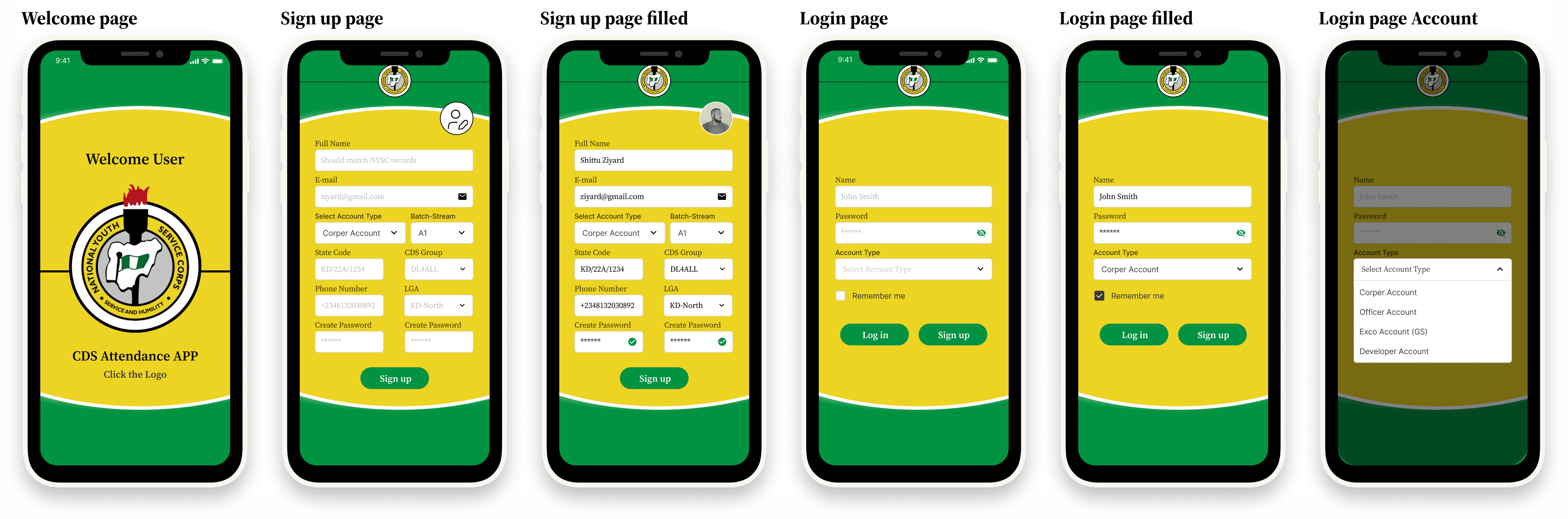
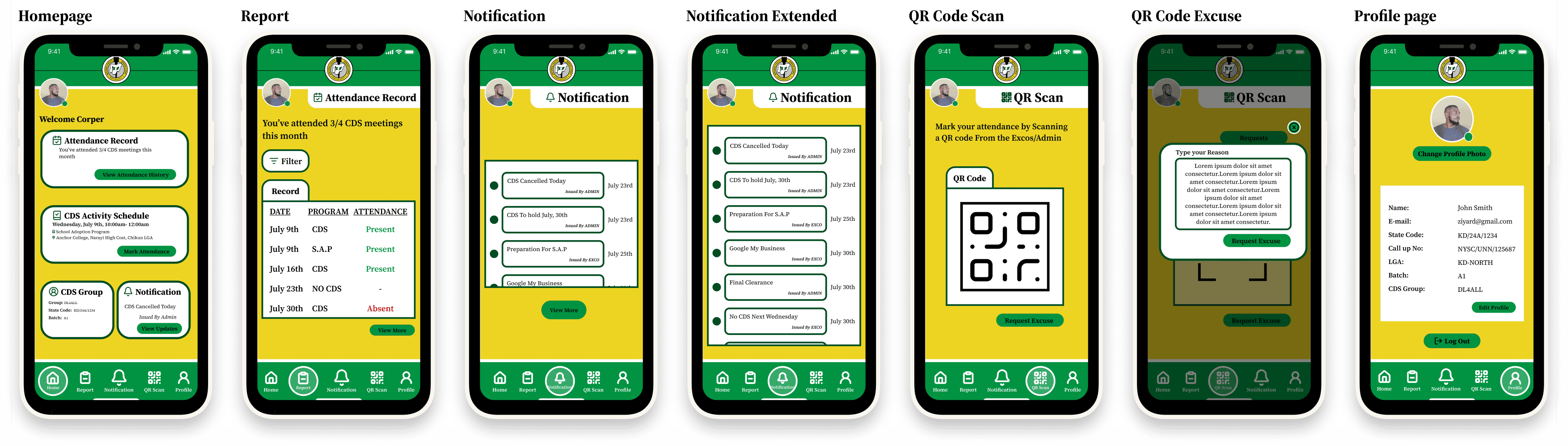
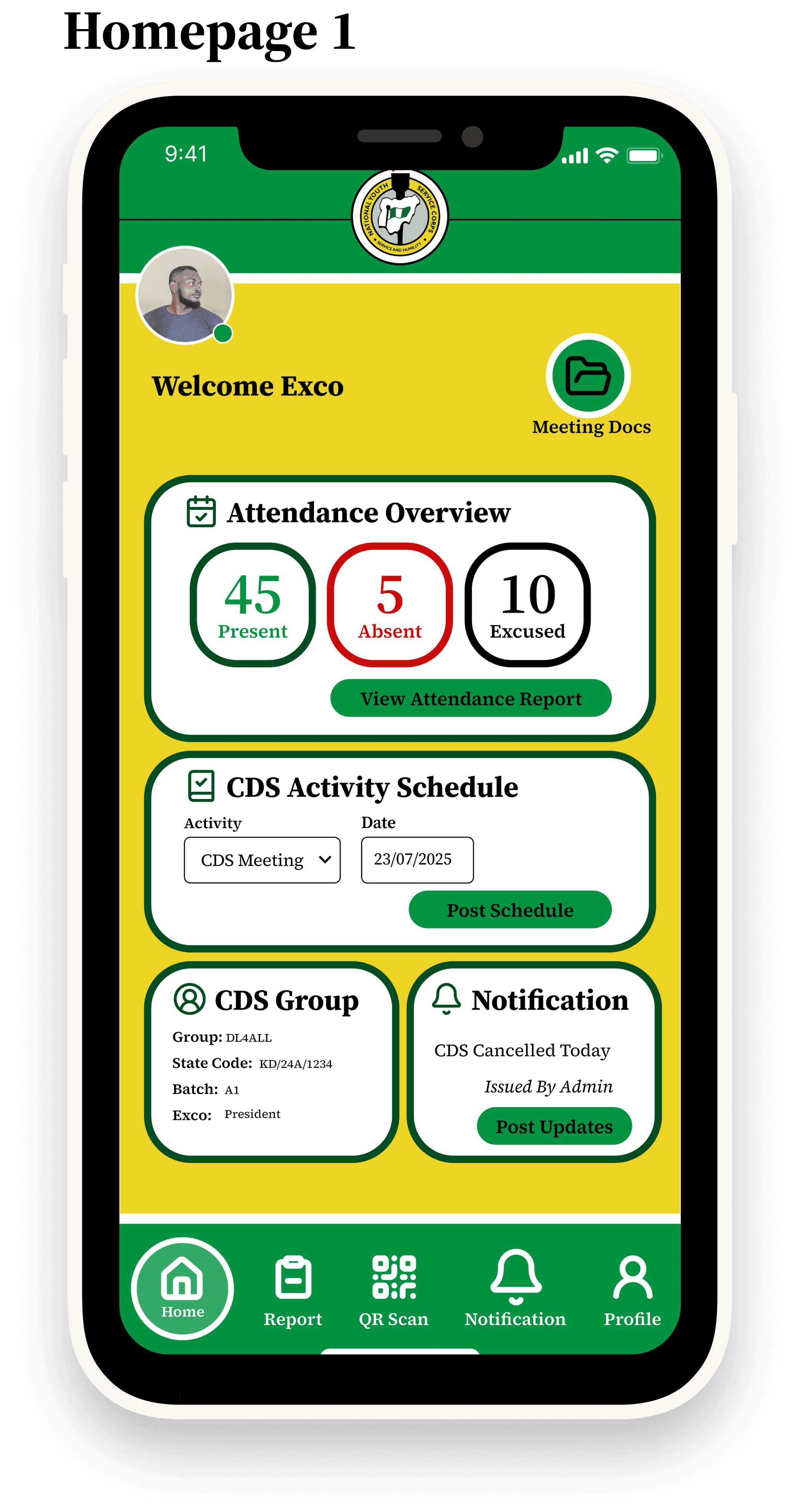
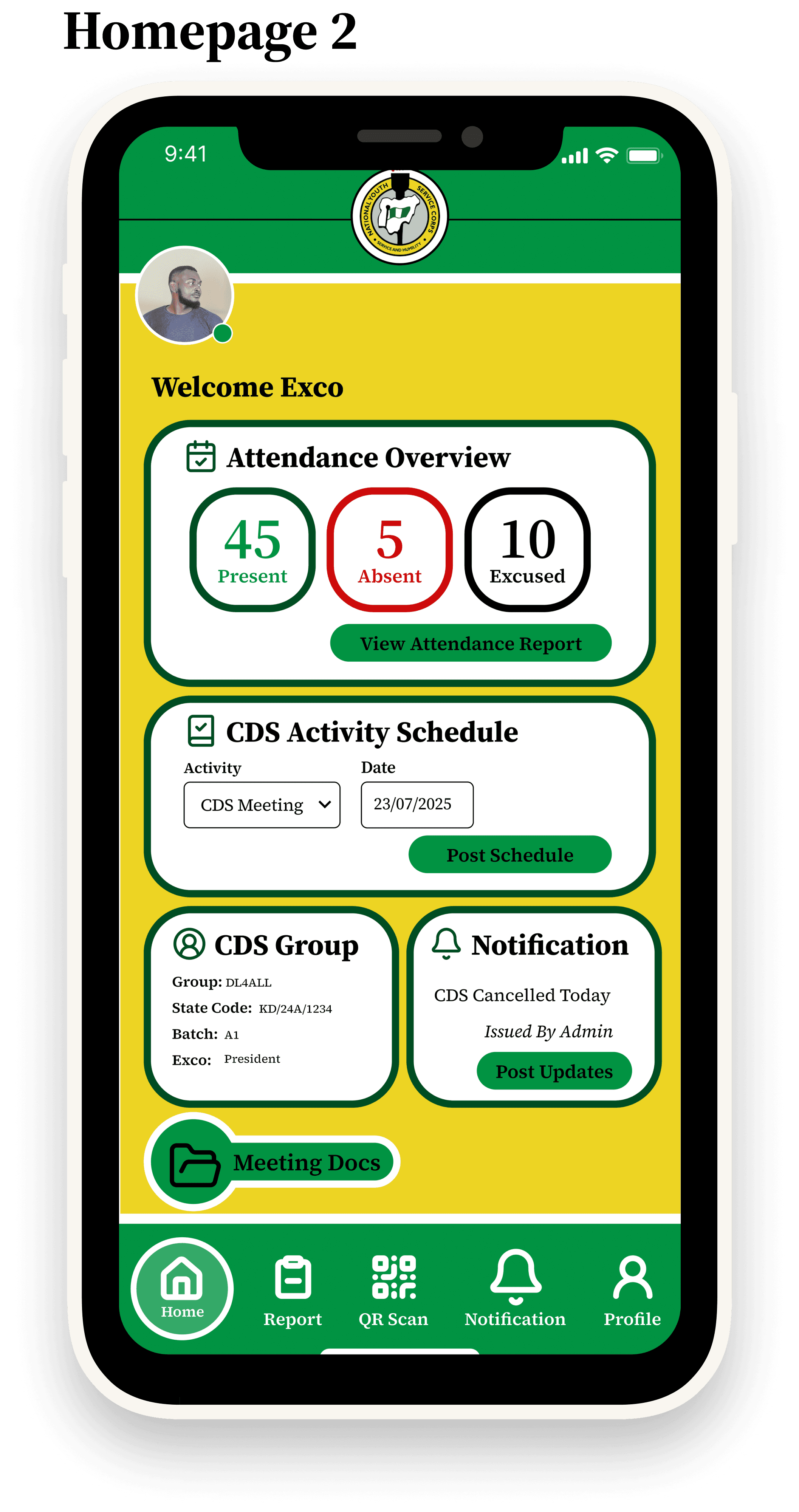
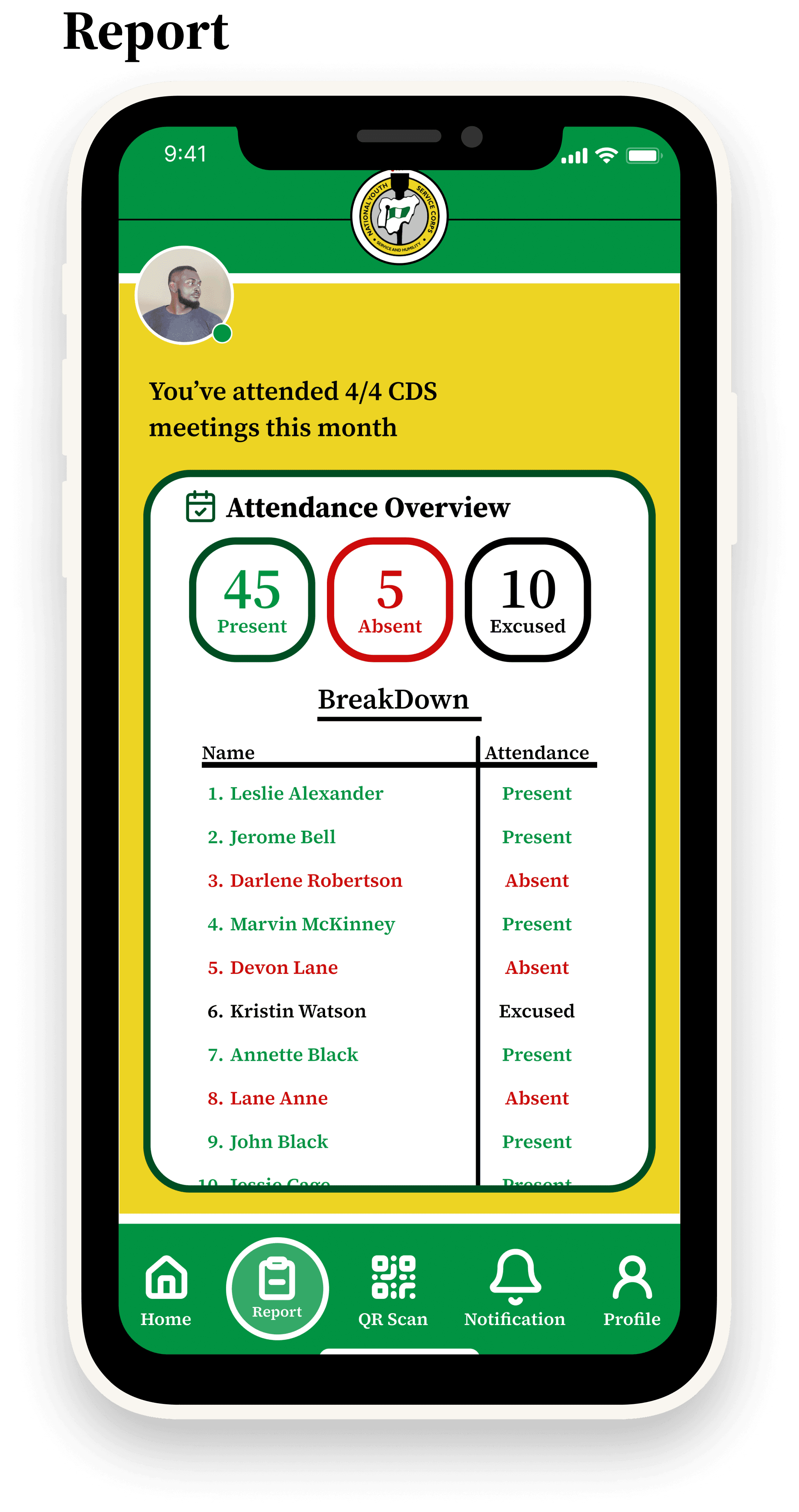
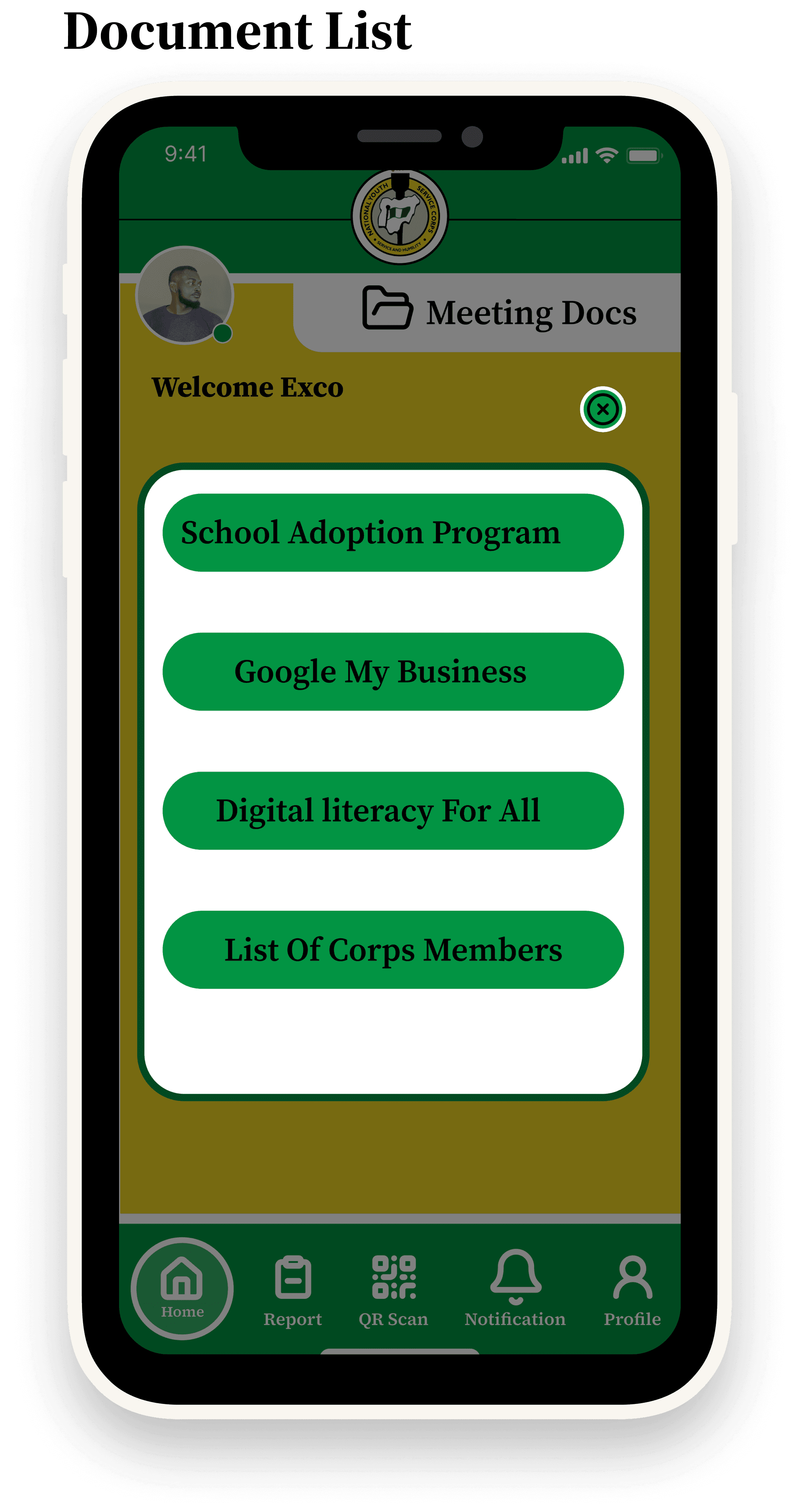
The CDS Attendance App includes:
•
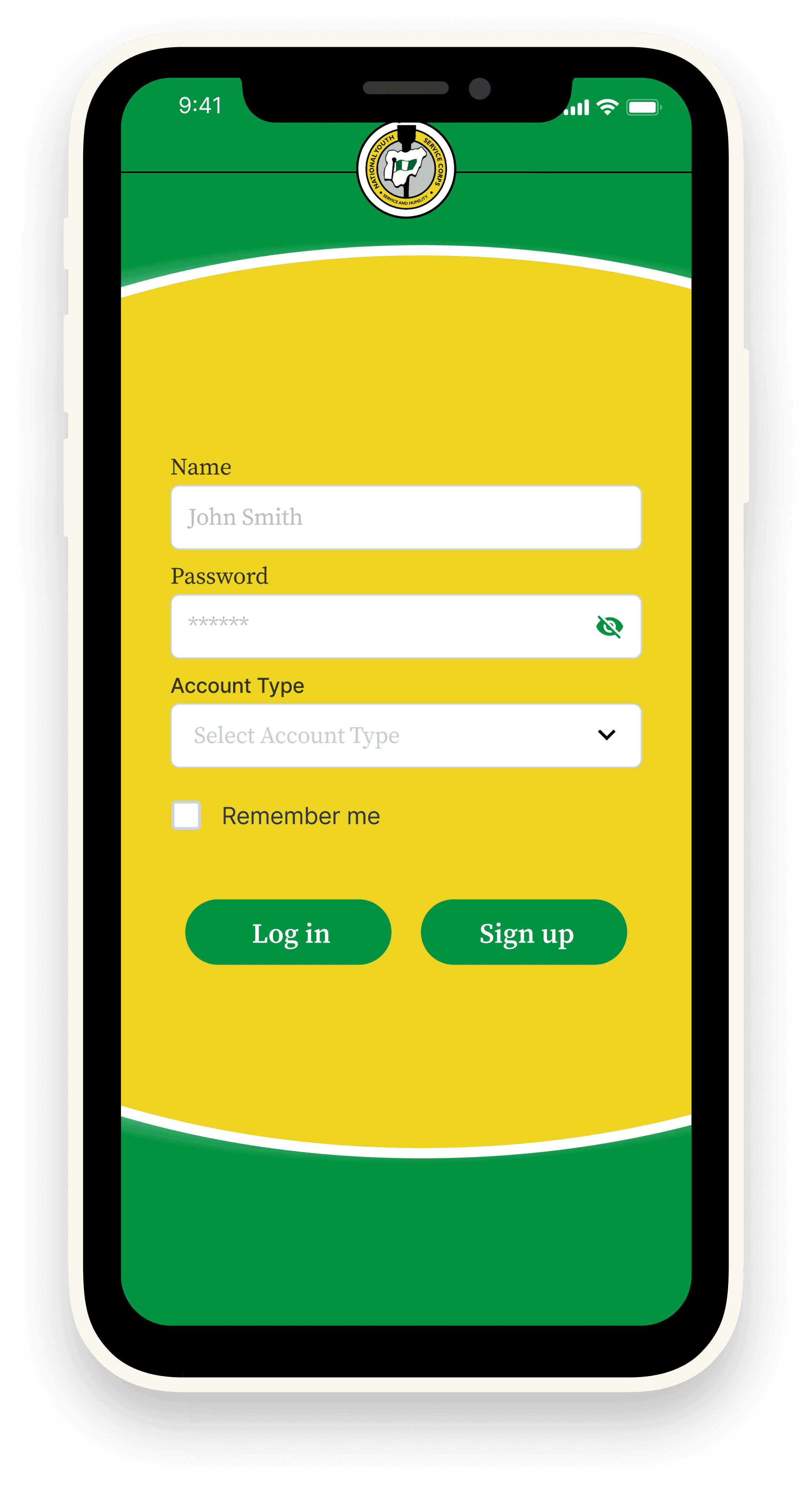
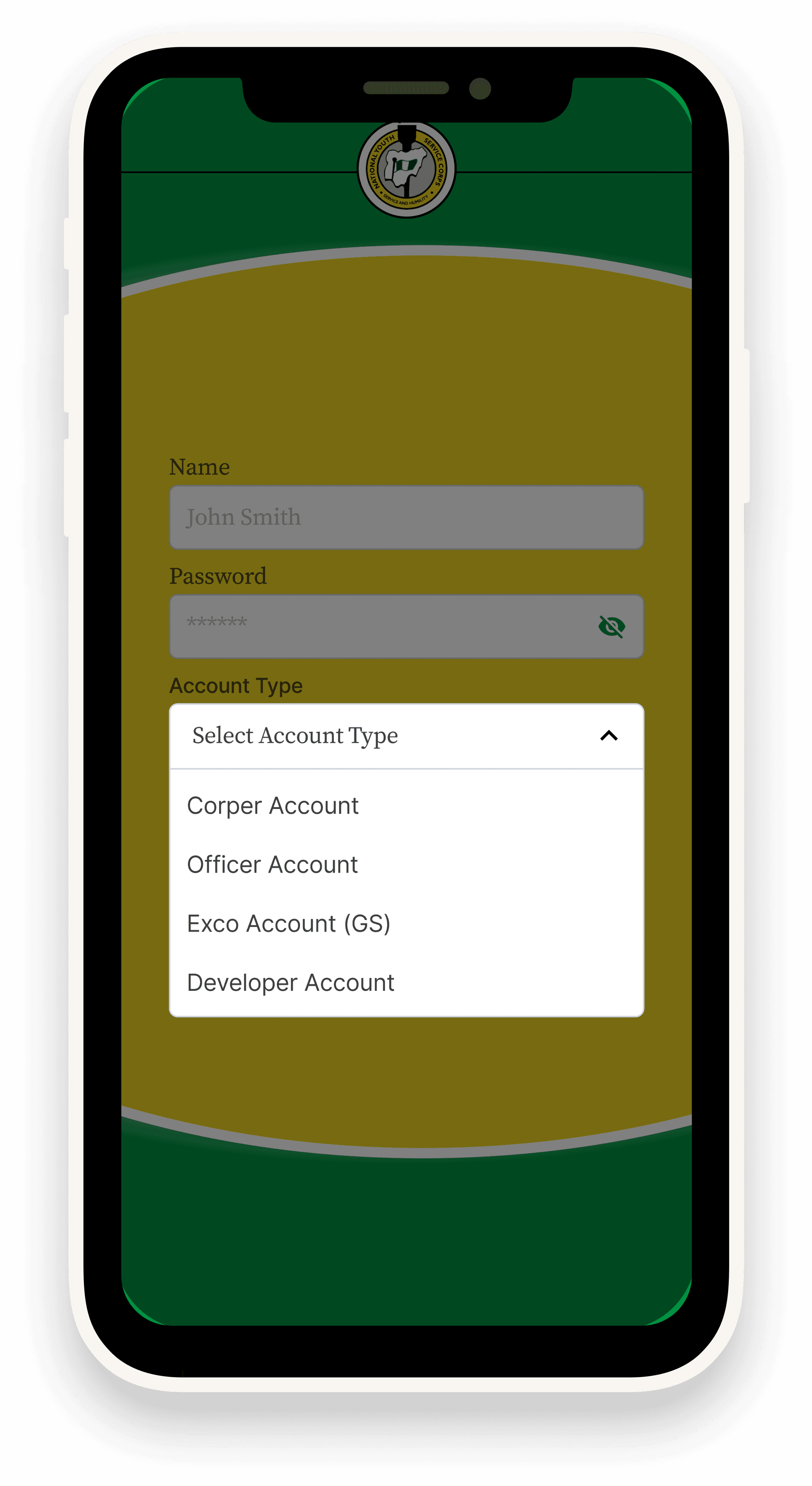
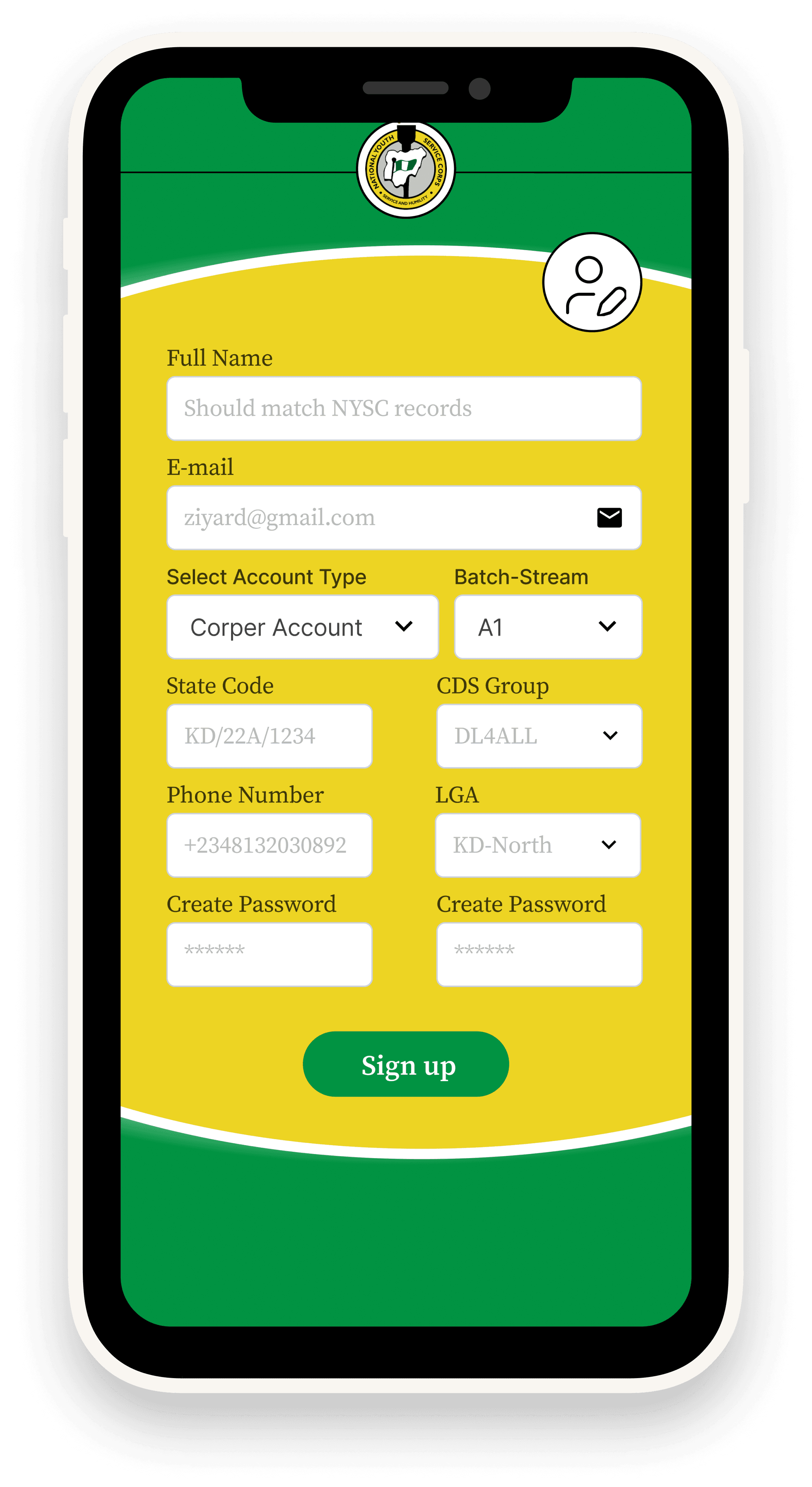
Secure Login & Profile Setup – Corps members authenticate individually.
•
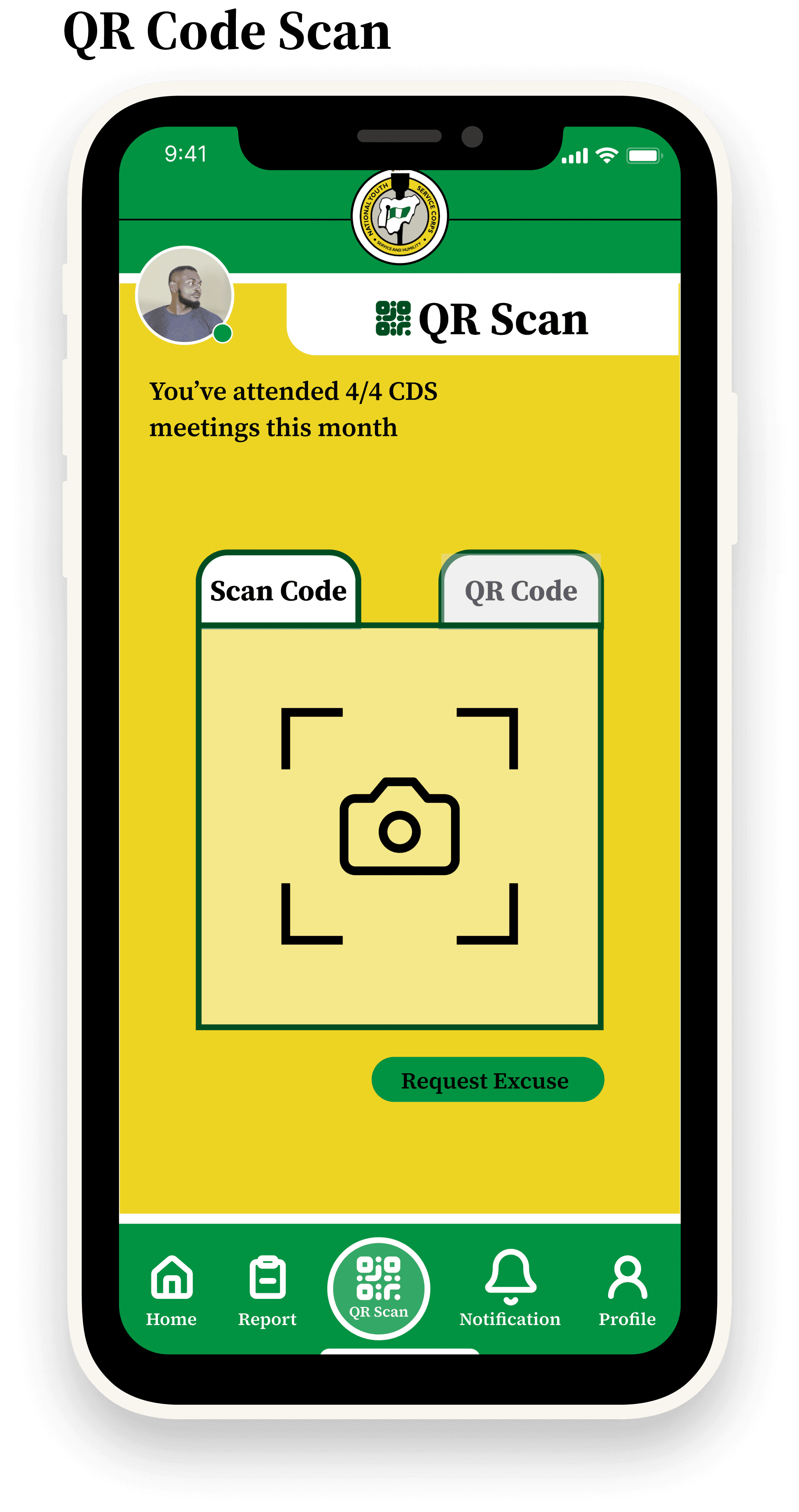
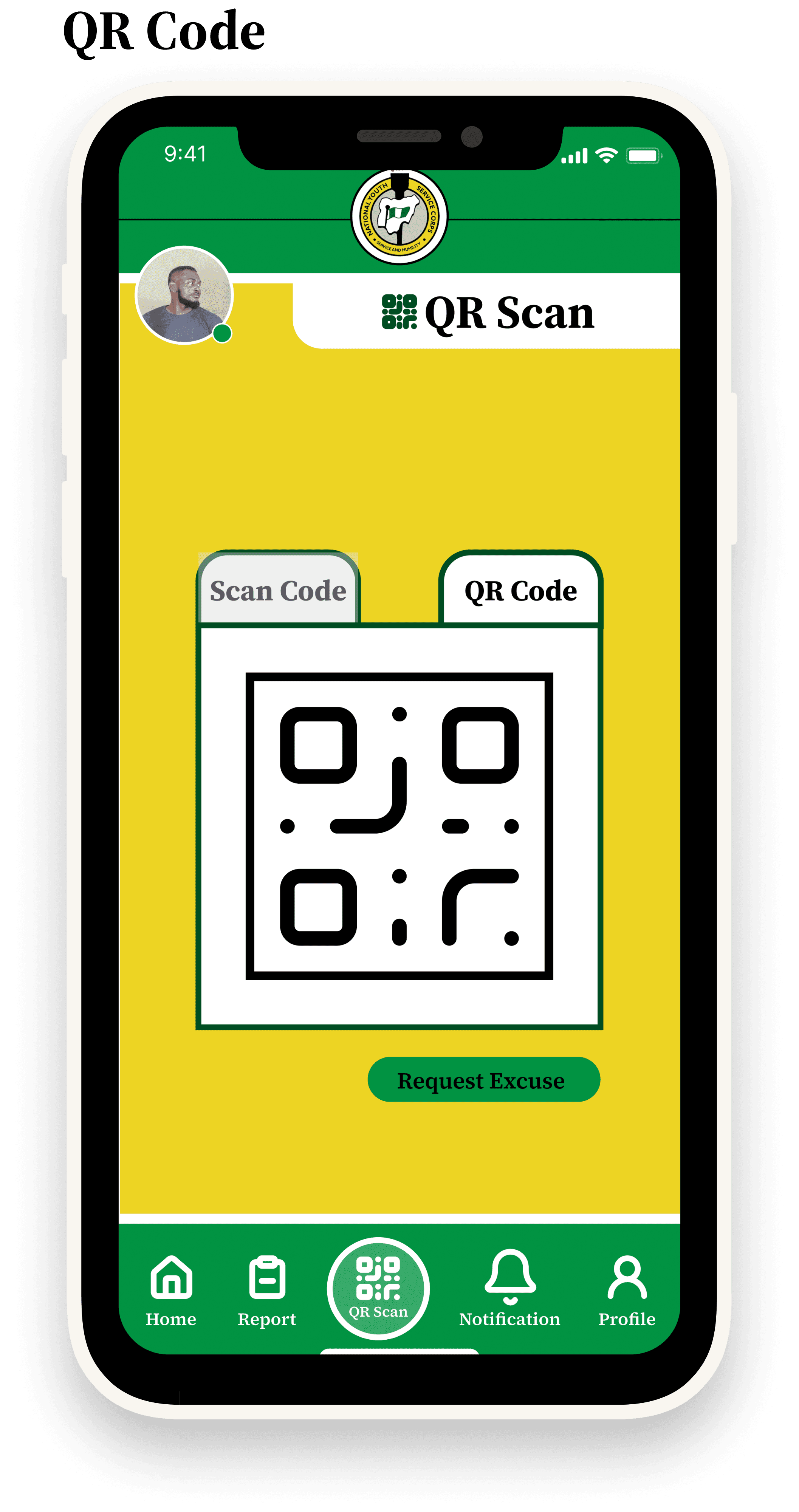
QR Code Scan – One-tap attendance verification at CDS venues.
•
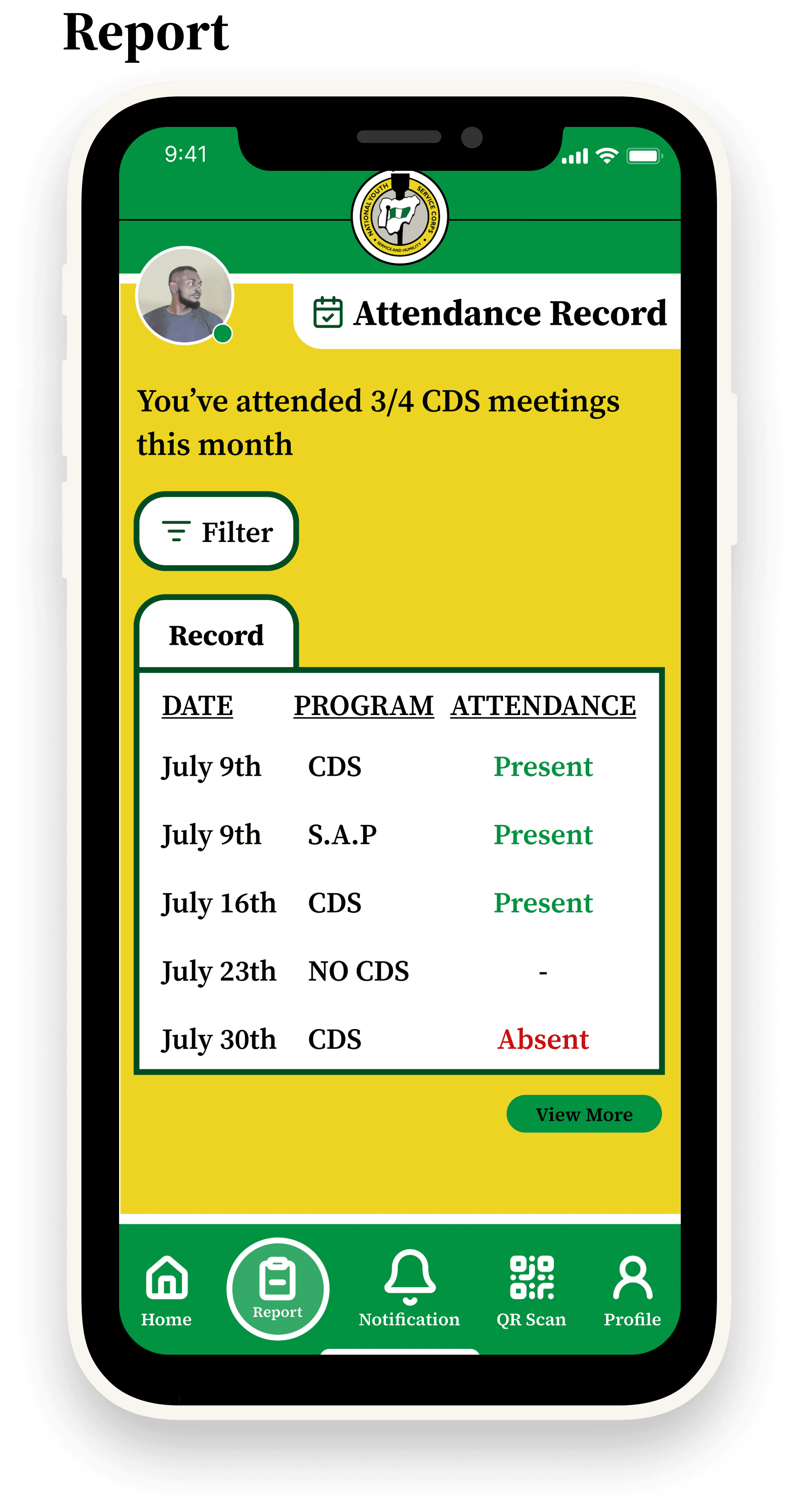
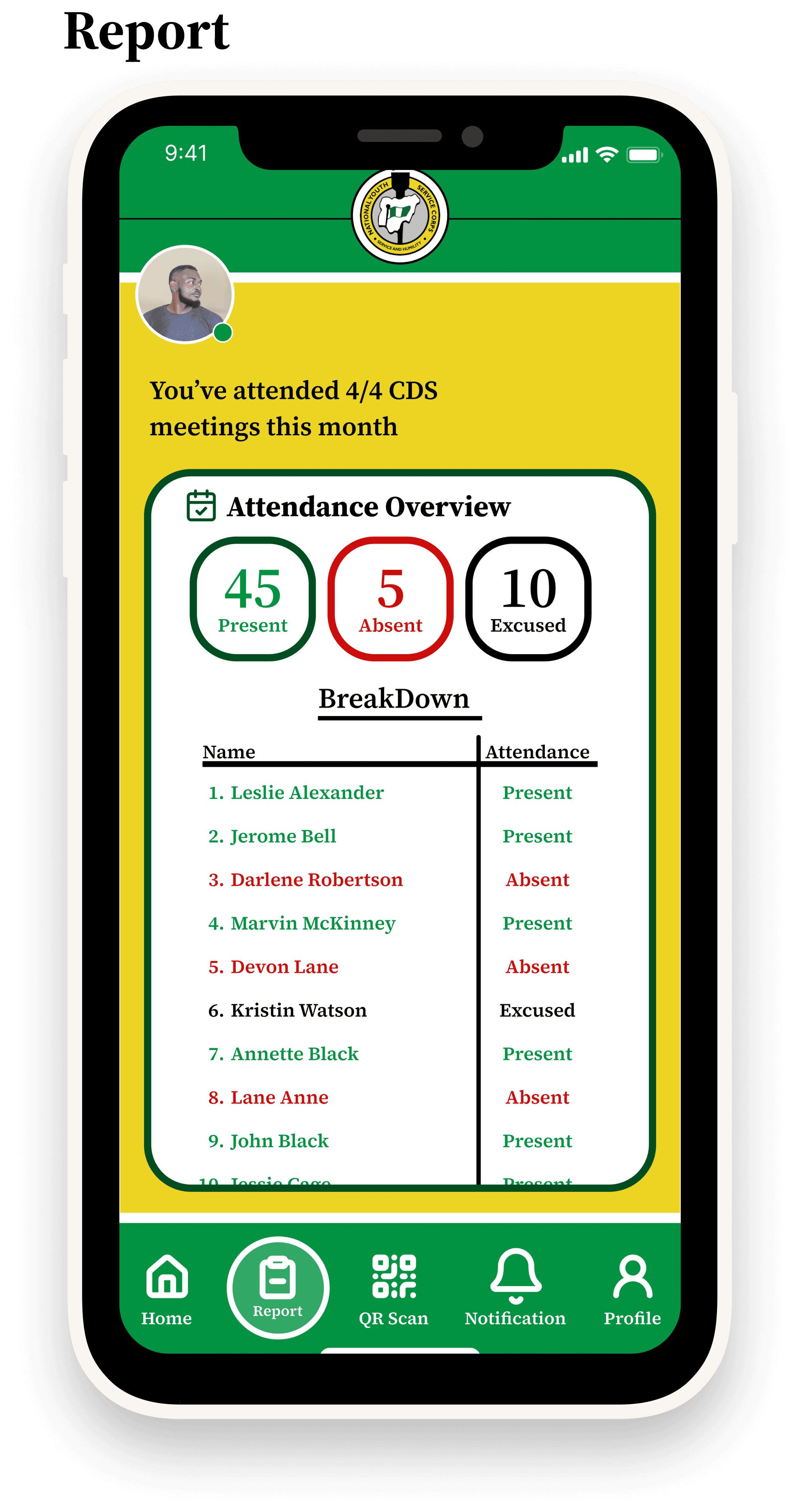
Dashboard – Real-time overview of attendance history.
•
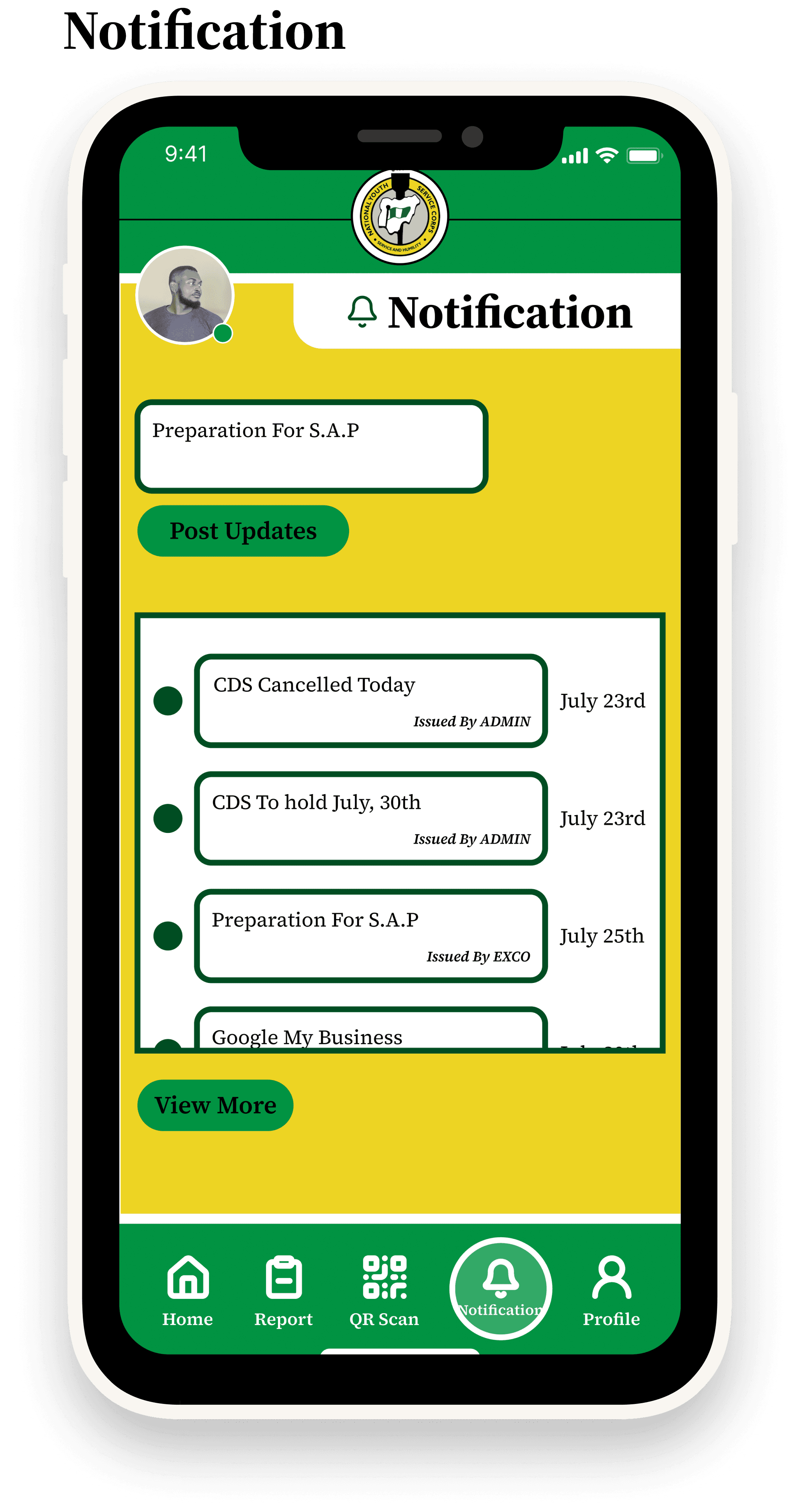
Notifications – Instant feedback for attendance confirmation or errors.
•
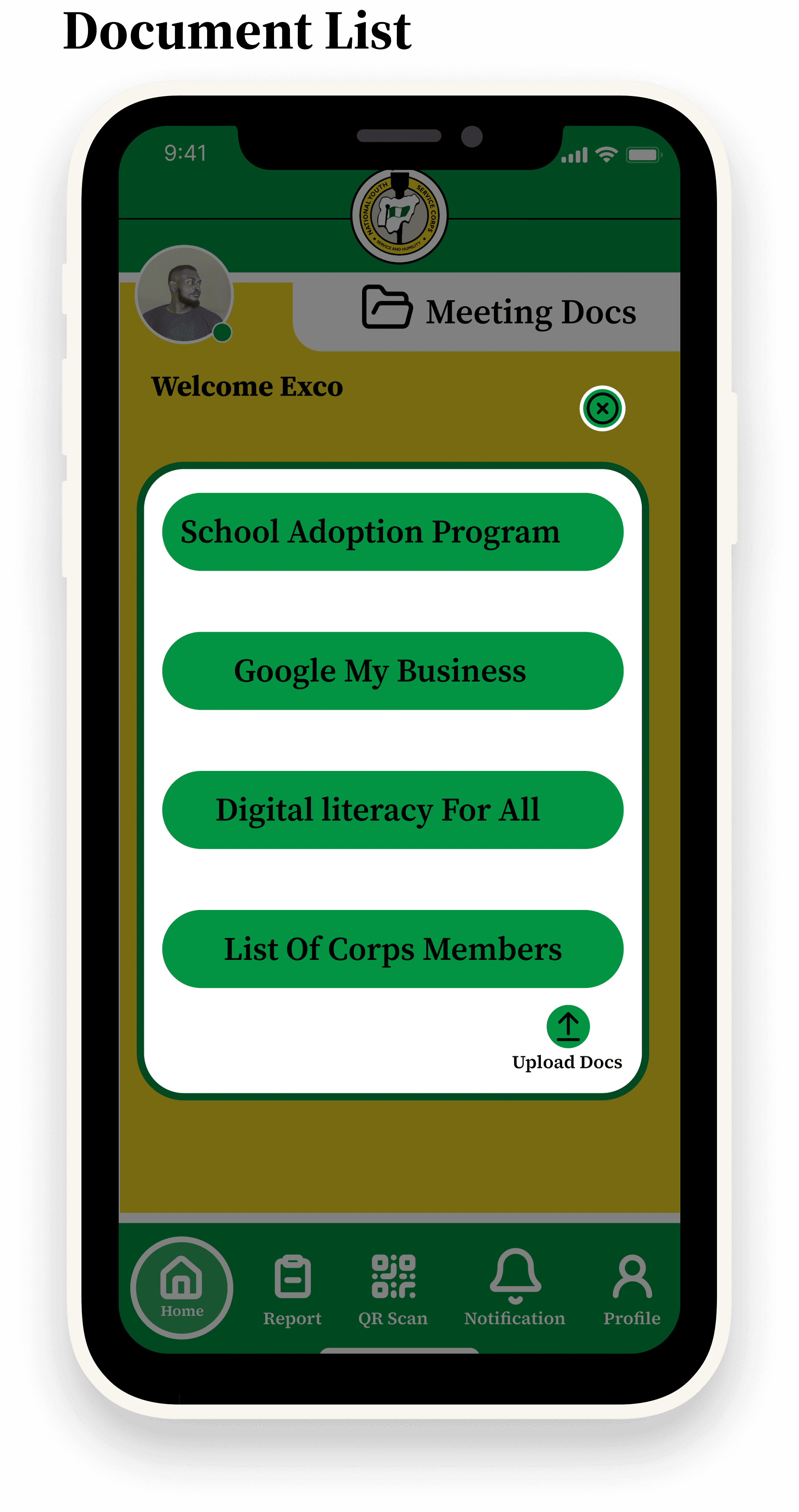
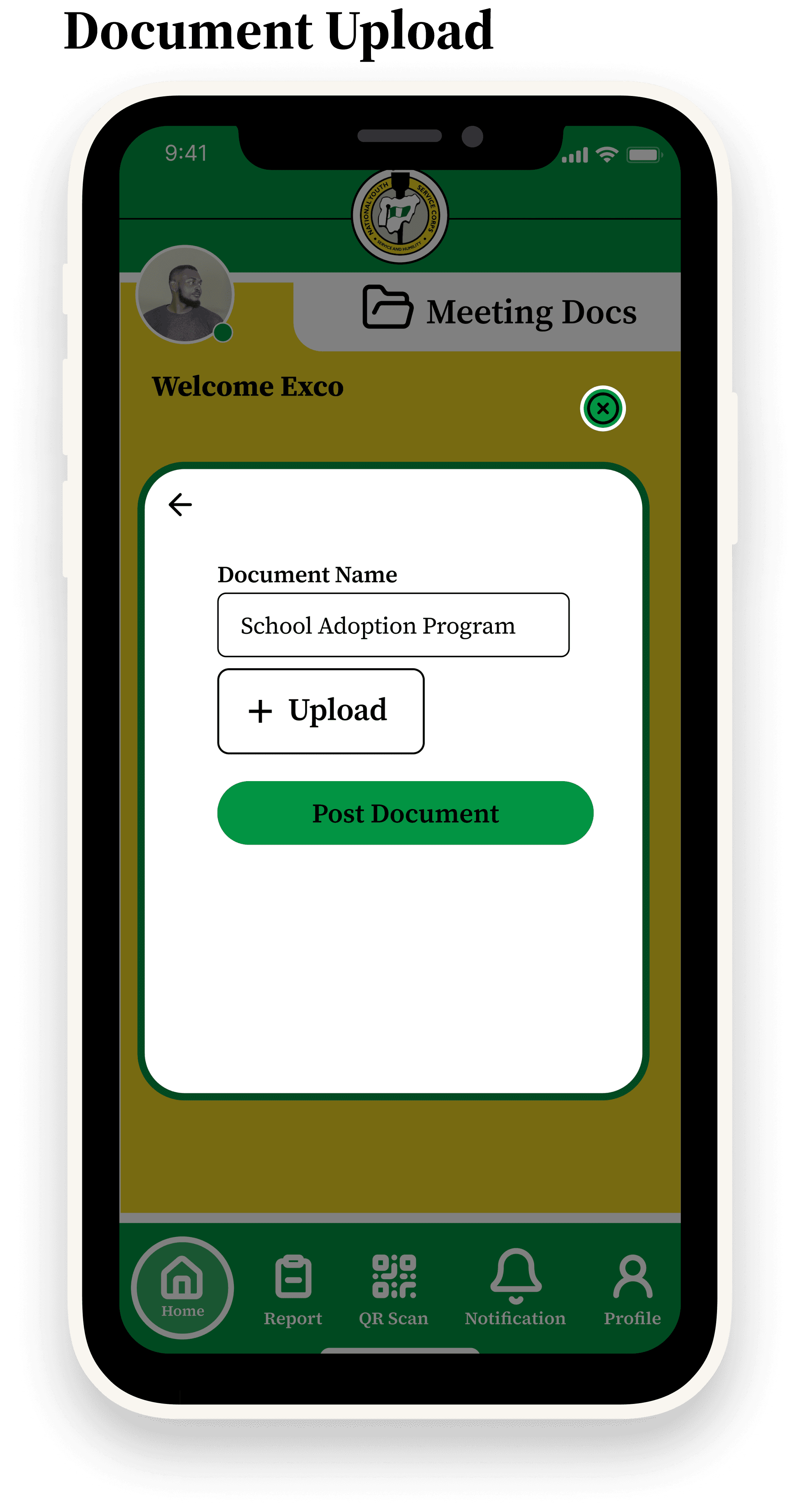
Profile Management – Upload and manage documents for verification.


Outcome & Impact
•
Efficiency: Reduced attendance-taking time from 30+ minutes to under 5 minutes.
•
Security: Prevented impersonation with unique logins and QR codes.
•
Transparency: Both corps members and executives receive real-time confirmation.
•
Scalability: Can be adapted to CDS groups nationwide.
Reflection & Next Steps
Key Learnings
•
Being the only designer pushed me to manage both speed and design quality under pressure.
•
Collaboration with developers sharpened my ability to communicate design intent clearly.
•
User testing (even limited) showed how critical simplicity is in high-volume use cases.
Future Improvements
•
Offline QR scanning for areas with poor internet.
•
Executive dashboard with analytics and bulk export.
•
Accessibility features such as voice prompts and larger text options.
Back
Case 01
CDS Attendance tracker App
Project Summary
The CDS Attendance App was developed during the Digital Literacy for All – CDS National Hackathon Competition to address inefficiencies in the manual attendance system used for NYSC Community Development Service (CDS).
As the sole UI/UX Designer in a team of 8–10, I was responsible for end-to-end design — from wireframing and prototyping to creating the final visual identity. While the hackathon spanned 1 month, I completed the design phase within 2 weeks to give my team enough time for development and testing.
•
Event: Digital Literacy for All – CDS National Hackathon Competition.
•
Duration: 1 month (design completed in 2 weeks)
•
Team Size: 8–10 members
•
Role: Sole UI/UX Designer
•
Tools Used: Figma, Streamline Icons, Brandfetch
The Challenge
Attendance at CDS meetings is traditionally manual, resulting in:
•
Long queues and wasted time during roll call.
•
Impersonation (corps members signing for absent colleagues).
•
Inaccurate or incomplete records for executives and officers.
Hackathon Brief: Design a mobile-first solution that enables corps members to easily mark attendance, while providing executives and inspectors with transparent and reliable records.
Research & Insights
Given the hackathon’s time constraints, I conducted rapid interviews and secondary research:
•
Corps Members: Frustrated with time wasted in attendance queues.
•
Executives: Difficulty verifying who was truly present.
•
Admins: Records could often be inaccurate or missing.
Insight: A QR code-based system was the most practical approach for secure, fast, and scalable attendance verification.
Design Process
Ideation
•
Brainstormed multiple concepts (SMS, biometrics, QR).
•
Team voted for QR code scanning as the most viable and hackathon-ready solution.
My Role as Sole UI/UX Designer
•
Defined the user flows (onboarding, QR scan, notifications, profile).
•
Designed wireframes → prototypes → final UI in Figma.
•
Established the visual identity (green + yellow palette to reflect NYSC branding).
•
Created error states (e.g., “Document not uploaded”) to handle real-world edge cases.
Tools & Workflow
•
Figma – Wireframing, prototyping, high-fidelity designs.
•
Streamline Icons – Clean, consistent iconography.
•
Brandfetch – Extracted brand colors and assets for design alignment.
Final Solution
The CDS Attendance App includes:
•
Secure Login & Profile Setup – Corps members authenticate individually.
•
QR Code Scan – One-tap attendance verification at CDS venues.
•
Dashboard – Real-time overview of attendance history.
•
Notifications – Instant feedback for attendance confirmation or errors.
•
Profile Management – Upload and manage documents for verification.
Outcome & Impact
•
Efficiency: Reduced attendance-taking time from 30+ minutes to under 5 minutes.
•
Security: Prevented impersonation with unique logins and QR codes.
•
Transparency: Both corps members and executives receive real-time confirmation.
•
Scalability: Can be adapted to CDS groups nationwide.
Reflection & Next Steps
Key Learnings
•
Being the only designer pushed me to manage both speed and design quality under pressure.
•
Collaboration with developers sharpened my ability to communicate design intent clearly.
•
User testing (even limited) showed how critical simplicity is in high-volume use cases.
Future Improvements
•
Offline QR scanning for areas with poor internet.
•
Executive dashboard with analytics and bulk export.
•
Accessibility features such as voice prompts and larger text options.
Back
Case 01
CDS Attendance tracker App
Project Summary
The CDS Attendance App was developed during the Digital Literacy for All – CDS National Hackathon Competition to address inefficiencies in the manual attendance system used for NYSC Community Development Service (CDS).
As the sole UI/UX Designer in a team of 8–10, I was responsible for end-to-end design — from wireframing and prototyping to creating the final visual identity. While the hackathon spanned 1 month, I completed the design phase within 2 weeks to give my team enough time for development and testing.
•
Event: Digital Literacy for All – CDS National Hackathon Competition.
•
Duration: 1 month (design completed in 2 weeks)
•
Team Size: 8–10 members
•
Role: Sole UI/UX Designer
•
Tools Used: Figma, Streamline Icons, Brandfetch
The Challenge
Attendance at CDS meetings is traditionally manual, resulting in:
•
Long queues and wasted time during roll call.
•
Impersonation (corps members signing for absent colleagues).
•
Inaccurate or incomplete records for executives and officers.
Hackathon Brief: Design a mobile-first solution that enables corps members to easily mark attendance, while providing executives and inspectors with transparent and reliable records.
Research & Insights
Given the hackathon’s time constraints, I conducted rapid interviews and secondary research:
•
Corps Members: Frustrated with time wasted in attendance queues.
•
Executives: Difficulty verifying who was truly present.
•
Admins: Records could often be inaccurate or missing.
Insight: A QR code-based system was the most practical approach for secure, fast, and scalable attendance verification.
Design Process
Ideation
•
Brainstormed multiple concepts (SMS, biometrics, QR).
•
Team voted for QR code scanning as the most viable and hackathon-ready solution.
My Role as Sole UI/UX Designer
•
Defined the user flows (onboarding, QR scan, notifications, profile).
•
Designed wireframes → prototypes → final UI in Figma.
•
Established the visual identity (green + yellow palette to reflect NYSC branding).
•
Created error states (e.g., “Document not uploaded”) to handle real-world edge cases.
Tools & Workflow
•
Figma – Wireframing, prototyping, high-fidelity designs.
•
Streamline Icons – Clean, consistent iconography.
•
Brandfetch – Extracted brand colors and assets for design alignment.
Final Solution
The CDS Attendance App includes:
•
Secure Login & Profile Setup – Corps members authenticate individually.
•
QR Code Scan – One-tap attendance verification at CDS venues.
•
Dashboard – Real-time overview of attendance history.
•
Notifications – Instant feedback for attendance confirmation or errors.
•
Profile Management – Upload and manage documents for verification.
Outcome & Impact
•
Efficiency: Reduced attendance-taking time from 30+ minutes to under 5 minutes.
•
Security: Prevented impersonation with unique logins and QR codes.
•
Transparency: Both corps members and executives receive real-time confirmation.
•
Scalability: Can be adapted to CDS groups nationwide.
Reflection & Next Steps
Key Learnings
•
Being the only designer pushed me to manage both speed and design quality under pressure.
•
Collaboration with developers sharpened my ability to communicate design intent clearly.
•
User testing (even limited) showed how critical simplicity is in high-volume use cases.
Future Improvements
•
Offline QR scanning for areas with poor internet.
•
Executive dashboard with analytics and bulk export.
•
Accessibility features such as voice prompts and larger text options.