Back
Case 03
CDS Attendance tracker App
Project Summary
•
Project Type: Capstone Project
•
Domain: Banking & Finance
•
Goal: Create a mobile banking app that allows users to manage money seamlessly — send, receive, track expenses, and visualize transactions.
•
Duration: 2–3 weeks
•
Role: Sole UI/UX Designer
•
Tools Used: Figma, Illustrations, Streamline Icons
The Challenge
•
Traditional banking apps are often cluttered, unintuitive, and lack personalization.
•
Users want clarity, speed, and trustworthiness in financial apps.
•
A solution was needed that balances usability + visual appeal while ensuring secure financial interactions.
Research & Insights
Target Users: Young professionals, students, and everyday users managing digital money.
Pain Points Identified:
•
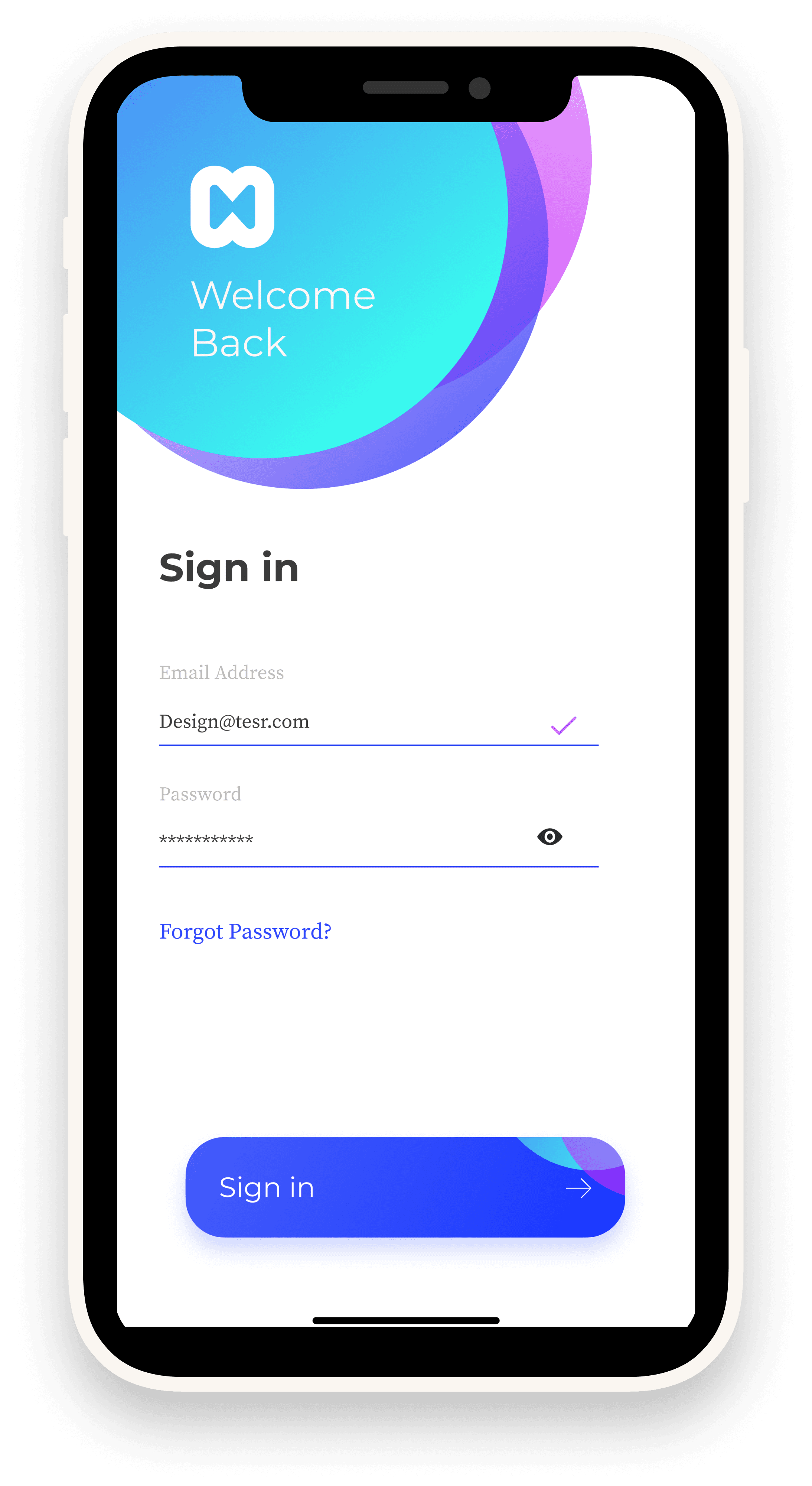
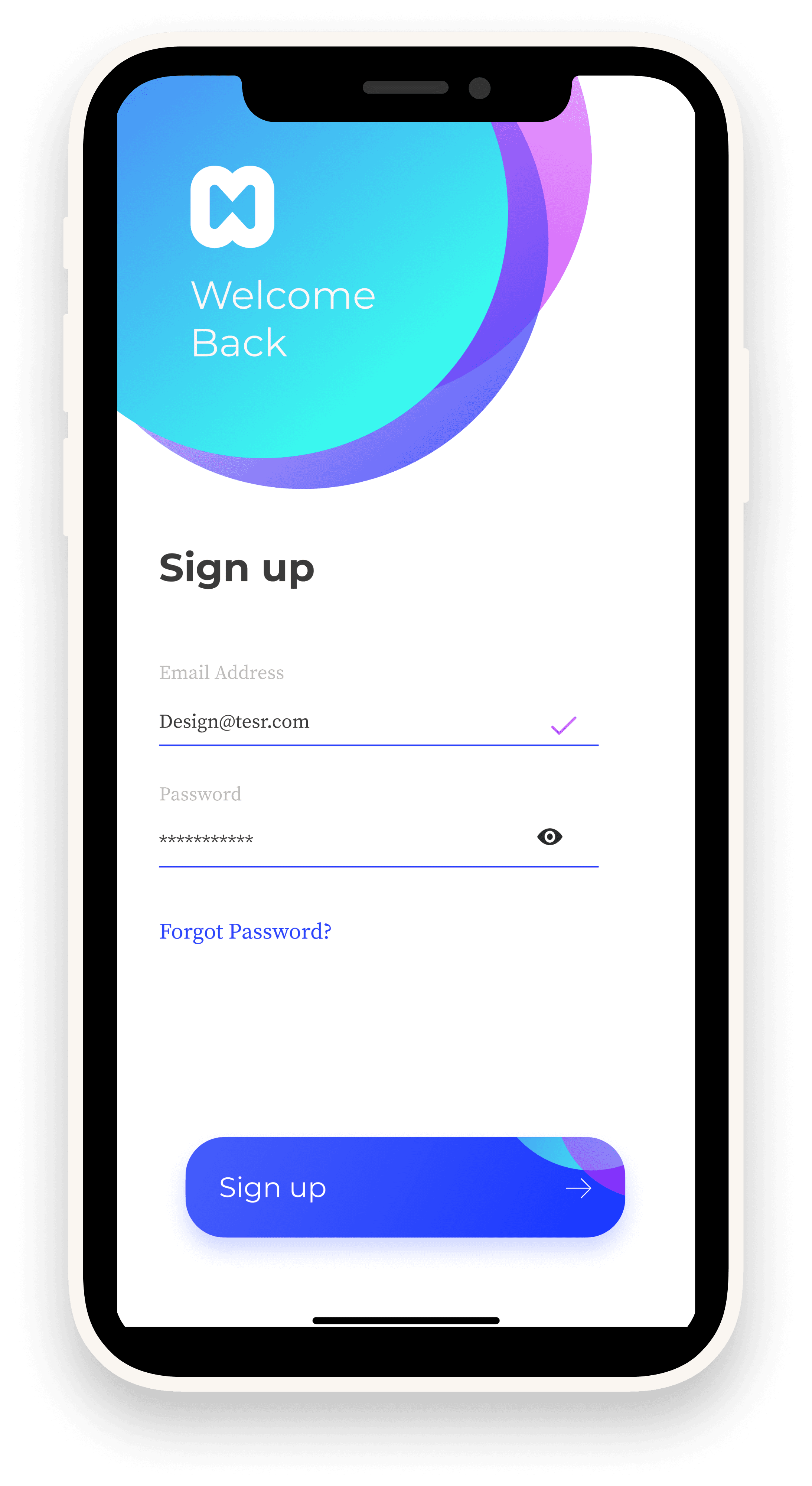
Complex sign-up processes discourage adoption.
•
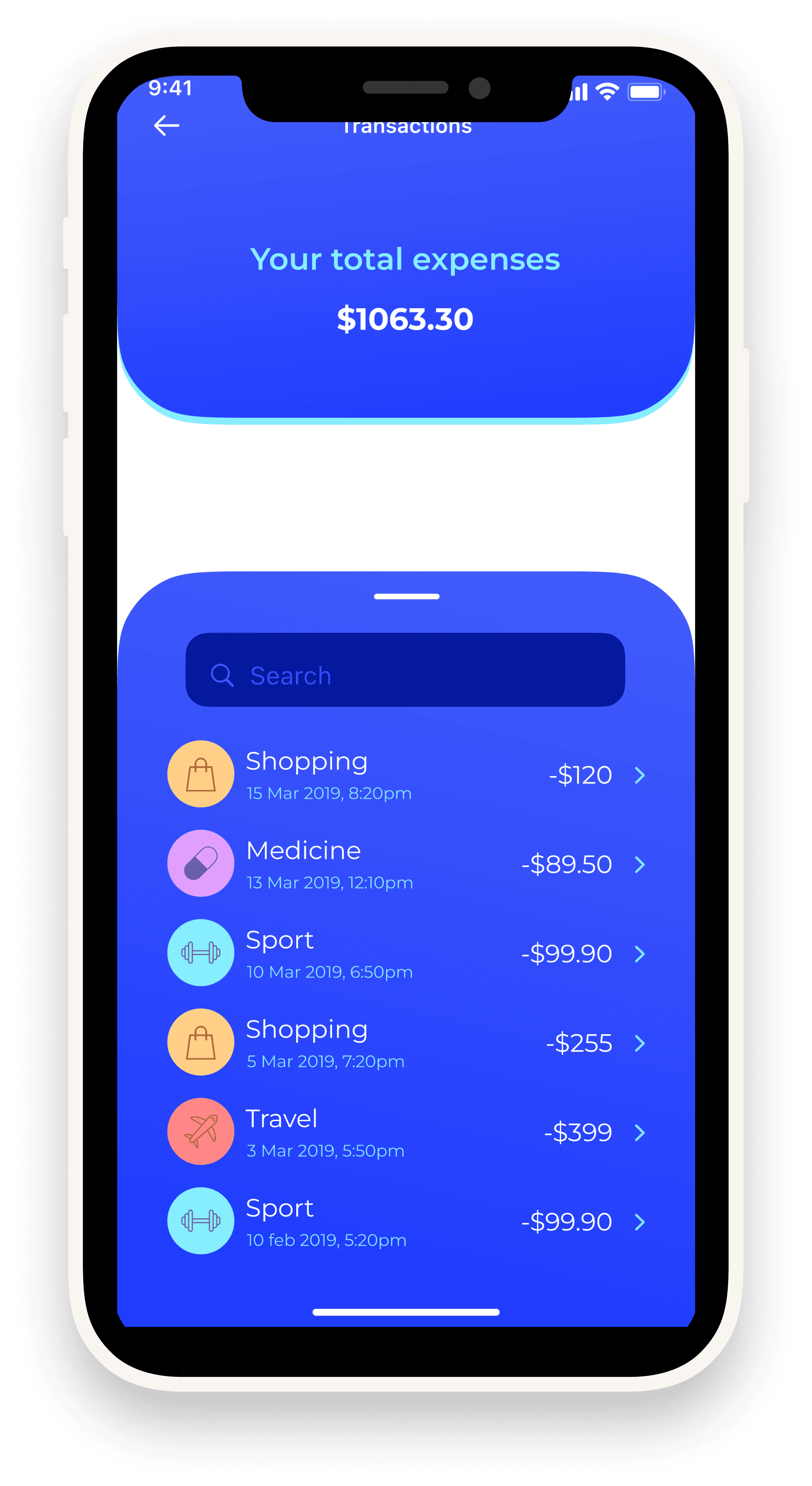
Poor transaction visibility → users struggle to track spending.
•
Lack of engaging, modern UI reduces trust in app security.
Insight: Users expect a simple, modern, and secure interface for banking.
Design Process
•
Wireframing: Focused on clarity → minimal navigation & grouped core actions.
•
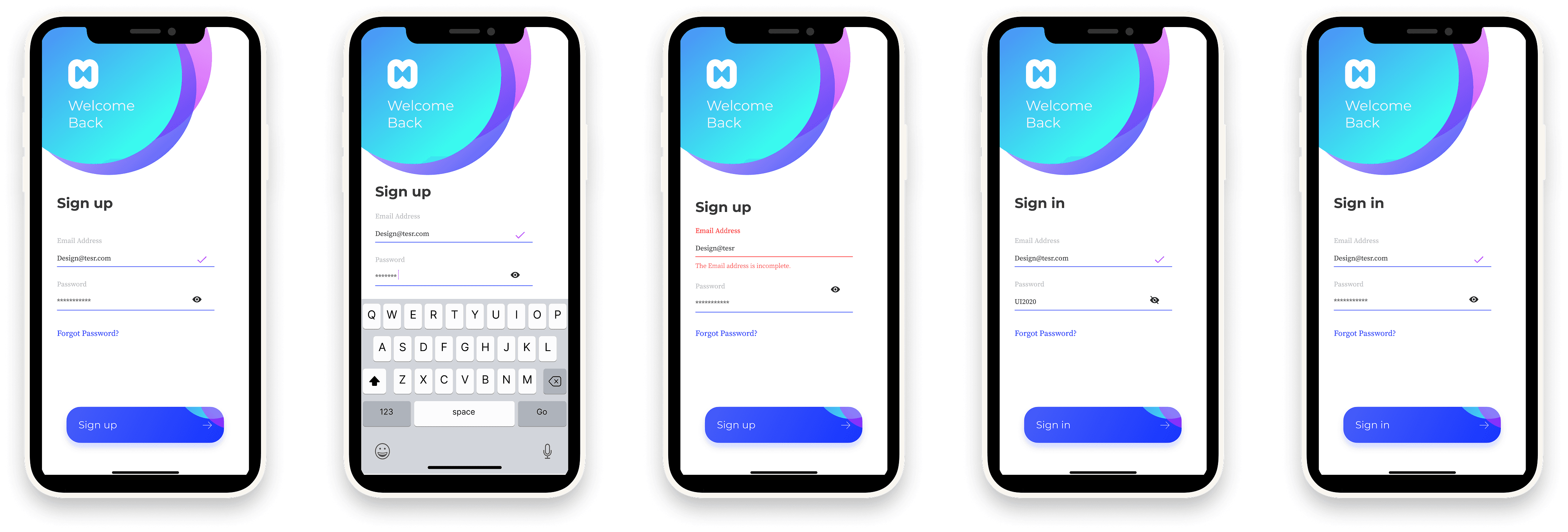
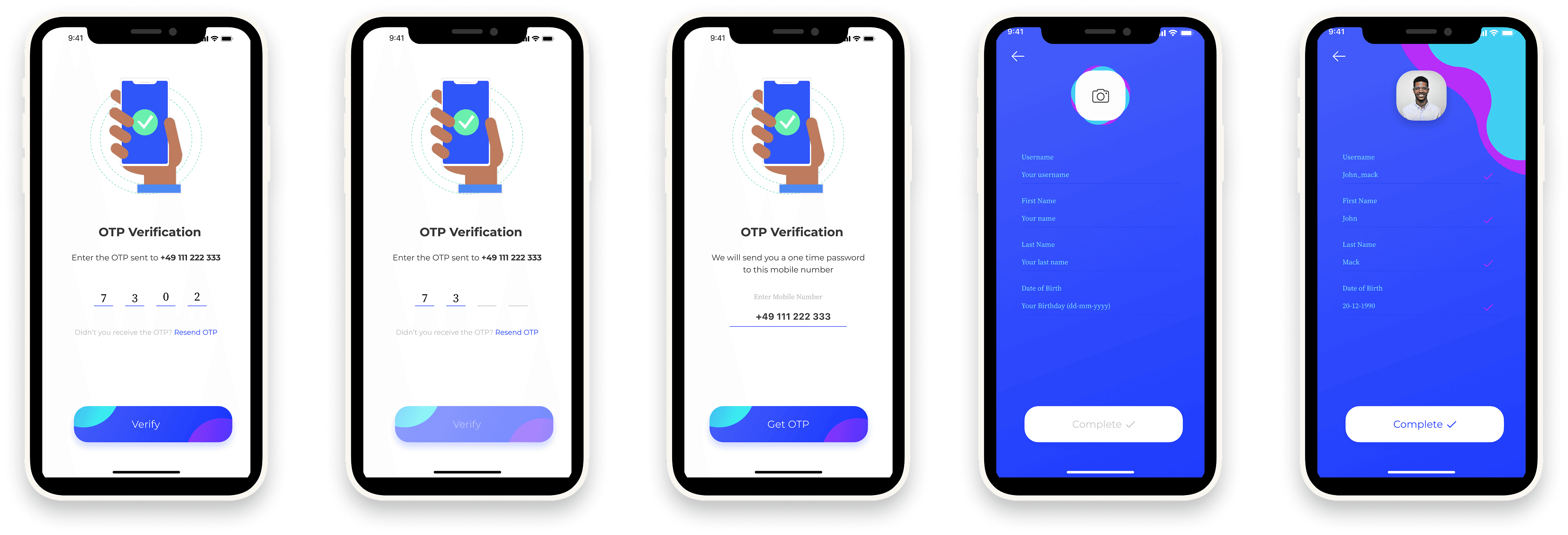
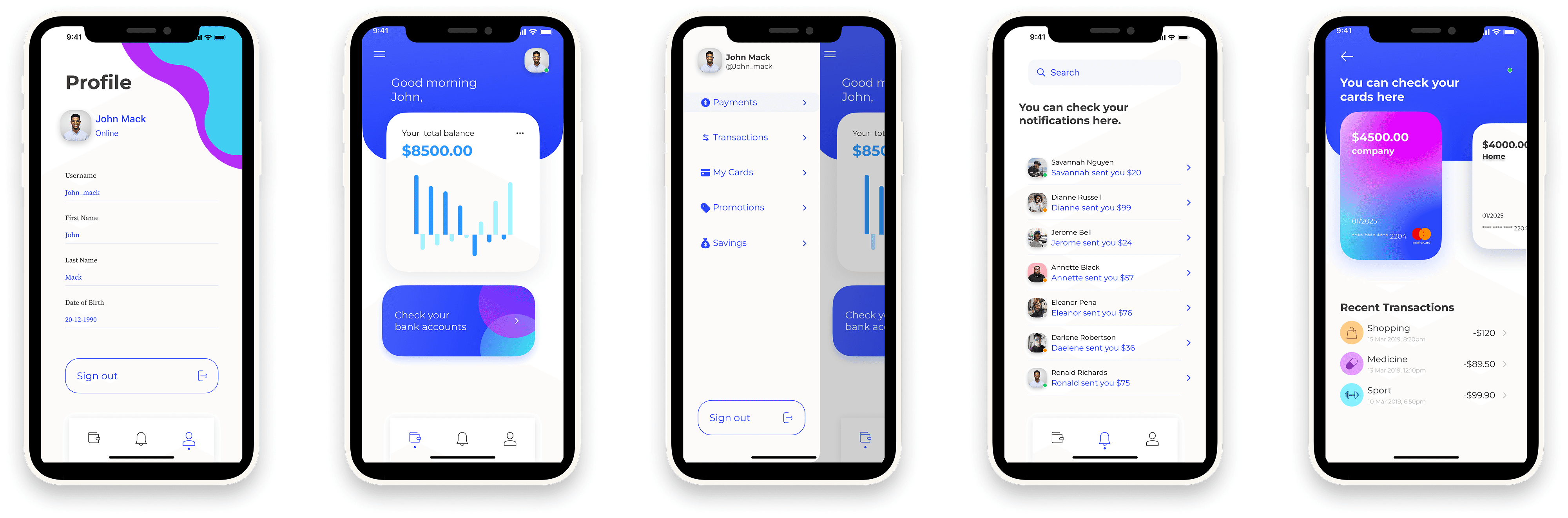
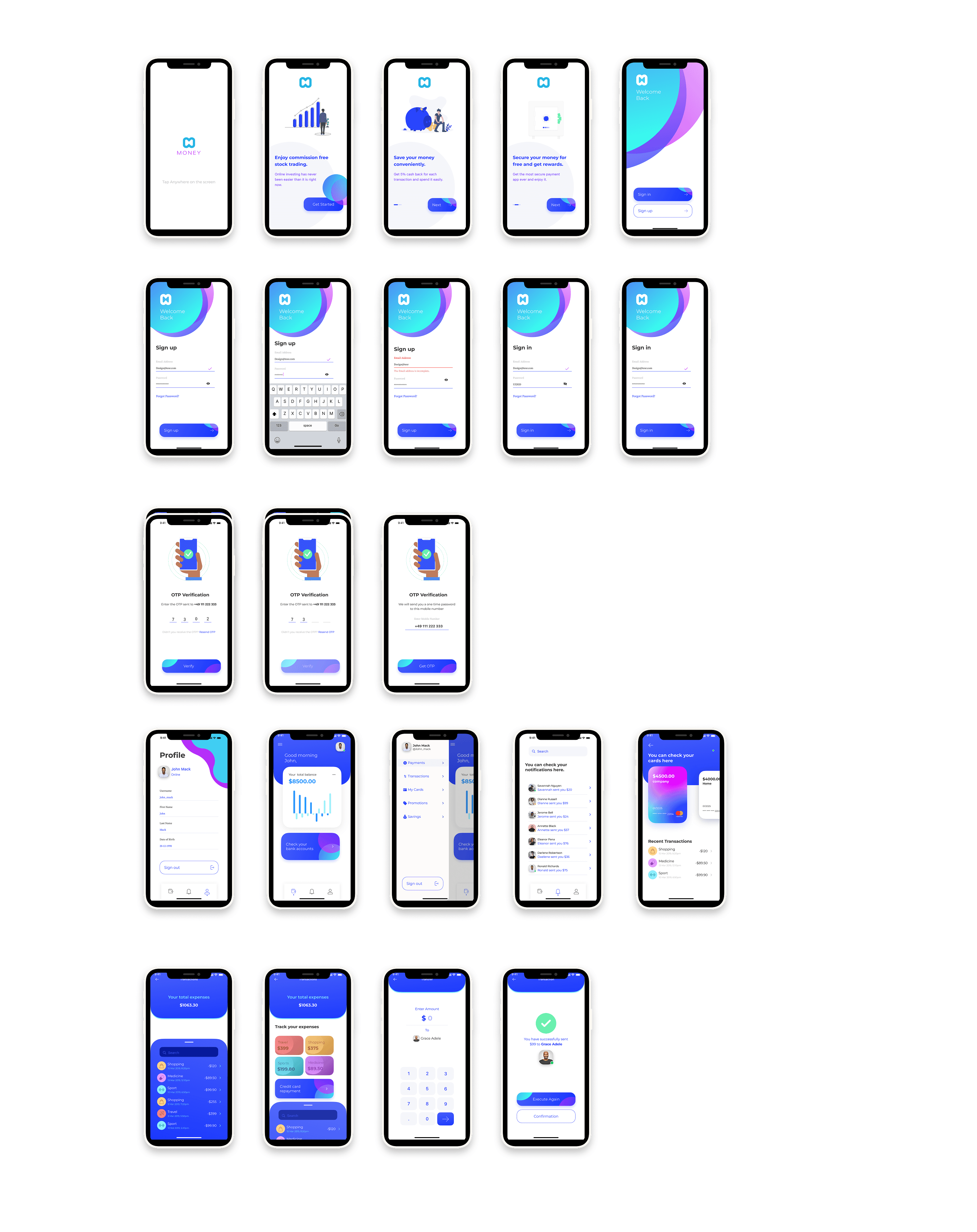
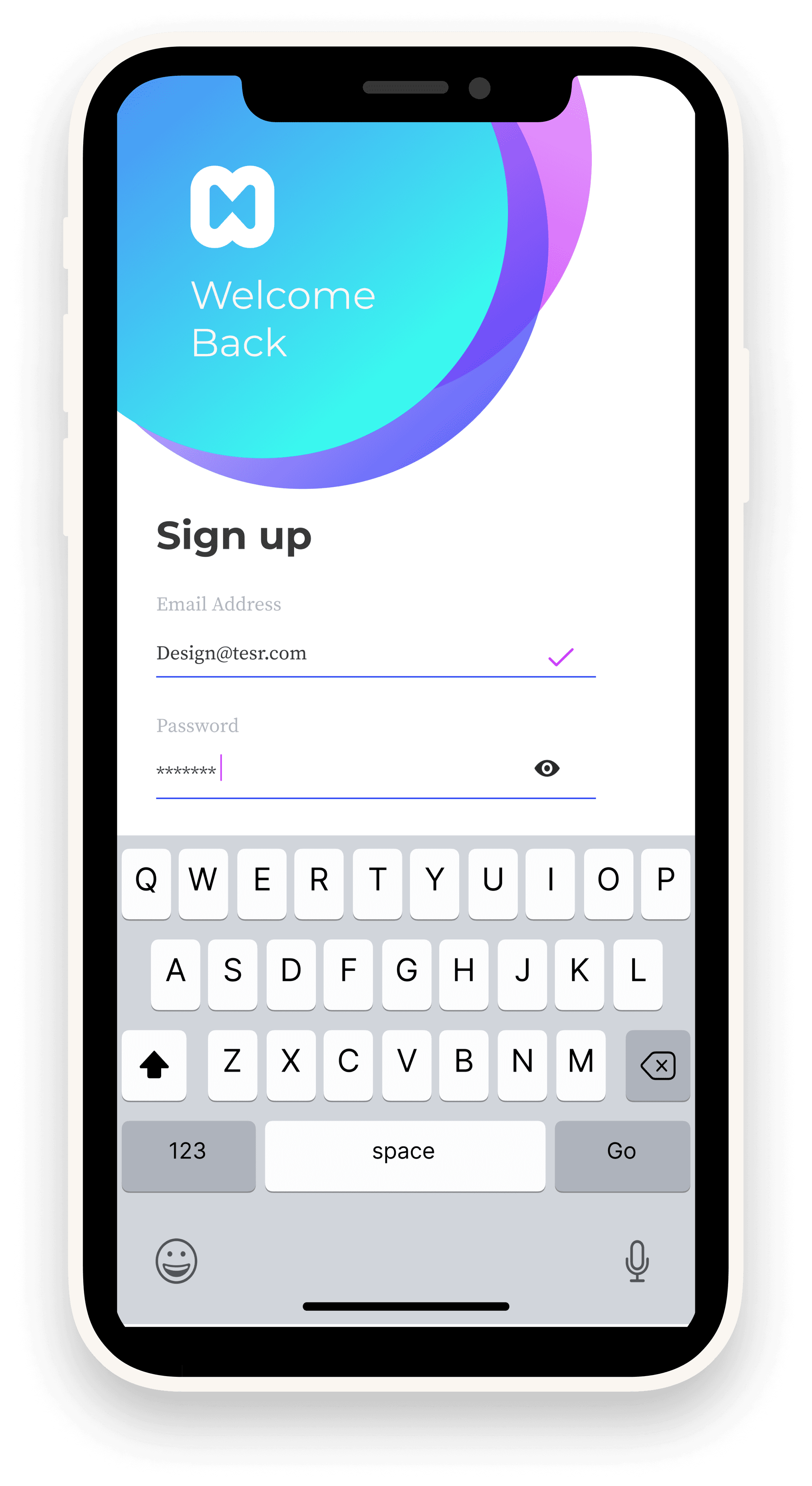
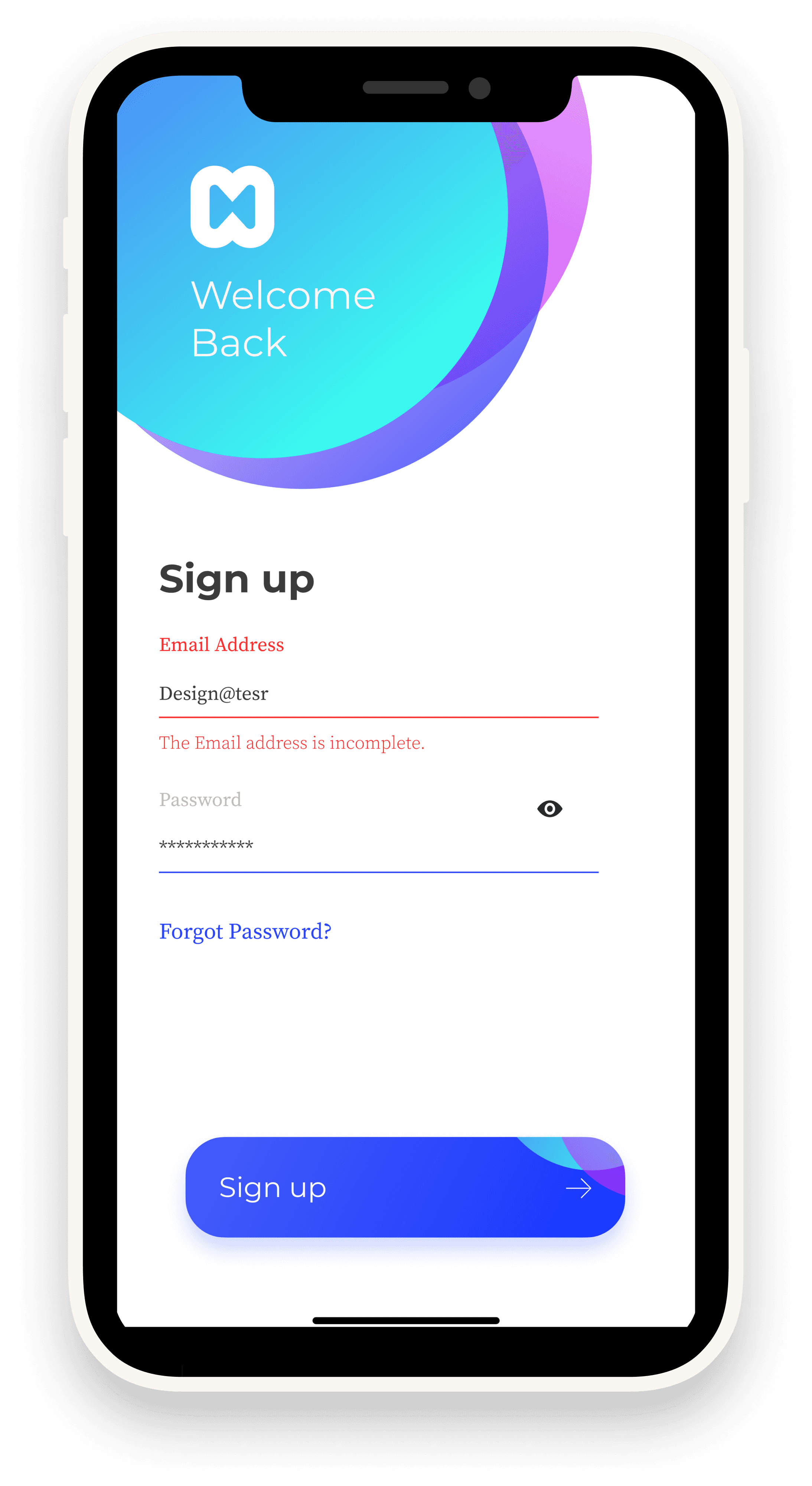
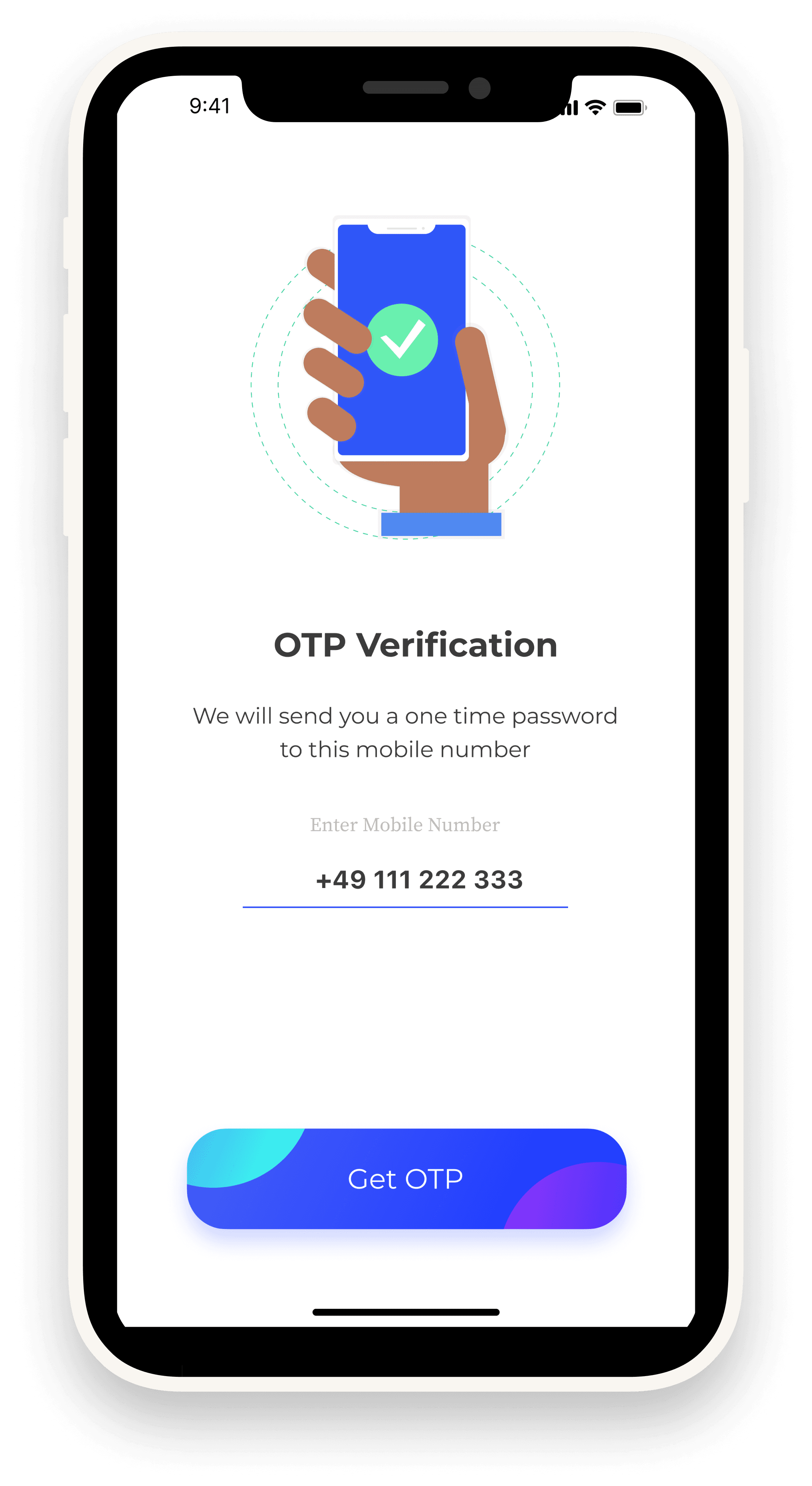
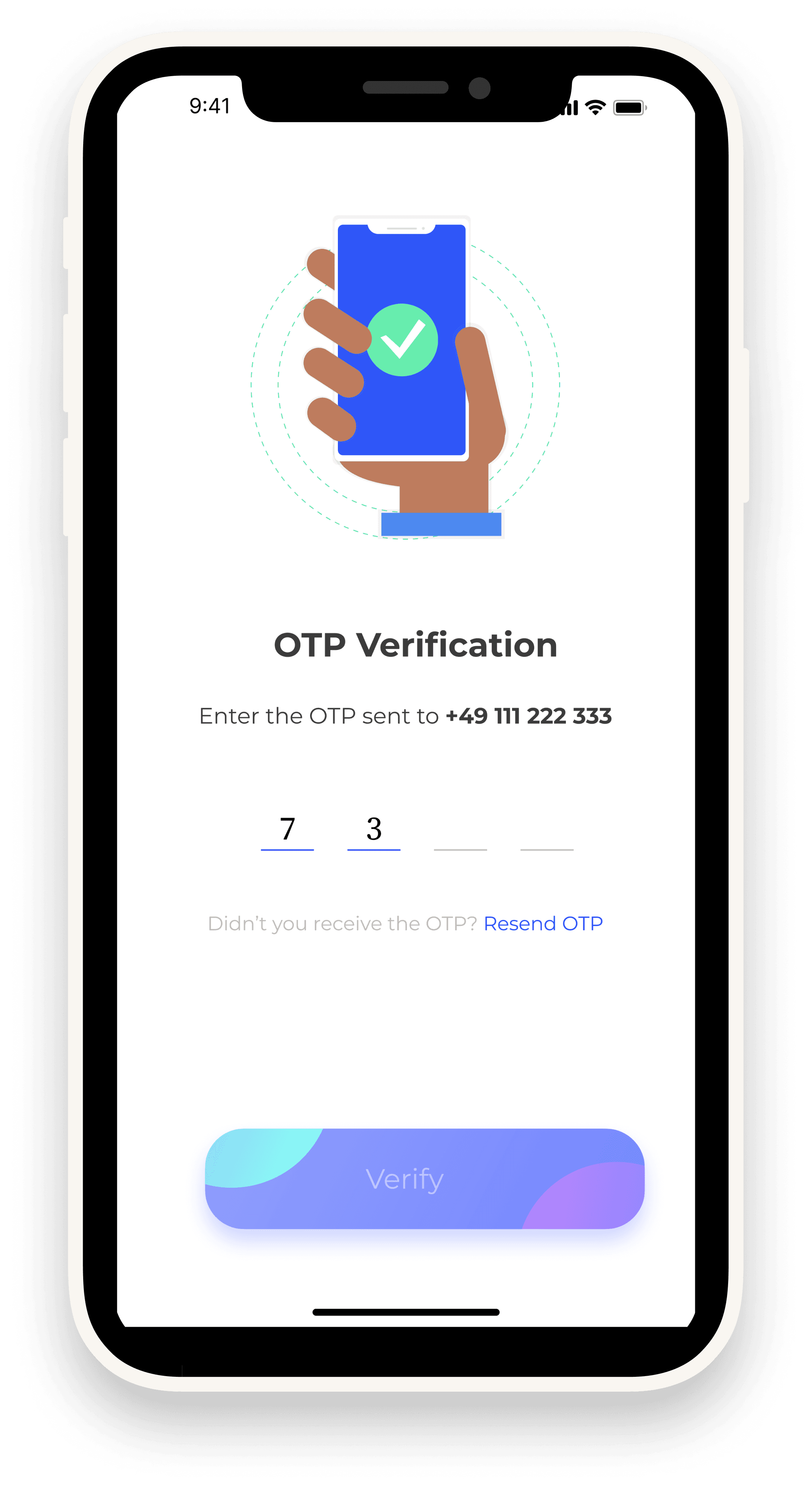
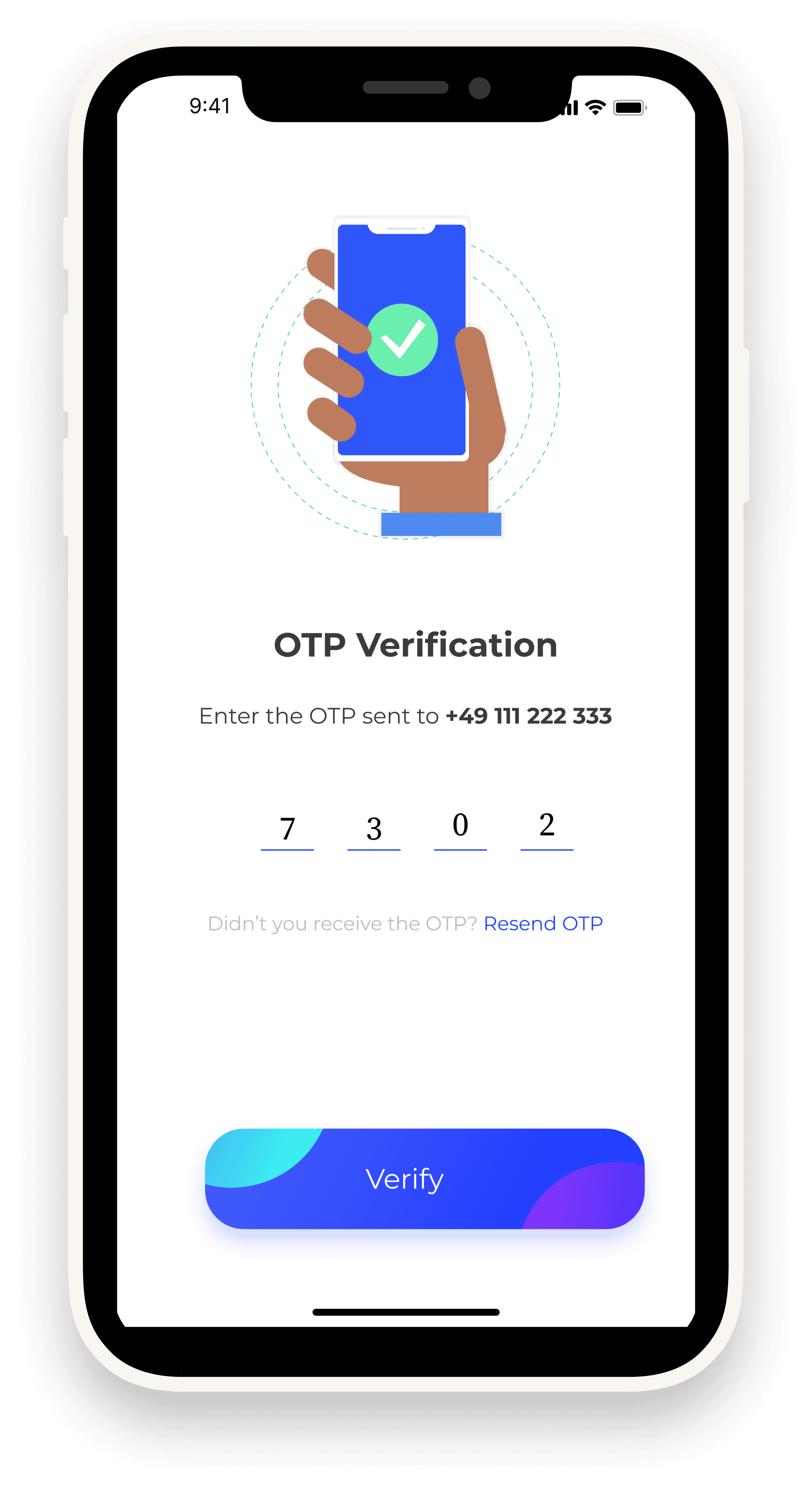
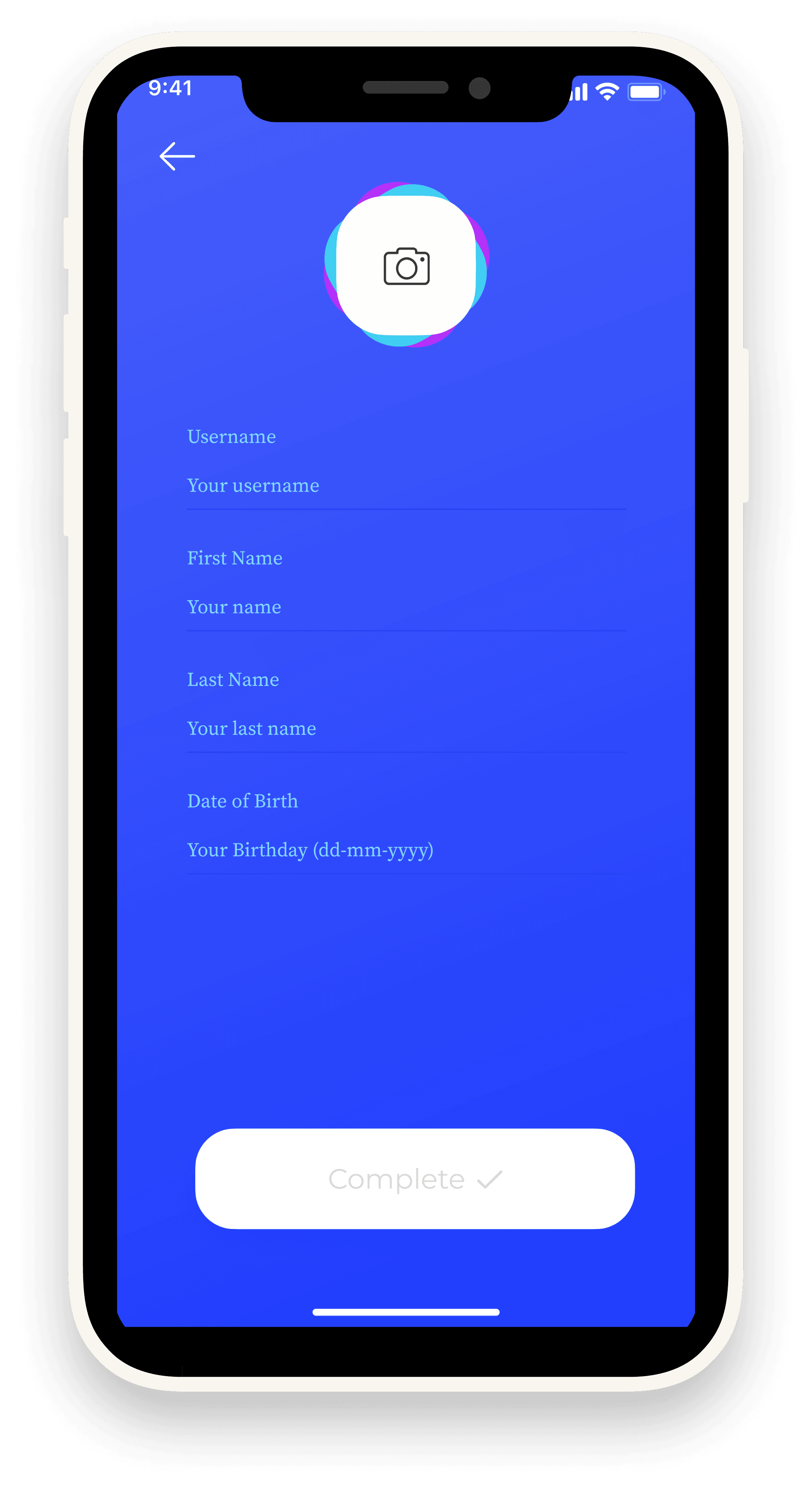
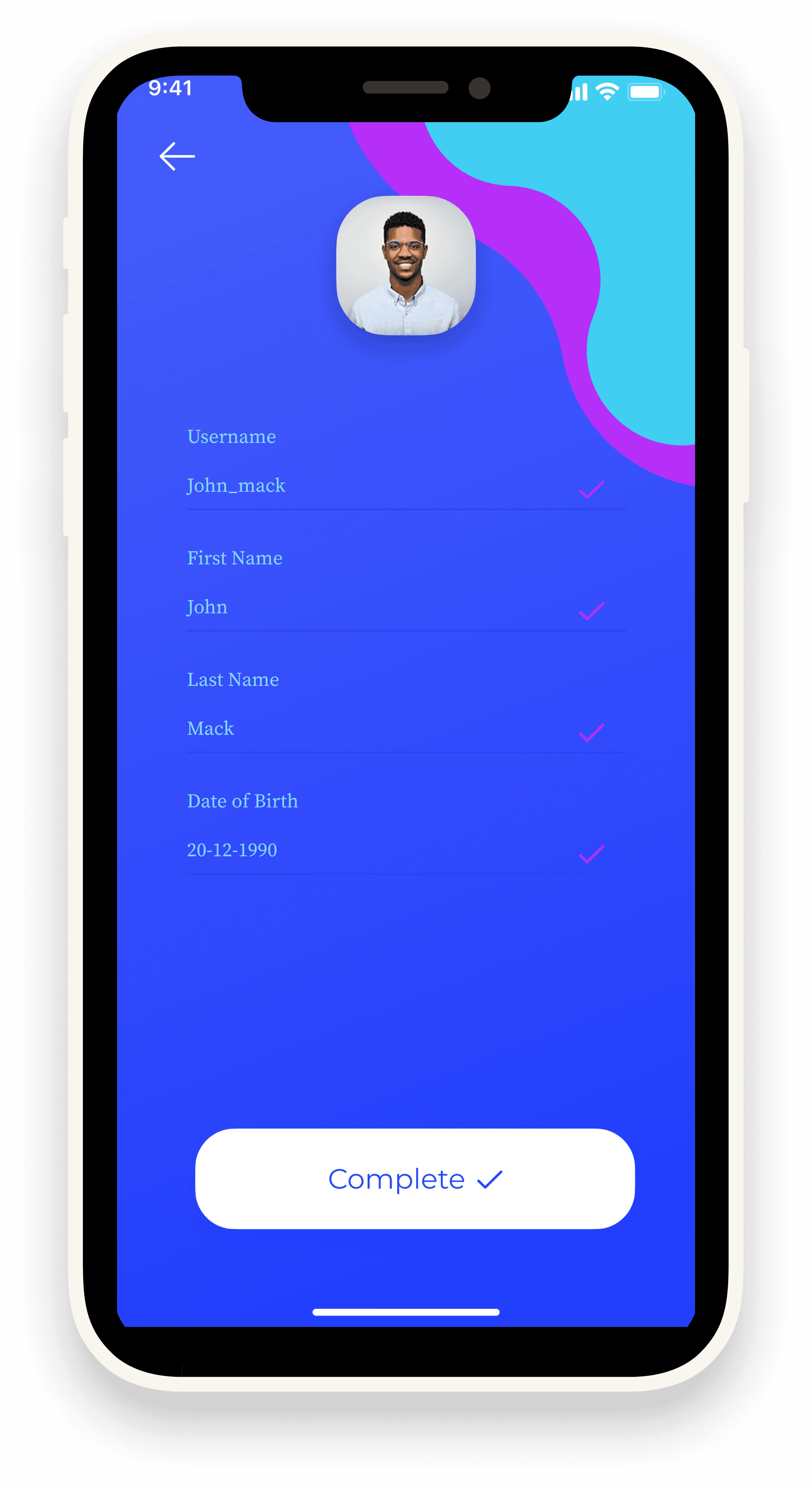
Prototyping: Built flows for sign-up, login, OTP verification, dashboard, transactions, and profile.
•
UI Design: Used a modern gradient style (blue & purple) to reflect trust + innovation.
•
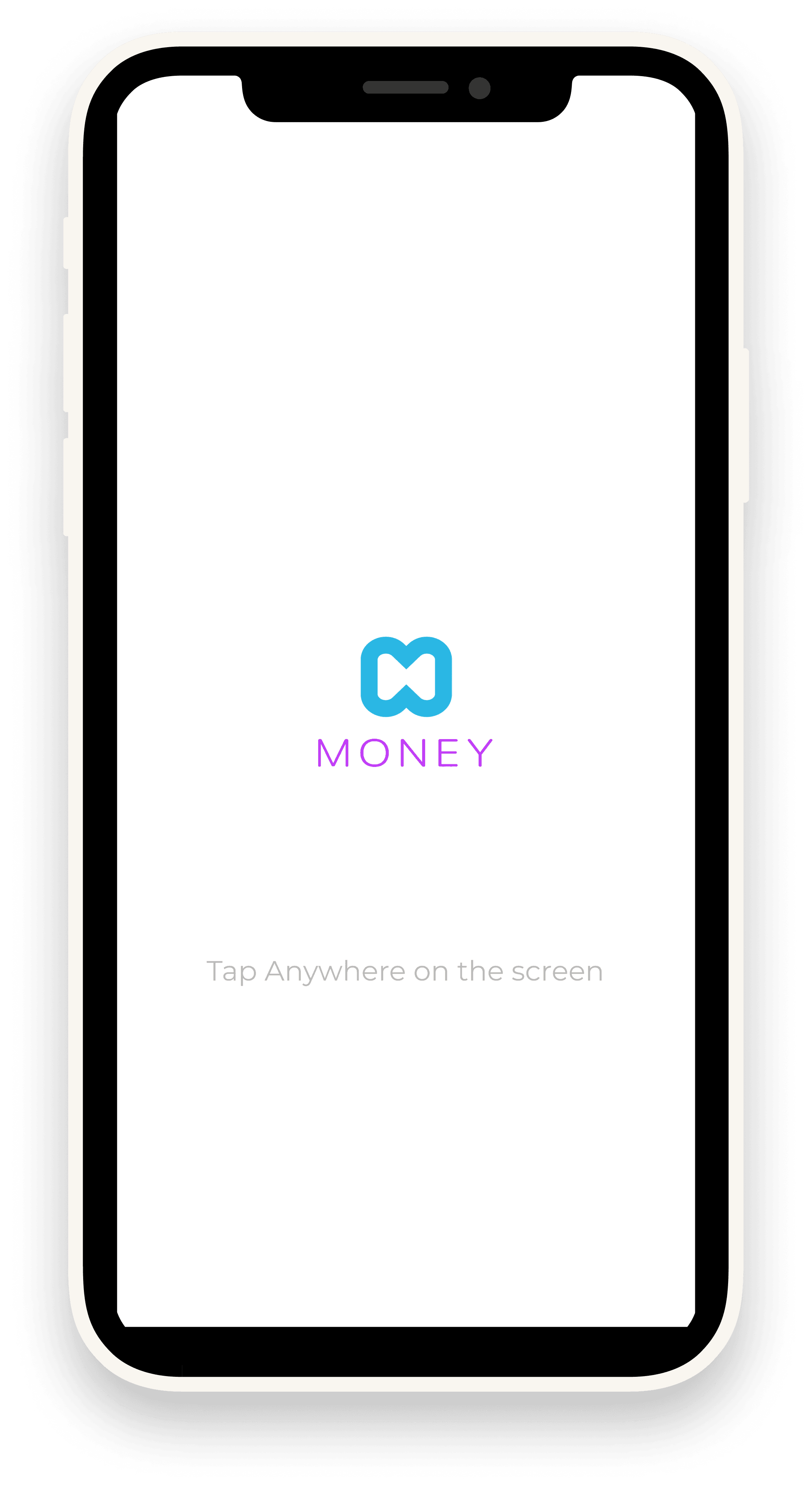
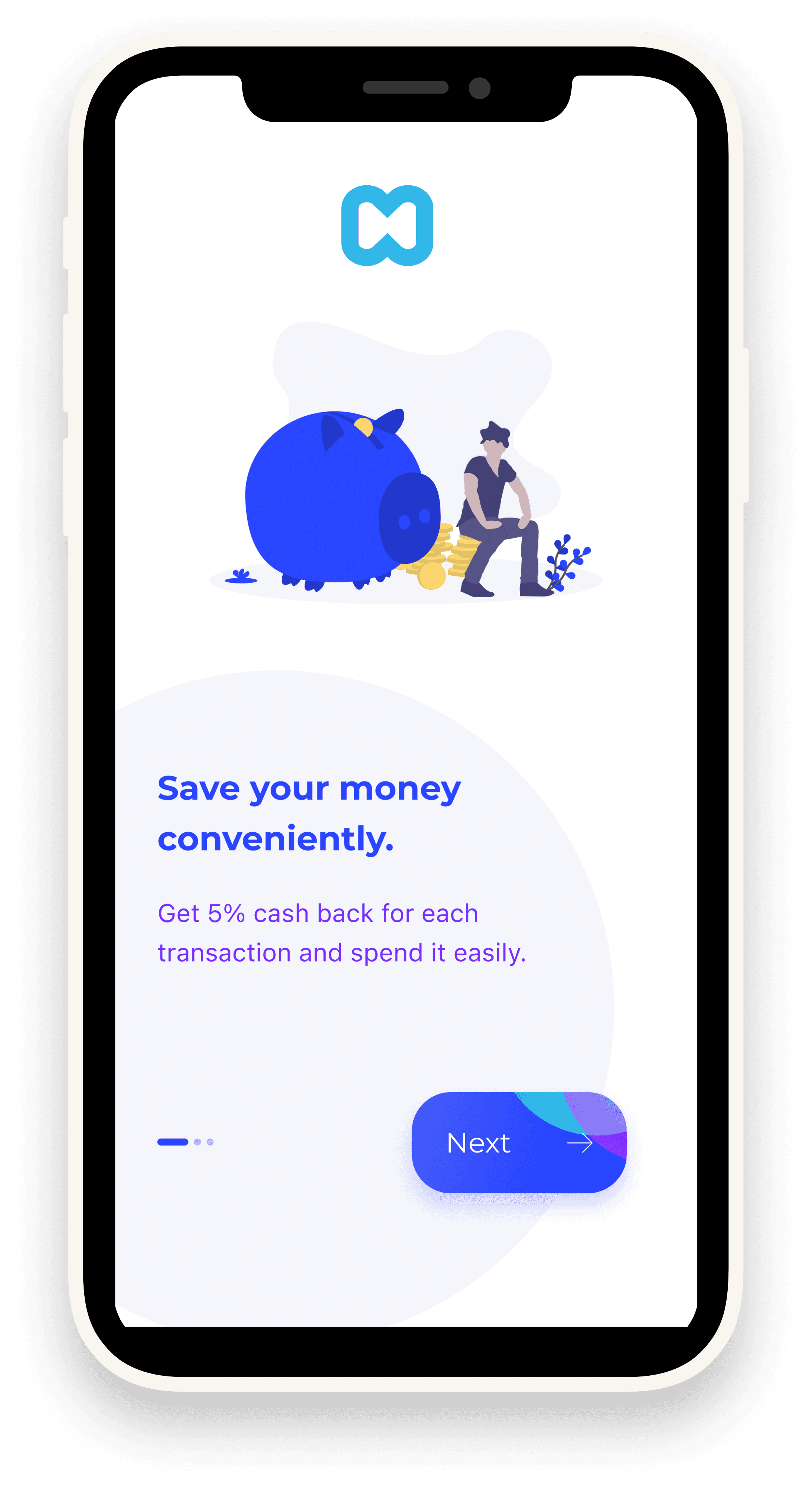
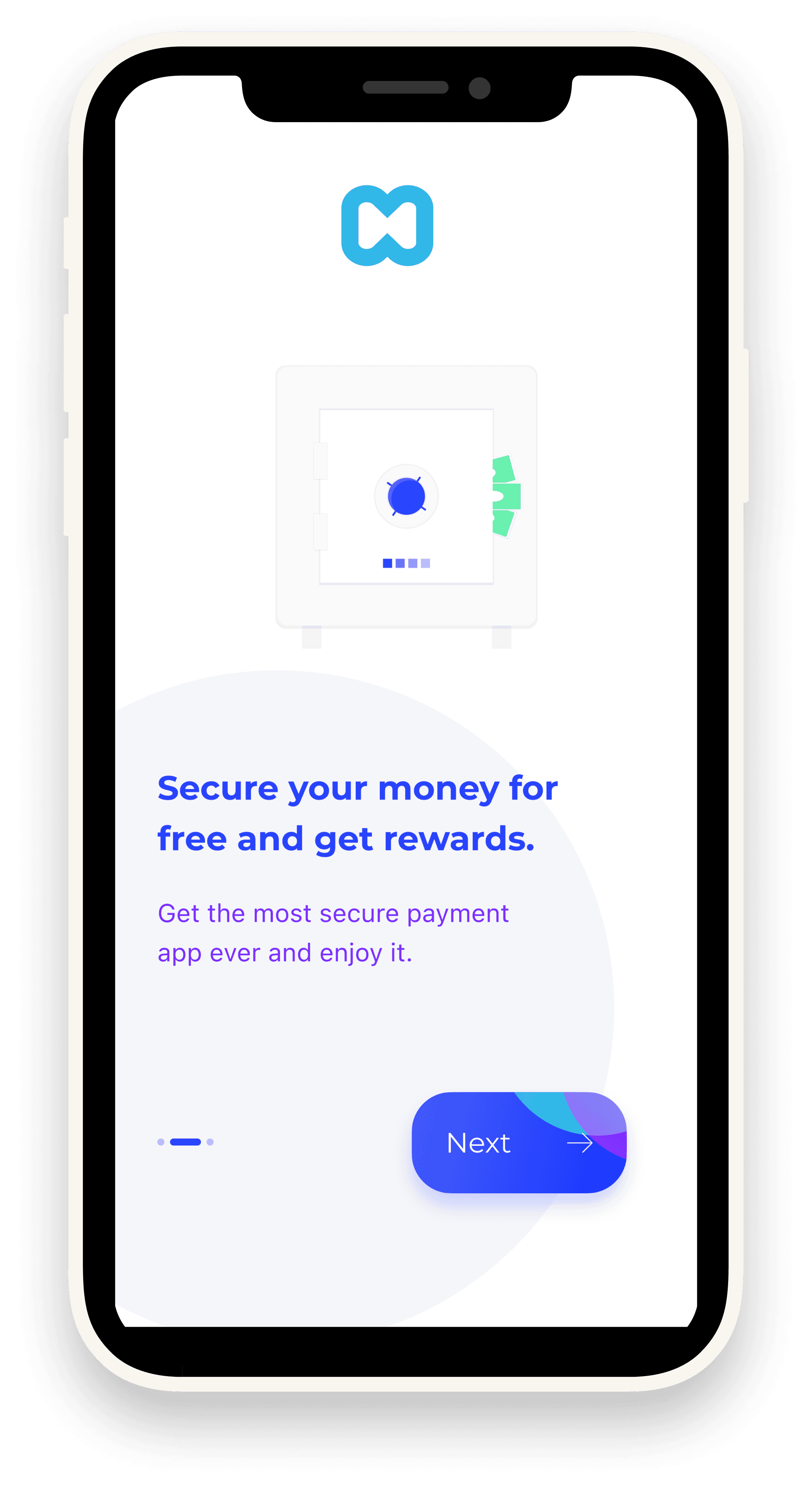
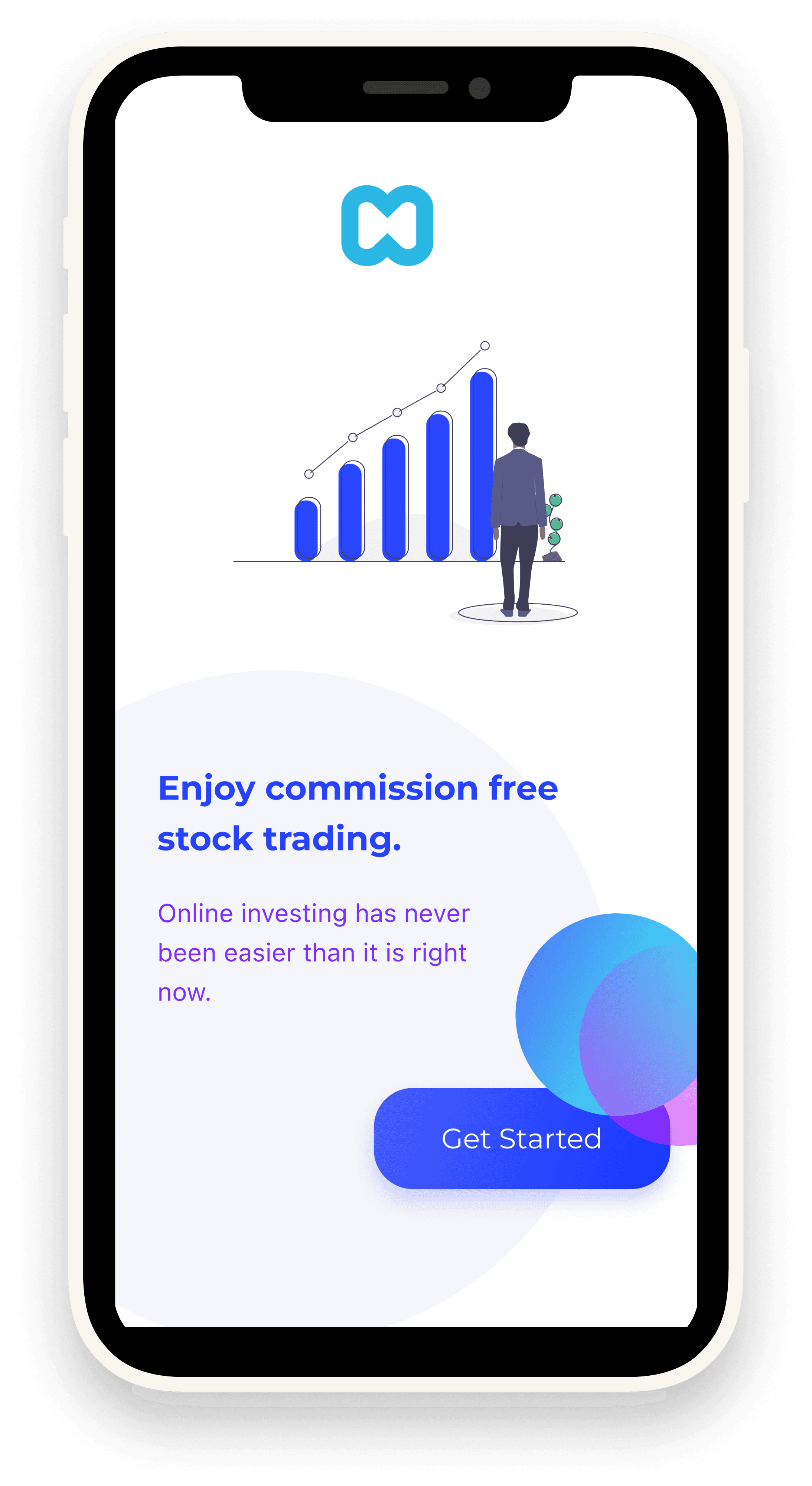
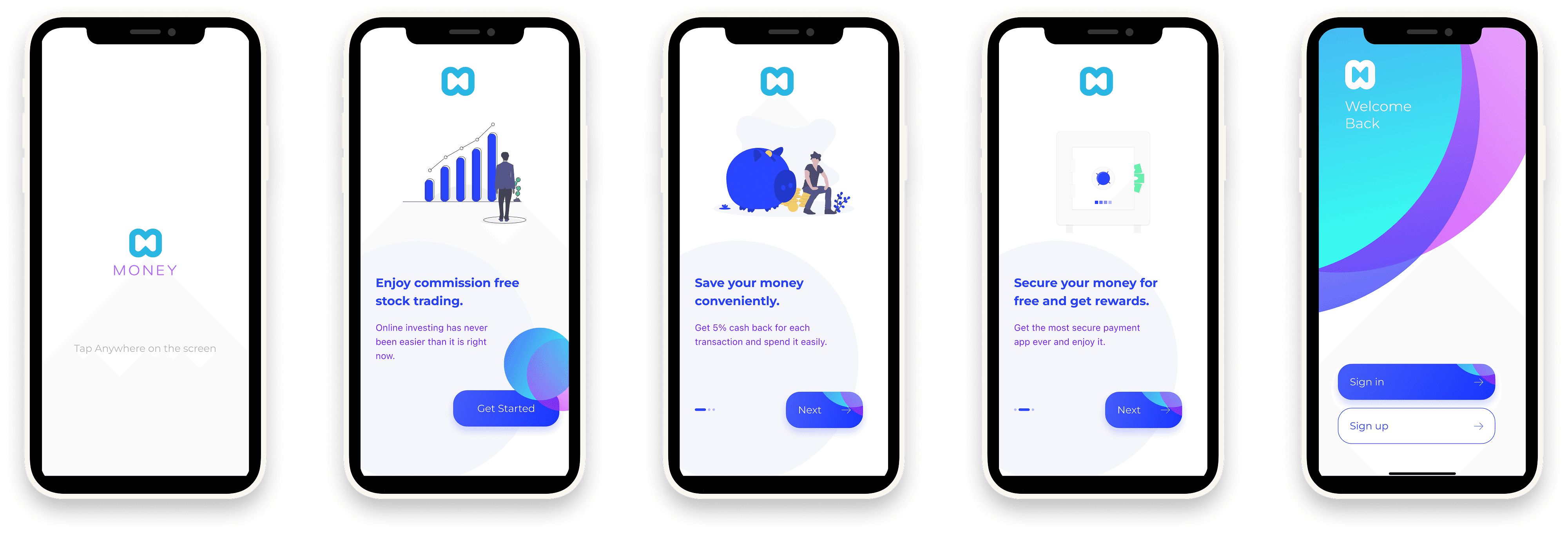
Illustrations & Onboarding: Added to make financial tasks less intimidating.
Final Solution
•
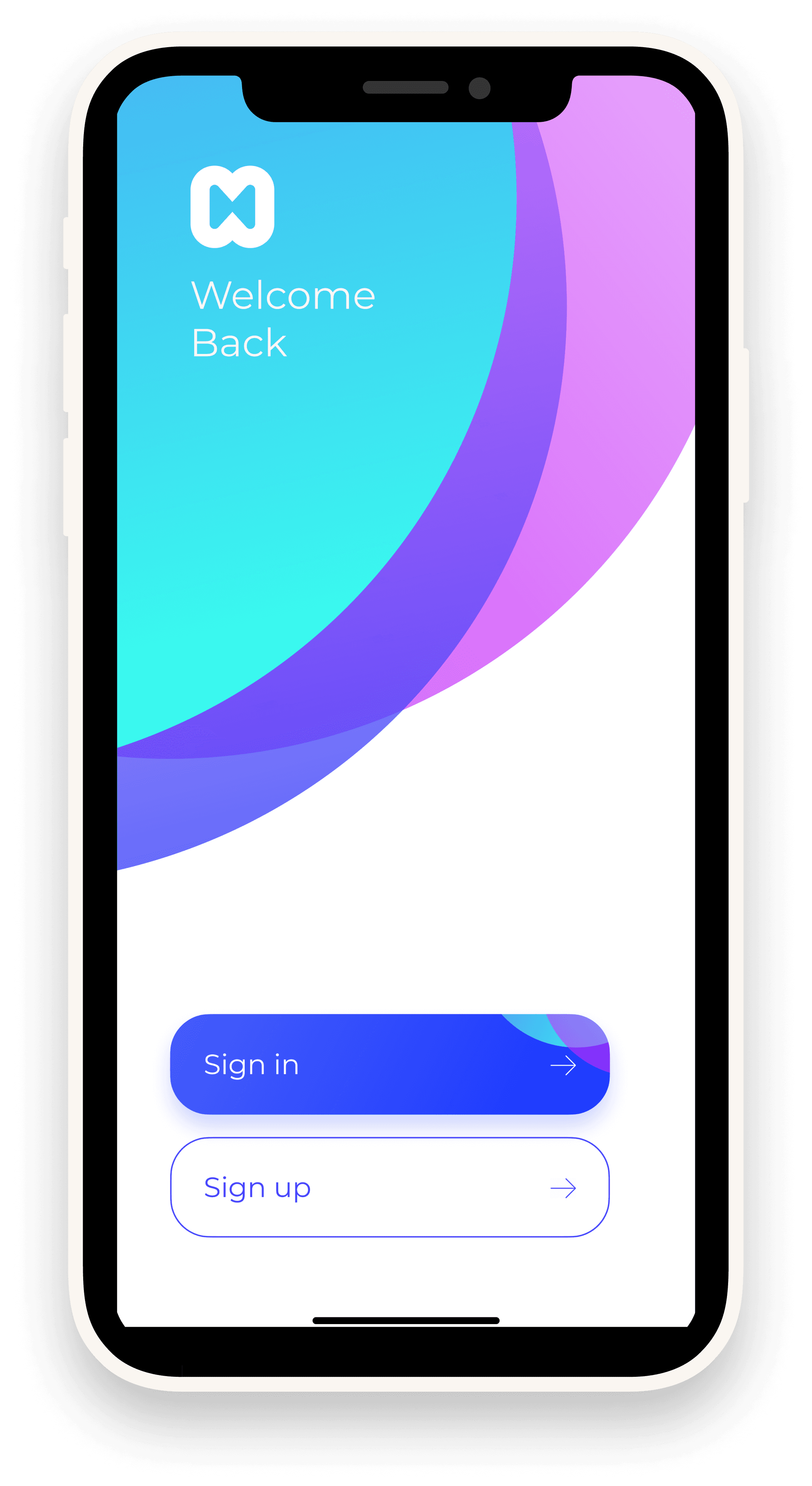
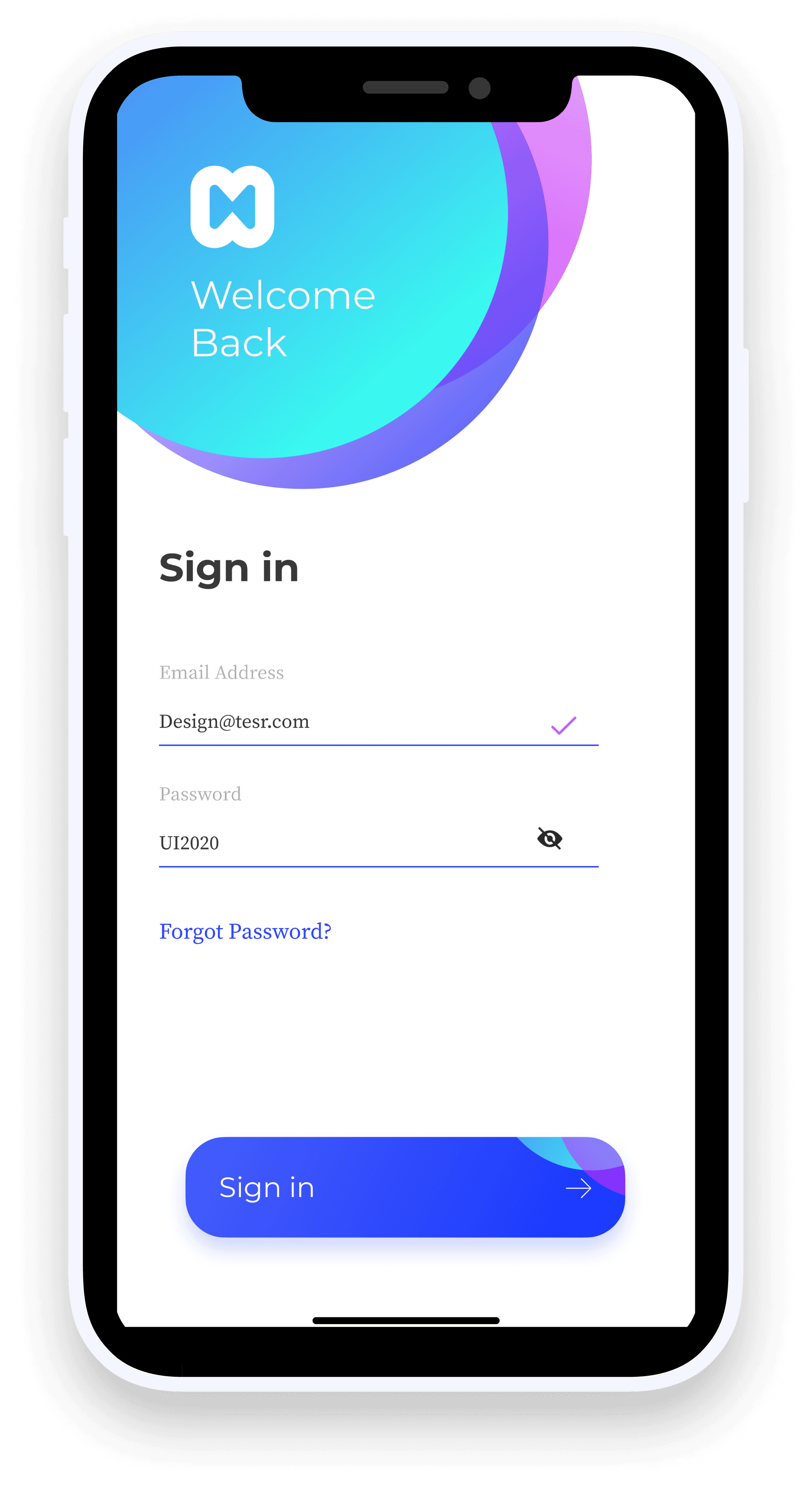
Onboarding & Authentication: Quick signup/sign-in with OTP verification.
•
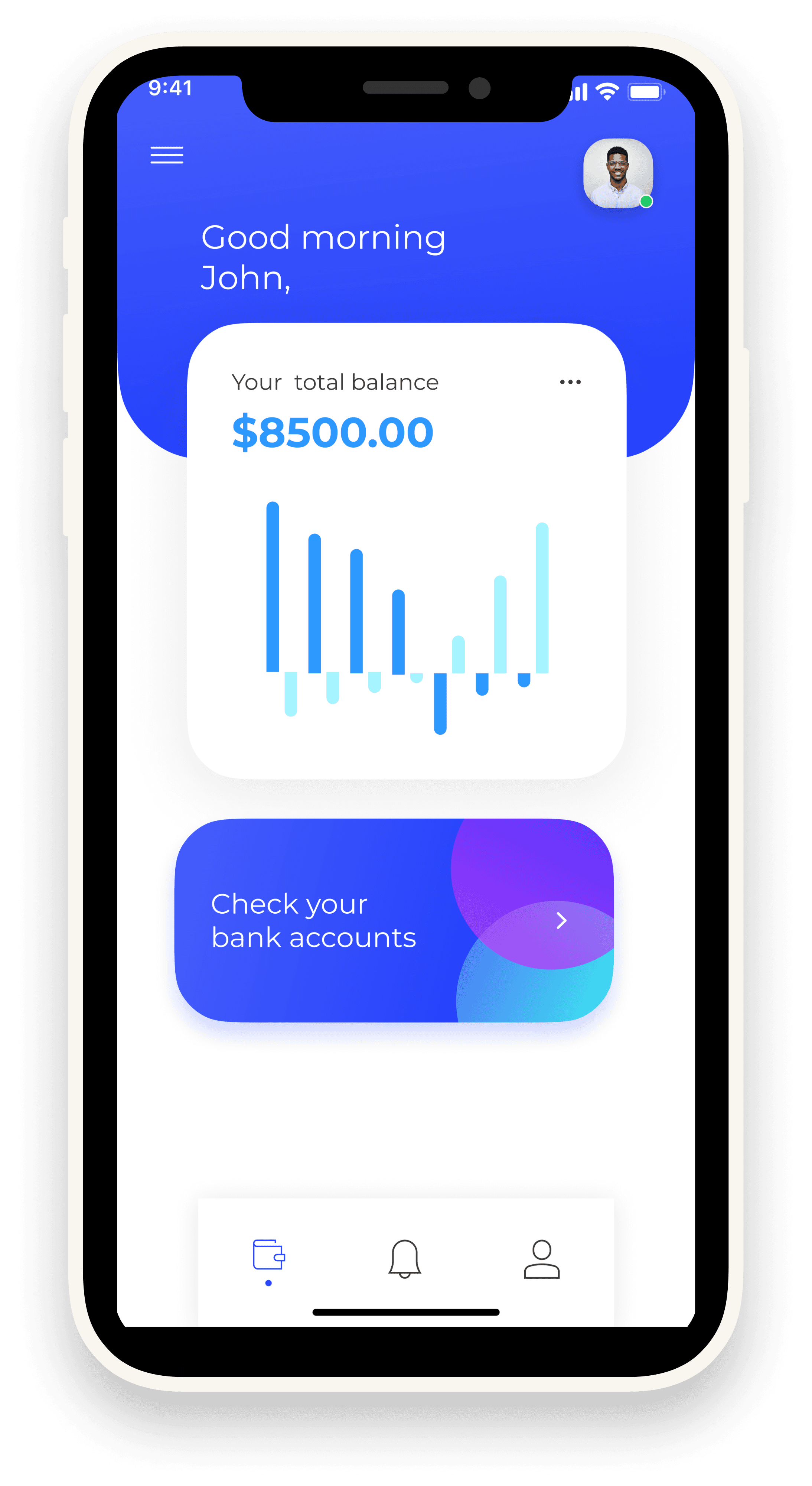
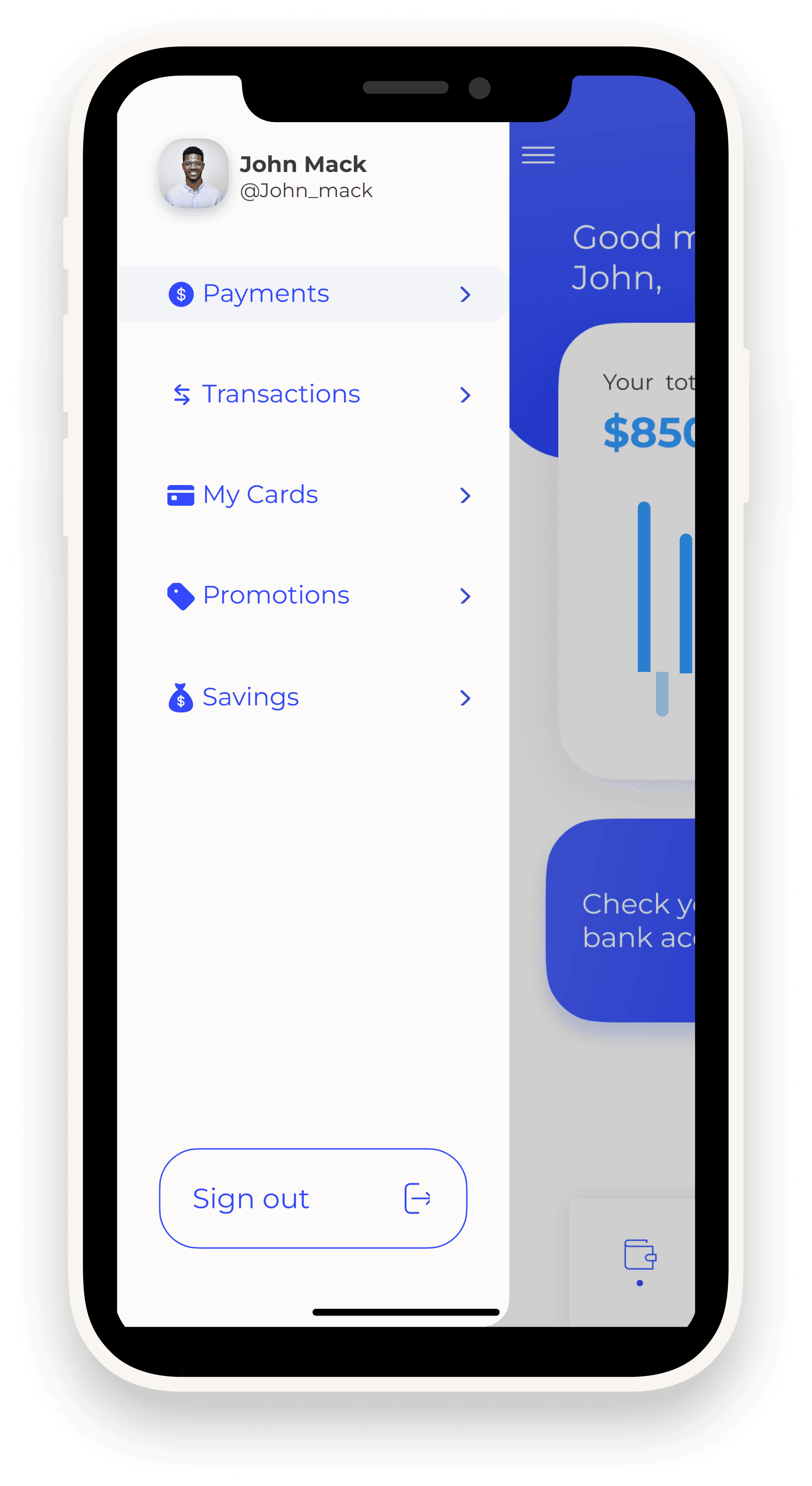
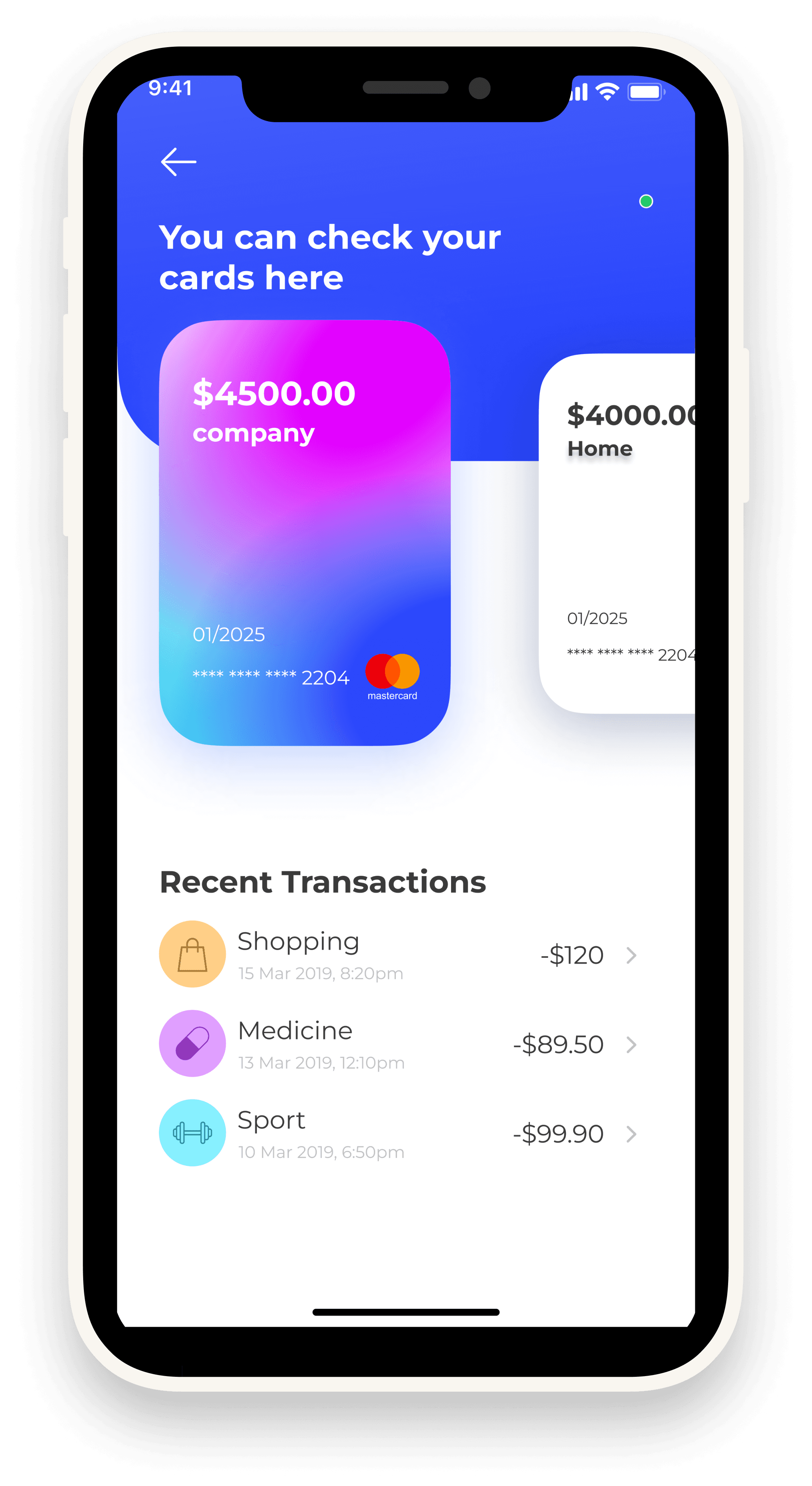
Dashboard: Displays balance, expenses, and graphical insights.
•
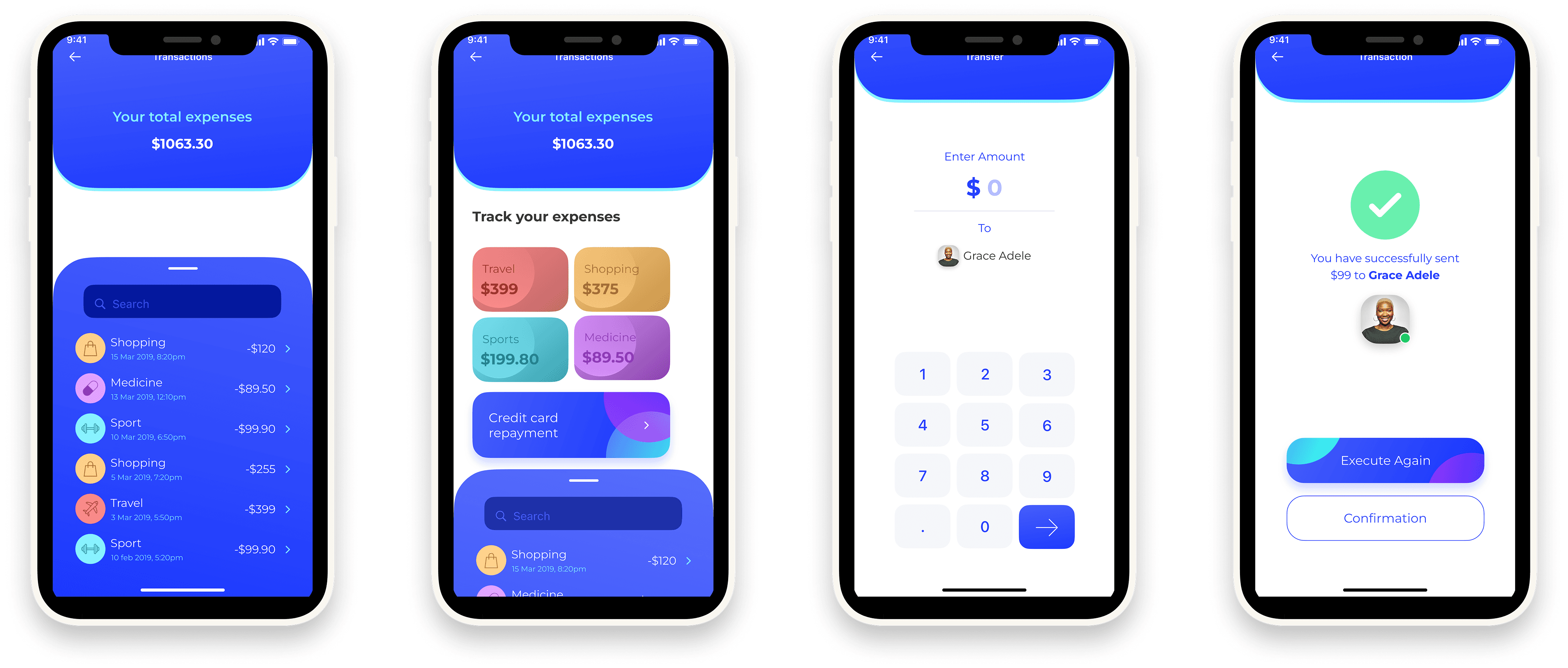
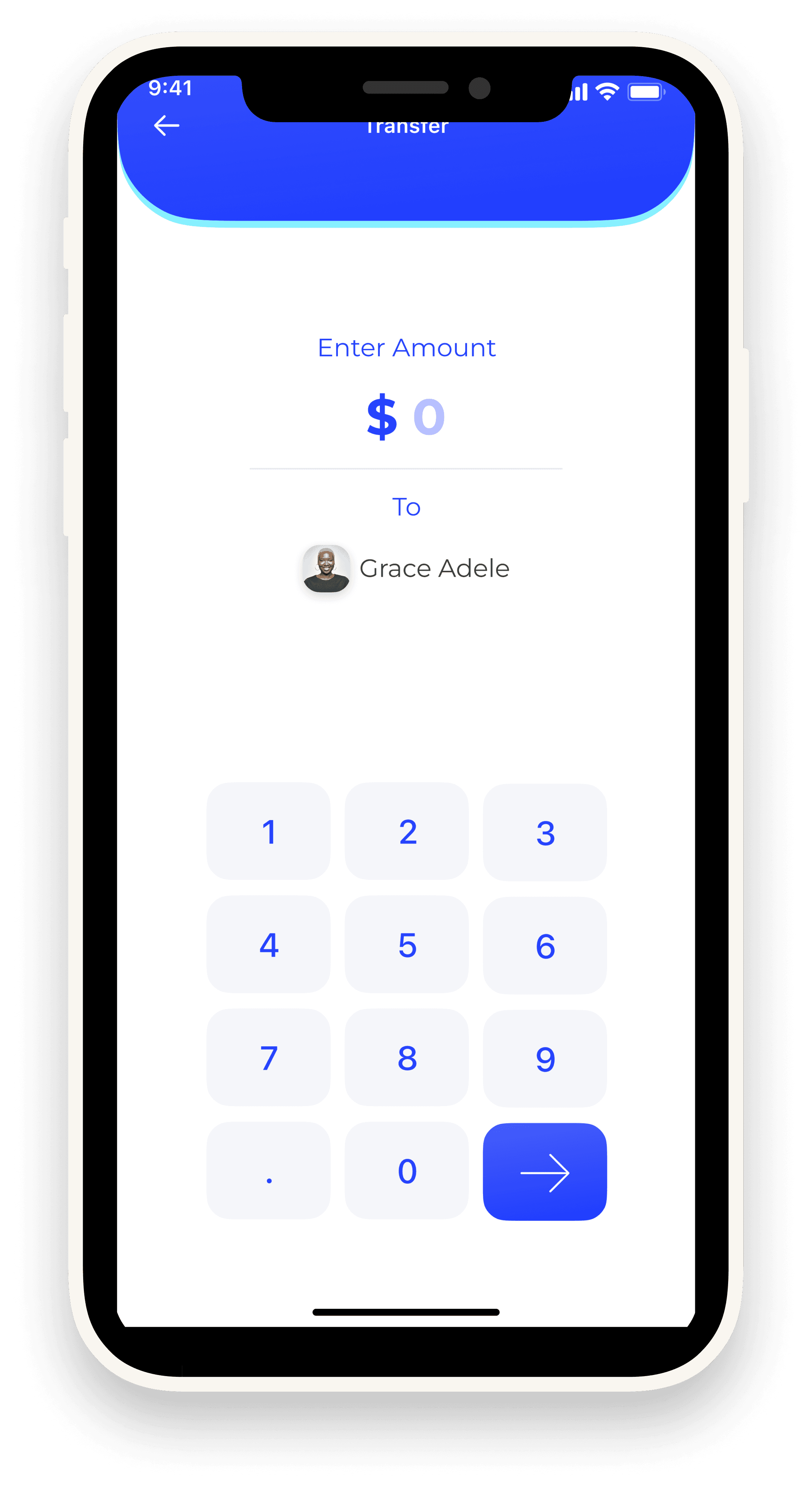
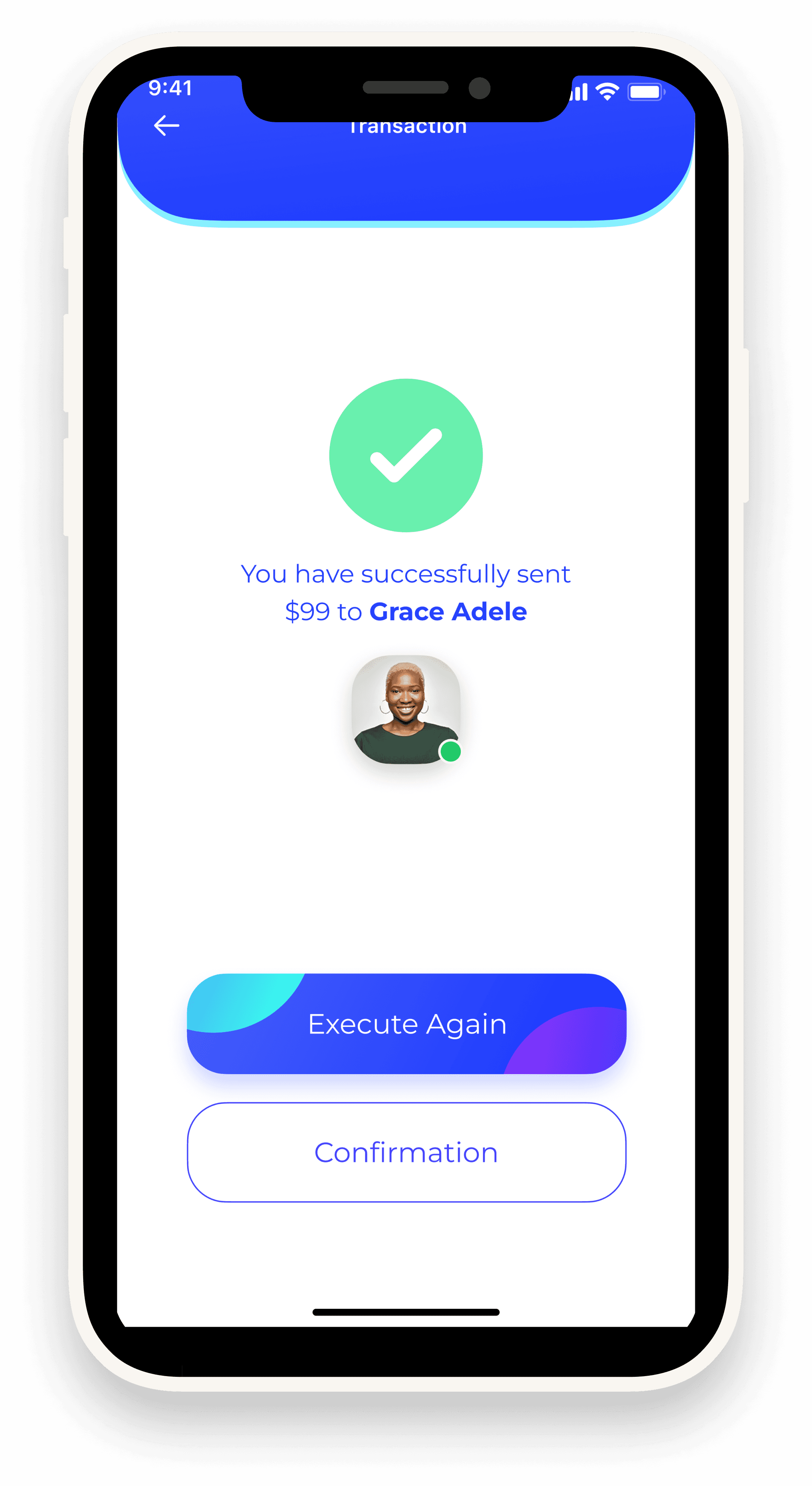
Transactions: Send & request money securely, track recent activity clearly.
•
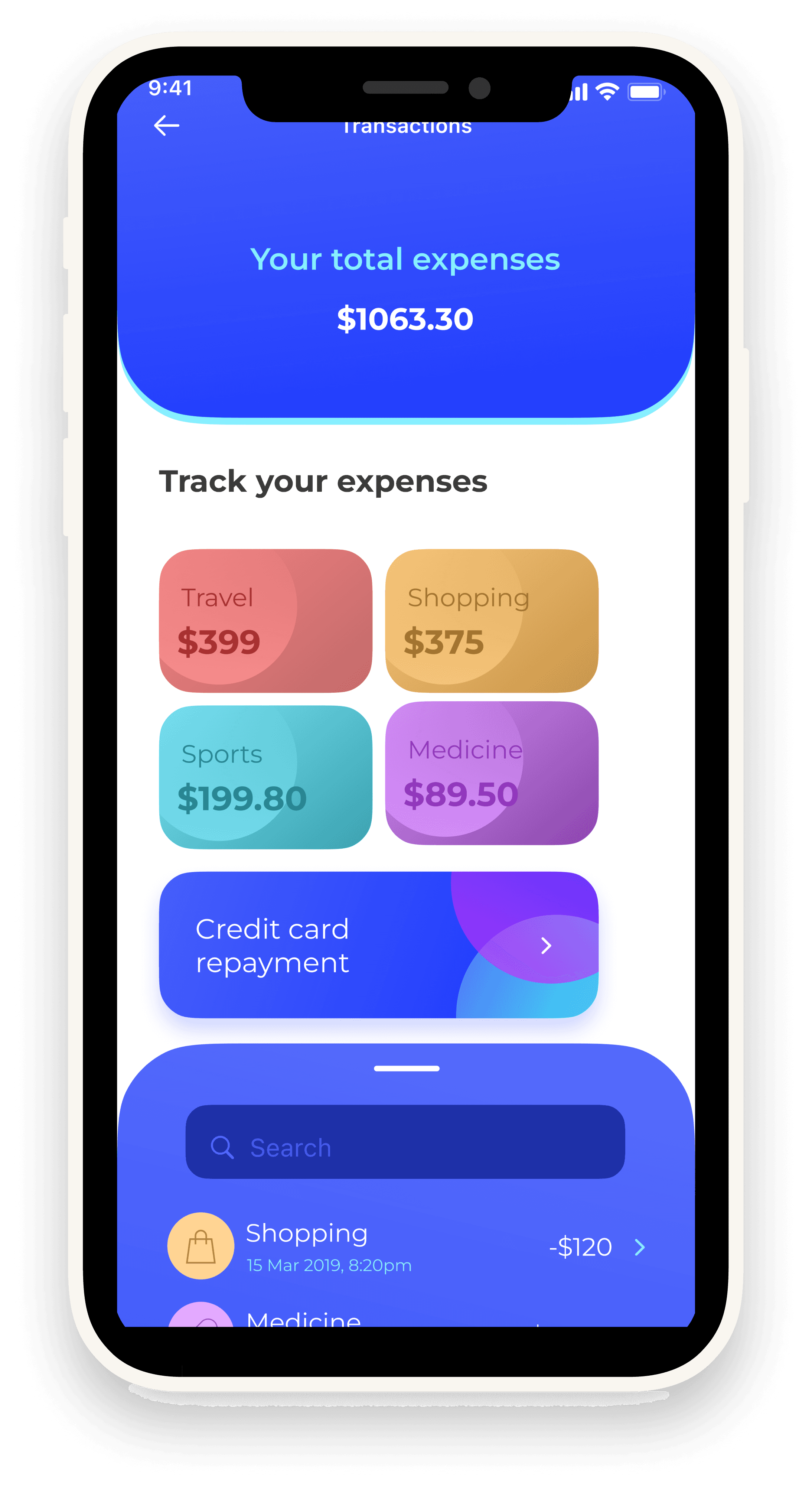
Expense Tracking: Categorized spending breakdowns.
•
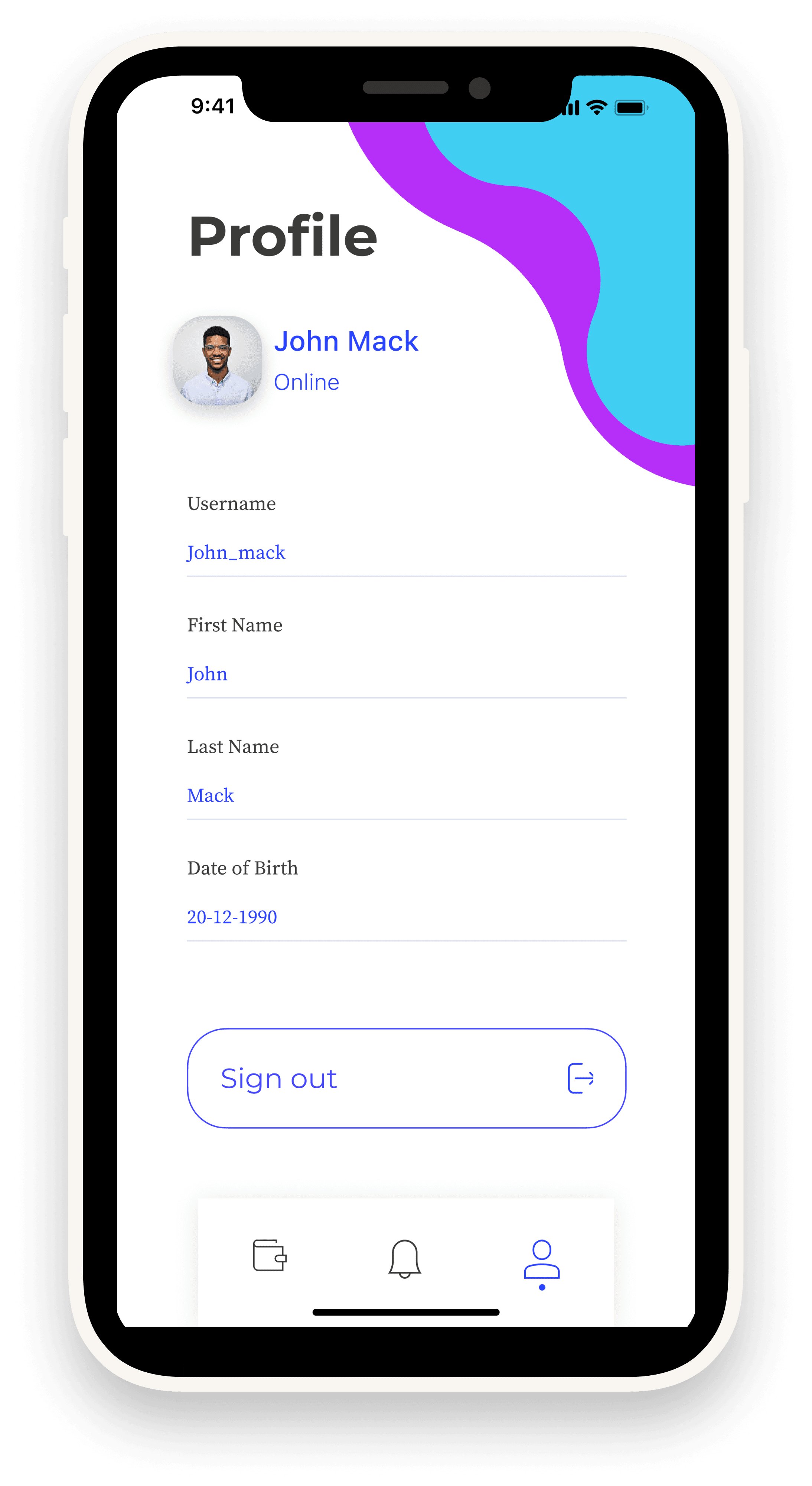
Profile Management: Easy access to user info & settings.
Visual Language
•
Colors: Blue (trust, reliability) + Purple gradients (modern, premium).
•
Typography: Clean sans-serif for readability.
•
Illustrations: Friendly onboarding visuals reduce complexity.
•
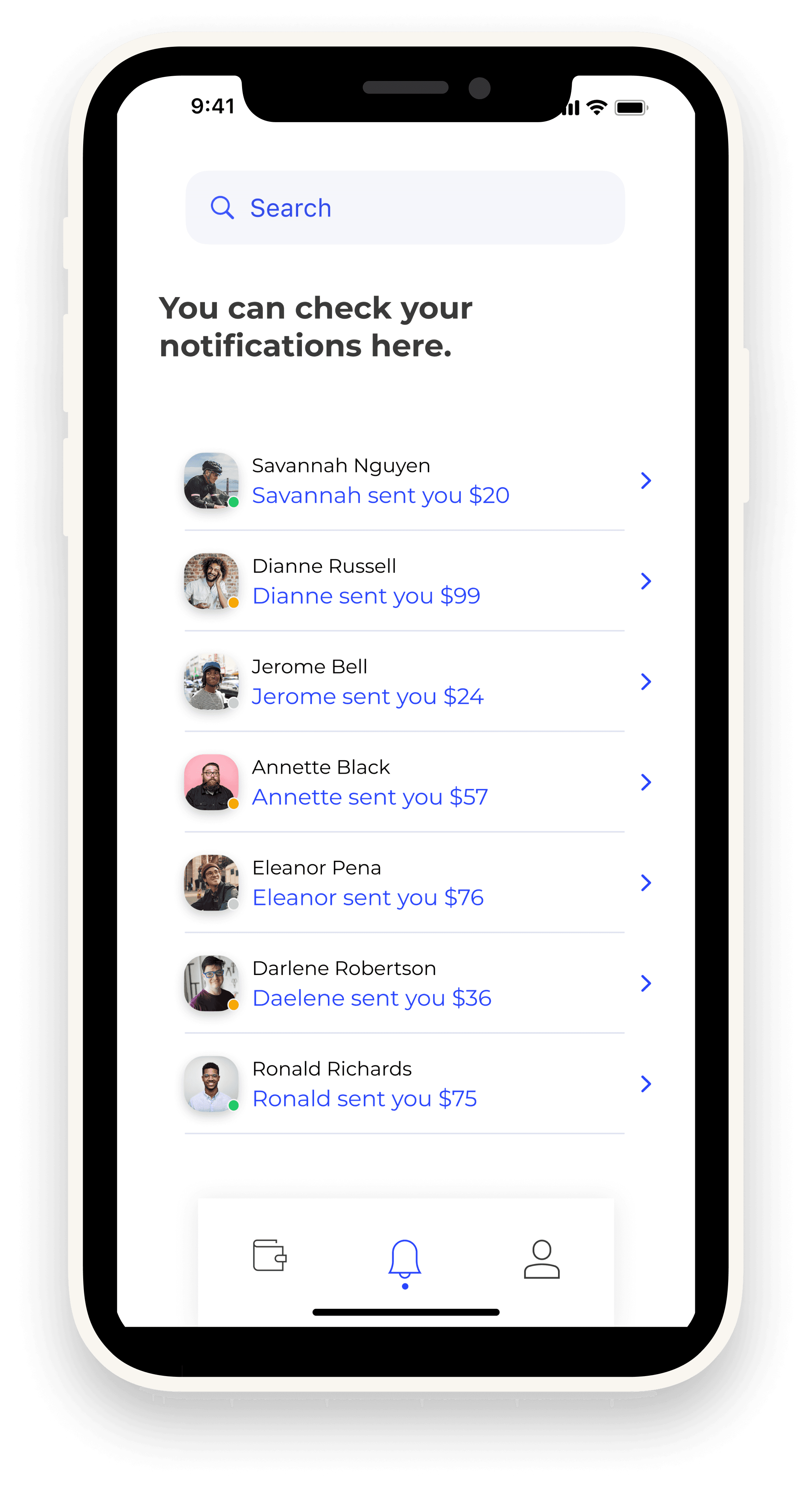
Layout: Bottom navigation for quick access to main features.
Outcome & Impact
•
Created a seamless, intuitive financial experience.
•
Reduced friction in signup/login flow with OTP.
•
Users can track money visually, improving financial literacy.
•
App feels modern, secure, and user-friendly, aligning with fintech trends.
Reflection & Next Steps
Key Learnings
•
Designing for finance requires a balance between trust (clear design, secure flows) and usability (easy navigation).
•
Gradients and visuals made the app stand out compared to traditional flat banking apps.
Future Improvements
•
Integrate dark mode for accessibility.
•
Add AI-driven financial tips to help users save better.
•
Explore integration with crypto wallets for future-proofing.
Back
Case 03
CDS Attendance tracker App
Project Summary
•
Project Type: Capstone Project
•
Domain: Banking & Finance
•
Goal: Create a mobile banking app that allows users to manage money seamlessly — send, receive, track expenses, and visualize transactions.
•
Duration: 2–3 weeks
•
Role: Sole UI/UX Designer
•
Tools Used: Figma, Illustrations, Streamline Icons
The Challenge
•
Traditional banking apps are often cluttered, unintuitive, and lack personalization.
•
Users want clarity, speed, and trustworthiness in financial apps.
•
A solution was needed that balances usability + visual appeal while ensuring secure financial interactions.
Research & Insights
Target Users: Young professionals, students, and everyday users managing digital money.
Pain Points Identified:
•
Complex sign-up processes discourage adoption.
•
Poor transaction visibility → users struggle to track spending.
•
Lack of engaging, modern UI reduces trust in app security.
Insight: Users expect a simple, modern, and secure interface for banking.
Design Process
•
Wireframing: Focused on clarity → minimal navigation & grouped core actions.
•
Prototyping: Built flows for sign-up, login, OTP verification, dashboard, transactions, and profile.
•
UI Design: Used a modern gradient style (blue & purple) to reflect trust + innovation.
•
Illustrations & Onboarding: Added to make financial tasks less intimidating.
Final Solution
•
Onboarding & Authentication: Quick signup/sign-in with OTP verification.
•
Dashboard: Displays balance, expenses, and graphical insights.
•
Transactions: Send & request money securely, track recent activity clearly.
•
Expense Tracking: Categorized spending breakdowns.
•
Profile Management: Easy access to user info & settings.
Visual Language
•
Colors: Blue (trust, reliability) + Purple gradients (modern, premium).
•
Typography: Clean sans-serif for readability.
•
Illustrations: Friendly onboarding visuals reduce complexity.
•
Layout: Bottom navigation for quick access to main features.
Outcome & Impact
•
Created a seamless, intuitive financial experience.
•
Reduced friction in signup/login flow with OTP.
•
Users can track money visually, improving financial literacy.
•
App feels modern, secure, and user-friendly, aligning with fintech trends.
Reflection & Next Steps
Key Learnings
•
Designing for finance requires a balance between trust (clear design, secure flows) and usability (easy navigation).
•
Gradients and visuals made the app stand out compared to traditional flat banking apps.
Future Improvements
•
Integrate dark mode for accessibility.
•
Add AI-driven financial tips to help users save better.
•
Explore integration with crypto wallets for future-proofing.
Back
Case 03
CDS Attendance tracker App
Project Summary
•
Project Type: Capstone Project
•
Domain: Banking & Finance
•
Goal: Create a mobile banking app that allows users to manage money seamlessly — send, receive, track expenses, and visualize transactions.
•
Duration: 2–3 weeks
•
Role: Sole UI/UX Designer
•
Tools Used: Figma, Illustrations, Streamline Icons
The Challenge
•
Traditional banking apps are often cluttered, unintuitive, and lack personalization.
•
Users want clarity, speed, and trustworthiness in financial apps.
•
A solution was needed that balances usability + visual appeal while ensuring secure financial interactions.
Research & Insights
Target Users: Young professionals, students, and everyday users managing digital money.
Pain Points Identified:
•
Complex sign-up processes discourage adoption.
•
Poor transaction visibility → users struggle to track spending.
•
Lack of engaging, modern UI reduces trust in app security.
Insight: Users expect a simple, modern, and secure interface for banking.
Design Process
•
Wireframing: Focused on clarity → minimal navigation & grouped core actions.
•
Prototyping: Built flows for sign-up, login, OTP verification, dashboard, transactions, and profile.
•
UI Design: Used a modern gradient style (blue & purple) to reflect trust + innovation.
•
Illustrations & Onboarding: Added to make financial tasks less intimidating.
Final Solution
•
Onboarding & Authentication: Quick signup/sign-in with OTP verification.
•
Dashboard: Displays balance, expenses, and graphical insights.
•
Transactions: Send & request money securely, track recent activity clearly.
•
Expense Tracking: Categorized spending breakdowns.
•
Profile Management: Easy access to user info & settings.
Visual Language
•
Colors: Blue (trust, reliability) + Purple gradients (modern, premium).
•
Typography: Clean sans-serif for readability.
•
Illustrations: Friendly onboarding visuals reduce complexity.
•
Layout: Bottom navigation for quick access to main features.
Outcome & Impact
•
Created a seamless, intuitive financial experience.
•
Reduced friction in signup/login flow with OTP.
•
Users can track money visually, improving financial literacy.
•
App feels modern, secure, and user-friendly, aligning with fintech trends.
Reflection & Next Steps
Key Learnings
•
Designing for finance requires a balance between trust (clear design, secure flows) and usability (easy navigation).
•
Gradients and visuals made the app stand out compared to traditional flat banking apps.
Future Improvements
•
Integrate dark mode for accessibility.
•
Add AI-driven financial tips to help users save better.
•
Explore integration with crypto wallets for future-proofing.